

433
3D Modeling and Visualization
hold down the Ctrl key, GSU will try to move the window somewhere else
instead of making a copy.
5. Use the mouse to select and drag the copy of the window over to the
right of the new 13.5-foot distant construction line. Make sure that the
inference dialog box that appears indicates you’re copying it “On the
Face” (that is, the copy will be moved to the face of the building instead
of into space somewhere).
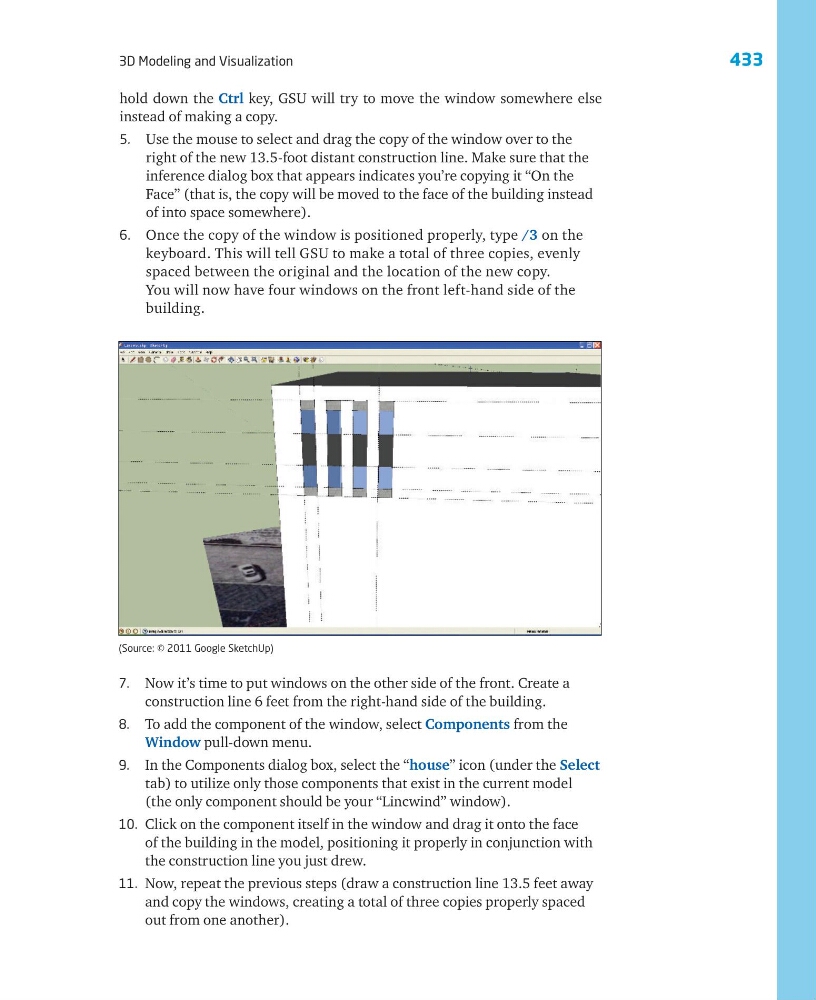
6. Once the copy of the window is positioned properly, type /3 on the
keyboard. This will tell GSU to make a total of three copies, evenly
spaced between the original and the location of the new copy.
You will now have four windows on the front left-hand side of the
building.
7. Now it’s time to put windows on the other side of the front. Create a
construction line 6 feet from the right-hand side of the building.
8. To add the component of the window, select Components from the
Window pull-down menu.
9. In the Components dialog box, select the “house” icon (under the Select
tab) to utilize only those components that exist in the current model
(the only component should be your “Lincwind” window).
10. Click on the component itself in the window and drag it onto the face
of the building in the model, positioning it properly in conjunction with
the construction line you just drew.
11. Now, repeat the previous steps (draw a construction line 13.5 feet away
and copy the windows, creating a total of three copies properly spaced
out from one another).
(Source: © 2011 Google SketchUp)
3D Modeling and Visualization
hold down the Ctrl key, GSU will try to move the window somewhere else
instead of making a copy.
5. Use the mouse to select and drag the copy of the window over to the
right of the new 13.5-foot distant construction line. Make sure that the
inference dialog box that appears indicates you’re copying it “On the
Face” (that is, the copy will be moved to the face of the building instead
of into space somewhere).
6. Once the copy of the window is positioned properly, type /3 on the
keyboard. This will tell GSU to make a total of three copies, evenly
spaced between the original and the location of the new copy.
You will now have four windows on the front left-hand side of the
building.
7. Now it’s time to put windows on the other side of the front. Create a
construction line 6 feet from the right-hand side of the building.
8. To add the component of the window, select Components from the
Window pull-down menu.
9. In the Components dialog box, select the “house” icon (under the Select
tab) to utilize only those components that exist in the current model
(the only component should be your “Lincwind” window).
10. Click on the component itself in the window and drag it onto the face
of the building in the model, positioning it properly in conjunction with
the construction line you just drew.
11. Now, repeat the previous steps (draw a construction line 13.5 feet away
and copy the windows, creating a total of three copies properly spaced
out from one another).
(Source: © 2011 Google SketchUp)