

402
Chapter 13 Digital Landscaping
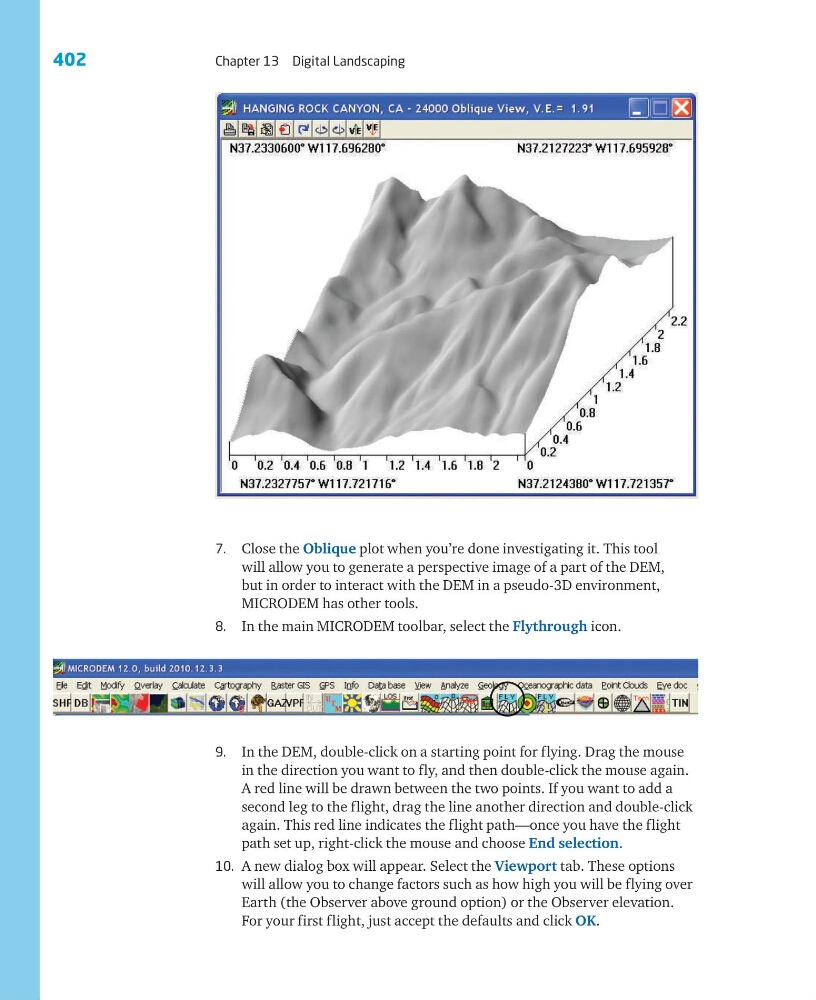
7. Close the Oblique plot when you’re done investigating it. This tool
will allow you to generate a perspective image of a part of the DEM,
but in order to interact with the DEM in a pseudo-3D environment,
MICRODEM has other tools.
8. In the main MICRODEM toolbar, select the Flythrough icon.
9. In the DEM, double-click on a starting point for flying. Drag the mouse
in the direction you want to fly, and then double-click the mouse again.
A red line will be drawn between the two points. If you want to add a
second leg to the flight, drag the line another direction and double-click
again. This red line indicates the flight path—once you have the flight
path set up, right-click the mouse and choose End selection.
10. A new dialog box will appear. Select the Viewport tab. These options
will allow you to change factors such as how high you will be flying over
Earth (the Observer above ground option) or the Observer elevation.
For your first flight, just accept the defaults and click OK.
Chapter 13 Digital Landscaping
7. Close the Oblique plot when you’re done investigating it. This tool
will allow you to generate a perspective image of a part of the DEM,
but in order to interact with the DEM in a pseudo-3D environment,
MICRODEM has other tools.
8. In the main MICRODEM toolbar, select the Flythrough icon.
9. In the DEM, double-click on a starting point for flying. Drag the mouse
in the direction you want to fly, and then double-click the mouse again.
A red line will be drawn between the two points. If you want to add a
second leg to the flight, drag the line another direction and double-click
again. This red line indicates the flight path—once you have the flight
path set up, right-click the mouse and choose End selection.
10. A new dialog box will appear. Select the Viewport tab. These options
will allow you to change factors such as how high you will be flying over
Earth (the Observer above ground option) or the Observer elevation.
For your first flight, just accept the defaults and click OK.