

191
What Are Some Design Elements Included in Maps?
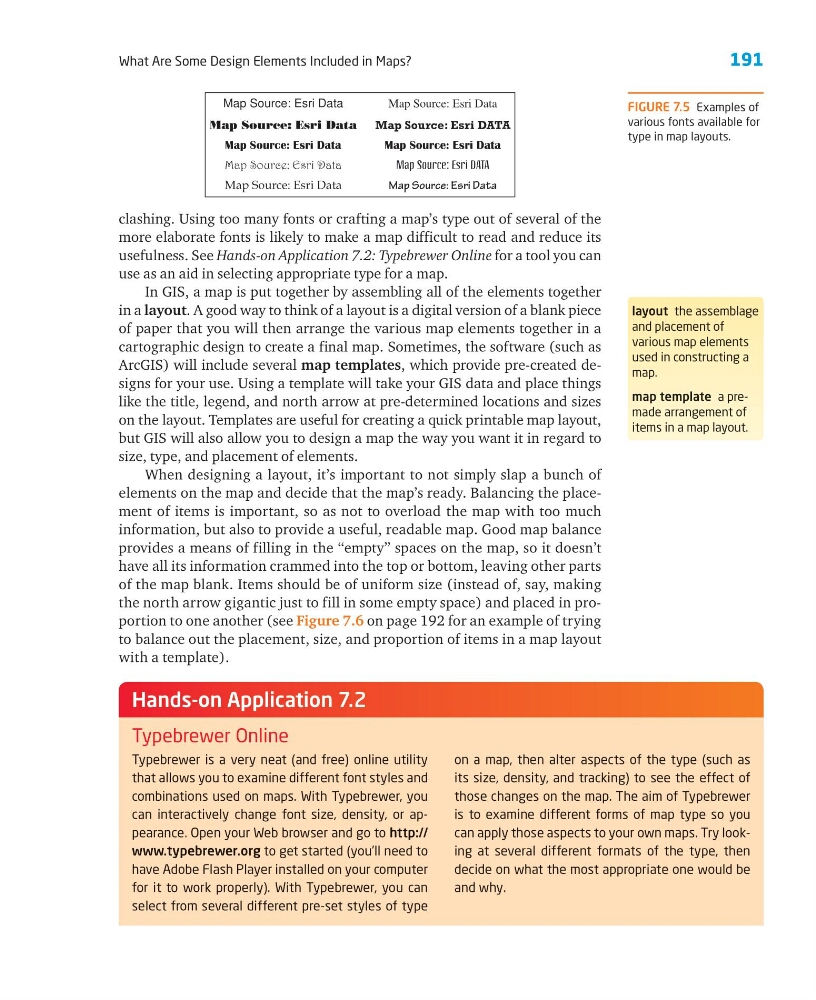
clashing. Using too many fonts or crafting a map’s type out of several of the
more elaborate fonts is likely to make a map difficult to read and reduce its
usefulness. See Hands-on Application 7.2: Typebrewer Online for a tool you can
use as an aid in selecting appropriate type for a map.
In GIS, a map is put together by assembling all of the elements together
in a layout. A good way to think of a layout is a digital version of a blank piece
of paper that you will then arrange the various map elements together in a
cartographic design to create a final map. Sometimes, the software (such as
ArcGIS) will include several map templates, which provide pre-created designs for your use. Using a template will take your GIS data and place things
like the title, legend, and north arrow at pre-determined locations and sizes
on the layout. Templates are useful for creating a quick printable map layout,
but GIS will also allow you to design a map the way you want it in regard to
size, type, and placement of elements.
When designing a layout, it’s important to not simply slap a bunch of
elements on the map and decide that the map’s ready. Balancing the placement of items is important, so as not to overload the map with too much
information, but also to provide a useful, readable map. Good map balance
provides a means of filling in the ‘‘empty’’ spaces on the map, so it doesn’t
have all its information crammed into the top or bottom, leaving other parts
of the map blank. Items should be of uniform size (instead of, say, making
the north arrow gigantic just to fill in some empty space) and placed in proportion to one another (see Figure 7.6 on page 192 for an example of trying
to balance out the placement, size, and proportion of items in a map layout
with a template).
Typebrewer is a very neat (and free) online utility
that allows you to examine different font styles and
combinations used on maps. With Typebrewer, you
can interactively change font size, density, or appearance. Open your Web browser and go to http://
www.typebrewer.org to get started (you’ll need to
have Adobe Flash Player installed on your computer
for it to work properly). With Typebrewer, you can
select from several different pre-set styles of type
on a map, then alter aspects of the type (such as
its size, density, and tracking) to see the effect of
those changes on the map. The aim of Typebrewer
is to examine different forms of map type so you
can apply those aspects to your own maps. Try looking at several different formats of the type, then
decide on what the most appropriate one would be
and why.
Hands-on Application 7.2
Typebrewer Online
FIGURE 7.5 Examples of
various fonts available for
type in map layouts.
Map Source: Esri Data
Map Source: Esri Data
Map Source: Esri Data
Map Source: Esri Data
Map Source: Esri Data
Map Source: Esri Data
Map Source: Esri DATA
Map Source: Esri Data
Map Source: Esri DATA
Map Source: Esri Data
layout the assemblage
and placement of
various map elements
used in constructing a
map.
map template a premade arrangement of
items in a map layout.
What Are Some Design Elements Included in Maps?
clashing. Using too many fonts or crafting a map’s type out of several of the
more elaborate fonts is likely to make a map difficult to read and reduce its
usefulness. See Hands-on Application 7.2: Typebrewer Online for a tool you can
use as an aid in selecting appropriate type for a map.
In GIS, a map is put together by assembling all of the elements together
in a layout. A good way to think of a layout is a digital version of a blank piece
of paper that you will then arrange the various map elements together in a
cartographic design to create a final map. Sometimes, the software (such as
ArcGIS) will include several map templates, which provide pre-created designs for your use. Using a template will take your GIS data and place things
like the title, legend, and north arrow at pre-determined locations and sizes
on the layout. Templates are useful for creating a quick printable map layout,
but GIS will also allow you to design a map the way you want it in regard to
size, type, and placement of elements.
When designing a layout, it’s important to not simply slap a bunch of
elements on the map and decide that the map’s ready. Balancing the placement of items is important, so as not to overload the map with too much
information, but also to provide a useful, readable map. Good map balance
provides a means of filling in the ‘‘empty’’ spaces on the map, so it doesn’t
have all its information crammed into the top or bottom, leaving other parts
of the map blank. Items should be of uniform size (instead of, say, making
the north arrow gigantic just to fill in some empty space) and placed in proportion to one another (see Figure 7.6 on page 192 for an example of trying
to balance out the placement, size, and proportion of items in a map layout
with a template).
Typebrewer is a very neat (and free) online utility
that allows you to examine different font styles and
combinations used on maps. With Typebrewer, you
can interactively change font size, density, or appearance. Open your Web browser and go to http://
www.typebrewer.org to get started (you’ll need to
have Adobe Flash Player installed on your computer
for it to work properly). With Typebrewer, you can
select from several different pre-set styles of type
on a map, then alter aspects of the type (such as
its size, density, and tracking) to see the effect of
those changes on the map. The aim of Typebrewer
is to examine different forms of map type so you
can apply those aspects to your own maps. Try looking at several different formats of the type, then
decide on what the most appropriate one would be
and why.
Hands-on Application 7.2
Typebrewer Online
FIGURE 7.5 Examples of
various fonts available for
type in map layouts.
Map Source: Esri Data
Map Source: Esri Data
Map Source: Esri Data
Map Source: Esri Data
Map Source: Esri Data
Map Source: Esri Data
Map Source: Esri DATA
Map Source: Esri Data
Map Source: Esri DATA
Map Source: Esri Data
layout the assemblage
and placement of
various map elements
used in constructing a
map.
map template a premade arrangement of
items in a map layout.