

167
Supporting Consistent Design
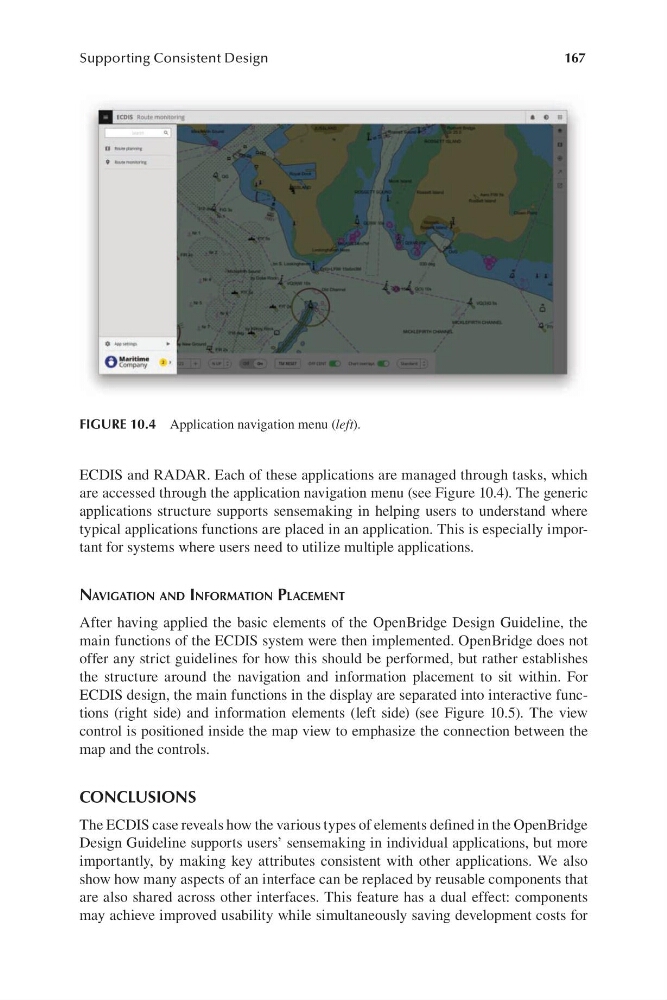
FIGURE 10.4 Application navigation menu (left).
ECDIS and RADAR. Each of these applications are managed through tasks, which
are accessed through the application navigation menu (s ee Figure 10.4). The generic
applications structure supports sensemaking in helping users to understand where
typical applications functions are placed in an application. This is especially important for systems where users need to utilize multiple applications.
navigation anD information Placement
After having applied the basic elements of the OpenBridge Design Guideline, the
main functions of the ECDIS system were then implemented. OpenBridge does not
offer any strict guidelines for how this should be performed, but rather establishes
the structure around the navigation and information placement to sit within. For
ECDIS design, the main functions in the display are separated into interactive functions (r ight side) and information elements ( left side) ( see Figure 10.5). The view
control is positioned inside the map view to emphasize the connection between the
map and the controls.
CONCLUSIONS
The ECDIS case reveals how the various types of elements defined in the OpenBridge
Design Guideline supports users’ sensemaking in individual applications, but more
importantly, by making key attributes consistent with other applications. We also
show how many aspects of an interface can be replaced by reusable components that
are also shared across other interfaces. This feature has a dual effect: components
may achieve improved usability while simultaneously saving development costs for
Supporting Consistent Design
FIGURE 10.4 Application navigation menu (left).
ECDIS and RADAR. Each of these applications are managed through tasks, which
are accessed through the application navigation menu (s ee Figure 10.4). The generic
applications structure supports sensemaking in helping users to understand where
typical applications functions are placed in an application. This is especially important for systems where users need to utilize multiple applications.
navigation anD information Placement
After having applied the basic elements of the OpenBridge Design Guideline, the
main functions of the ECDIS system were then implemented. OpenBridge does not
offer any strict guidelines for how this should be performed, but rather establishes
the structure around the navigation and information placement to sit within. For
ECDIS design, the main functions in the display are separated into interactive functions (r ight side) and information elements ( left side) ( see Figure 10.5). The view
control is positioned inside the map view to emphasize the connection between the
map and the controls.
CONCLUSIONS
The ECDIS case reveals how the various types of elements defined in the OpenBridge
Design Guideline supports users’ sensemaking in individual applications, but more
importantly, by making key attributes consistent with other applications. We also
show how many aspects of an interface can be replaced by reusable components that
are also shared across other interfaces. This feature has a dual effect: components
may achieve improved usability while simultaneously saving development costs for