

9.2 Stretching the Curve
139
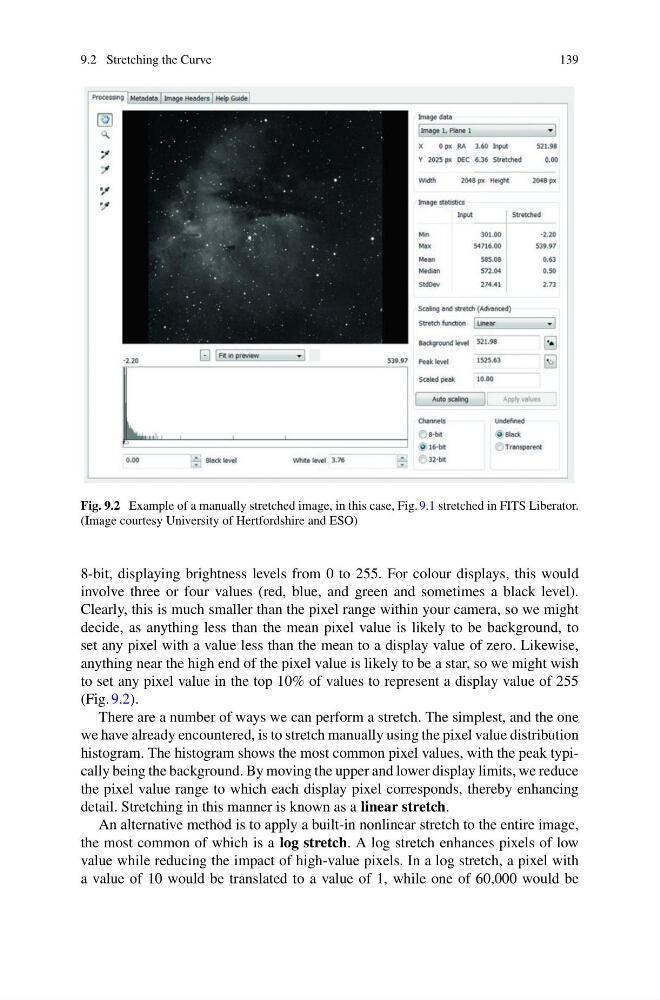
Fig. 9.2 Example of a manually stretched image, in this case, Fig. 9.1 stretched in FITS Liberator.
(Image courtesy University of Hertfordshire and ESO)
8-bit, displaying brightness levels from 0 to 255. For colour displays, this would
involve three or four values (red, blue, and green and sometimes a black level).
Clearly, this is much smaller than the pixel range within your camera, so we might
decide, as anything less than the mean pixel value is likely to be background, to
set any pixel with a value less than the mean to a display value of zero. Likewise,
anything near the high end of the pixel value is likely to be a star, so we might wish
to set any pixel value in the top 10% of values to represent a display value of 255
(Fig. 9.2).
There are a number of ways we can perform a stretch. The simplest, and the one
we have already encountered, is to stretch manually using the pixel value distribution
histogram. The histogram shows the most common pixel values, with the peak typically being the background. By moving the upper and lower display limits, we reduce
the pixel value range to which each display pixel corresponds, thereby enhancing
detail. Stretching in this manner is known as a linear stretch.
An alternative method is to apply a built-in nonlinear stretch to the entire image,
the most common of which is a log stretch. A log stretch enhances pixels of low
value while reducing the impact of high-value pixels. In a log stretch, a pixel with
a value of 10 would be translated to a value of 1, while one of 60,000 would be
139
Fig. 9.2 Example of a manually stretched image, in this case, Fig. 9.1 stretched in FITS Liberator.
(Image courtesy University of Hertfordshire and ESO)
8-bit, displaying brightness levels from 0 to 255. For colour displays, this would
involve three or four values (red, blue, and green and sometimes a black level).
Clearly, this is much smaller than the pixel range within your camera, so we might
decide, as anything less than the mean pixel value is likely to be background, to
set any pixel with a value less than the mean to a display value of zero. Likewise,
anything near the high end of the pixel value is likely to be a star, so we might wish
to set any pixel value in the top 10% of values to represent a display value of 255
(Fig. 9.2).
There are a number of ways we can perform a stretch. The simplest, and the one
we have already encountered, is to stretch manually using the pixel value distribution
histogram. The histogram shows the most common pixel values, with the peak typically being the background. By moving the upper and lower display limits, we reduce
the pixel value range to which each display pixel corresponds, thereby enhancing
detail. Stretching in this manner is known as a linear stretch.
An alternative method is to apply a built-in nonlinear stretch to the entire image,
the most common of which is a log stretch. A log stretch enhances pixels of low
value while reducing the impact of high-value pixels. In a log stretch, a pixel with
a value of 10 would be translated to a value of 1, while one of 60,000 would be