

6.1 Draining of a Tank
217
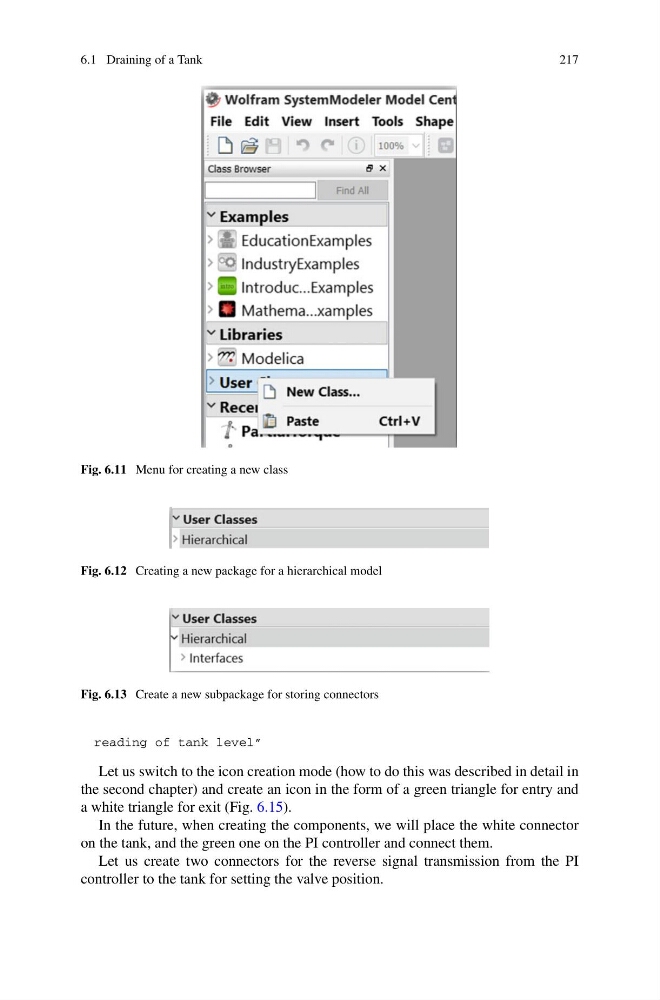
Fig. 6.11 Menu for creating a new class
Fig. 6.12 Creating a new package for a hierarchical model
Fig. 6.13 Create a new subpackage for storing connectors
reading of tank level”
Let us switch to the icon creation mode (how to do this was described in detail in
the second chapter) and create an icon in the form of a green triangle for entry and
a white triangle for exit (Fig. 6.15).
In the future, when creating the components, we will place the white connector
on the tank, and the green one on the PI controller and connect them.
Let us create two connectors for the reverse signal transmission from the PI
controller to the tank for setting the valve position.
217
Fig. 6.11 Menu for creating a new class
Fig. 6.12 Creating a new package for a hierarchical model
Fig. 6.13 Create a new subpackage for storing connectors
reading of tank level”
Let us switch to the icon creation mode (how to do this was described in detail in
the second chapter) and create an icon in the form of a green triangle for entry and
a white triangle for exit (Fig. 6.15).
In the future, when creating the components, we will place the white connector
on the tank, and the green one on the PI controller and connect them.
Let us create two connectors for the reverse signal transmission from the PI
controller to the tank for setting the valve position.