

%%
% See the help for the function.
Publish the file to HTML.
When you click the publish hyperlink, the MATLAB Help browser opens and displays the reference
page for the publish function. On the reader's system, MATLAB issues the command, although the
command does not appear in the Command Window.
HTML Markup
You can insert HTML markup into your MATLAB file. You must type the HTML markup since no
button on the Publish tab generates it.
Note When you insert text markup for HTML code, the HTML code publishes only when the
specified output file format is HTML.
This code includes HTML tagging.
%% HTML Markup Example
% This is a table:
%
%
%
%
%
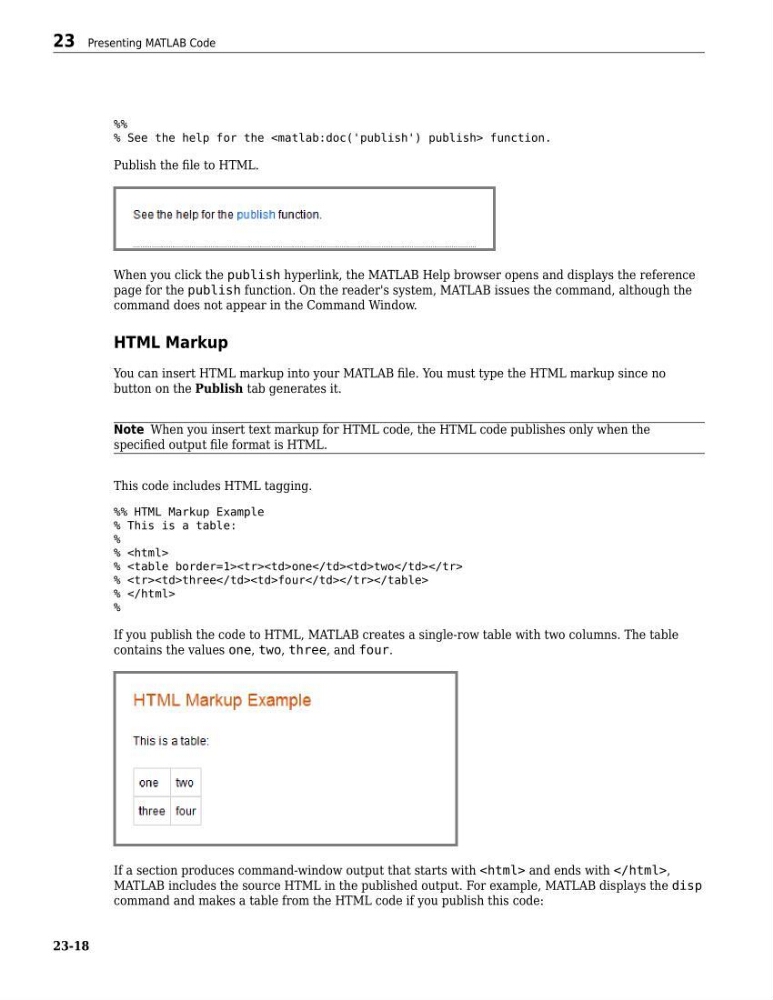
If you publish the code to HTML, MATLAB creates a single-row table with two columns. The table
contains the values one, two, three, and four.
If a section produces command-window output that starts with and ends with ,
MATLAB includes the source HTML in the published output. For example, MATLAB displays the disp
command and makes a table from the HTML code if you publish this code:
23 Presenting MATLAB Code
23-18
% See the help for the
Publish the file to HTML.
When you click the publish hyperlink, the MATLAB Help browser opens and displays the reference
page for the publish function. On the reader's system, MATLAB issues the command, although the
command does not appear in the Command Window.
HTML Markup
You can insert HTML markup into your MATLAB file. You must type the HTML markup since no
button on the Publish tab generates it.
Note When you insert text markup for HTML code, the HTML code publishes only when the
specified output file format is HTML.
This code includes HTML tagging.
%% HTML Markup Example
% This is a table:
%
%
%
| one | two |
| three | four |
%
%
If you publish the code to HTML, MATLAB creates a single-row table with two columns. The table
contains the values one, two, three, and four.
If a section produces command-window output that starts with and ends with ,
MATLAB includes the source HTML in the published output. For example, MATLAB displays the disp
command and makes a table from the HTML code if you publish this code:
23 Presenting MATLAB Code
23-18