

Dynamic Link to Run Code
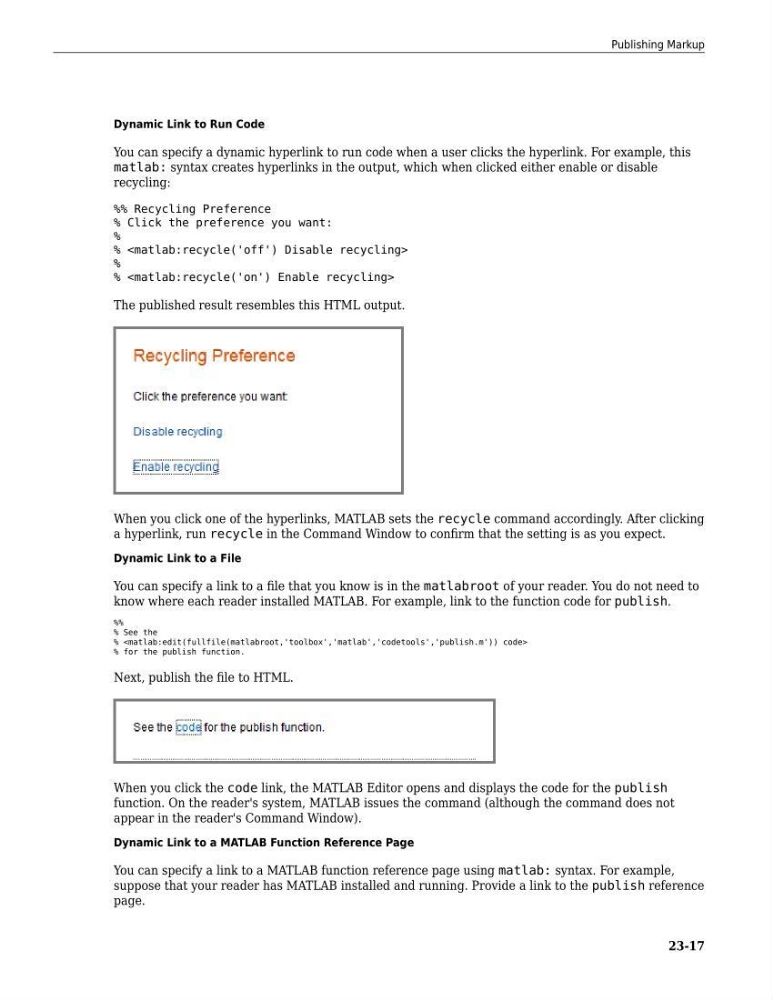
You can specify a dynamic hyperlink to run code when a user clicks the hyperlink. For example, this
matlab: syntax creates hyperlinks in the output, which when clicked either enable or disable
recycling:
%% Recycling Preference
% Click the preference you want:
%
%
%
%
The published result resembles this HTML output.
When you click one of the hyperlinks, MATLAB sets the recycle command accordingly. After clicking
a hyperlink, run recycle in the Command Window to confirm that the setting is as you expect.
Dynamic Link to a File
You can specify a link to a file that you know is in the matlabroot of your reader. You do not need to
know where each reader installed MATLAB. For example, link to the function code for publish.
%%
% See the
%
% for the publish function.
Next, publish the file to HTML.
When you click the code link, the MATLAB Editor opens and displays the code for the publish
function. On the reader's system, MATLAB issues the command (although the command does not
appear in the reader's Command Window).
Dynamic Link to a MATLAB Function Reference Page
You can specify a link to a MATLAB function reference page using matlab: syntax. For example,
suppose that your reader has MATLAB installed and running. Provide a link to the publish reference
page.
Publishing Markup
23-17
You can specify a dynamic hyperlink to run code when a user clicks the hyperlink. For example, this
matlab: syntax creates hyperlinks in the output, which when clicked either enable or disable
recycling:
%% Recycling Preference
% Click the preference you want:
%
%
%
%
The published result resembles this HTML output.
When you click one of the hyperlinks, MATLAB sets the recycle command accordingly. After clicking
a hyperlink, run recycle in the Command Window to confirm that the setting is as you expect.
Dynamic Link to a File
You can specify a link to a file that you know is in the matlabroot of your reader. You do not need to
know where each reader installed MATLAB. For example, link to the function code for publish.
%%
% See the
%
% for the publish function.
Next, publish the file to HTML.
When you click the code link, the MATLAB Editor opens and displays the code for the publish
function. On the reader's system, MATLAB issues the command (although the command does not
appear in the reader's Command Window).
Dynamic Link to a MATLAB Function Reference Page
You can specify a link to a MATLAB function reference page using matlab: syntax. For example,
suppose that your reader has MATLAB installed and running. Provide a link to the publish reference
page.
Publishing Markup
23-17