

Hyperlinks
Static Hyperlinks
You can insert static hyperlinks within a MATLAB comment, and then publish the file to HTML, XML,
or Microsoft Word. When specifying a static hyperlink to a web location, include a complete URL
within the code. This is useful when you want to point the reader to a web location. You can display or
hide the URL in the published text. Consider excluding the URL, when you are confident that readers
are viewing your output online and can click the hyperlink.
Enclose URLs and any replacement text in angled brackets.
%%
% For more information, see our web site:
%
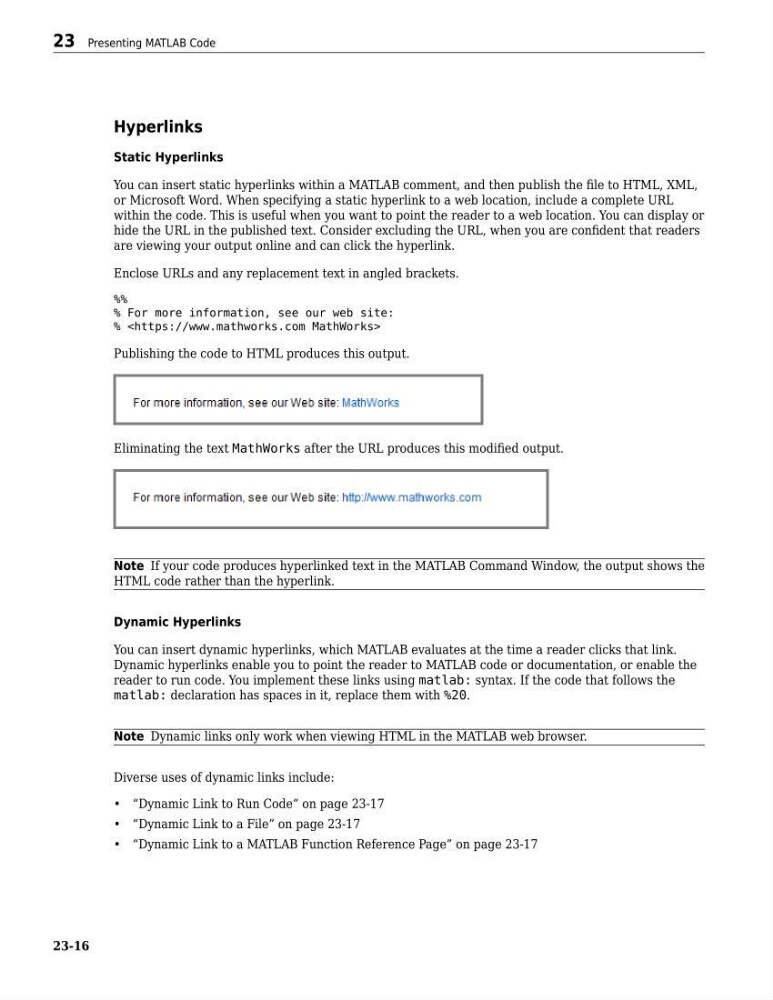
Publishing the code to HTML produces this output.
Eliminating the text MathWorks after the URL produces this modified output.
Note If your code produces hyperlinked text in the MATLAB Command Window, the output shows the
HTML code rather than the hyperlink.
Dynamic Hyperlinks
You can insert dynamic hyperlinks, which MATLAB evaluates at the time a reader clicks that link.
Dynamic hyperlinks enable you to point the reader to MATLAB code or documentation, or enable the
reader to run code. You implement these links using matlab: syntax. If the code that follows the
matlab: declaration has spaces in it, replace them with %20.
Note Dynamic links only work when viewing HTML in the MATLAB web browser.
Diverse uses of dynamic links include:
• “Dynamic Link to Run Code” on page 23-17
• “Dynamic Link to a File” on page 23-17
• “Dynamic Link to a MATLAB Function Reference Page” on page 23-17
23 Presenting MATLAB Code
23-16
Static Hyperlinks
You can insert static hyperlinks within a MATLAB comment, and then publish the file to HTML, XML,
or Microsoft Word. When specifying a static hyperlink to a web location, include a complete URL
within the code. This is useful when you want to point the reader to a web location. You can display or
hide the URL in the published text. Consider excluding the URL, when you are confident that readers
are viewing your output online and can click the hyperlink.
Enclose URLs and any replacement text in angled brackets.
%%
% For more information, see our web site:
%
Publishing the code to HTML produces this output.
Eliminating the text MathWorks after the URL produces this modified output.
Note If your code produces hyperlinked text in the MATLAB Command Window, the output shows the
HTML code rather than the hyperlink.
Dynamic Hyperlinks
You can insert dynamic hyperlinks, which MATLAB evaluates at the time a reader clicks that link.
Dynamic hyperlinks enable you to point the reader to MATLAB code or documentation, or enable the
reader to run code. You implement these links using matlab: syntax. If the code that follows the
matlab: declaration has spaces in it, replace them with %20.
Note Dynamic links only work when viewing HTML in the MATLAB web browser.
Diverse uses of dynamic links include:
• “Dynamic Link to Run Code” on page 23-17
• “Dynamic Link to a File” on page 23-17
• “Dynamic Link to a MATLAB Function Reference Page” on page 23-17
23 Presenting MATLAB Code
23-16