

Debug by Using Keyboard Shortcuts or Functions
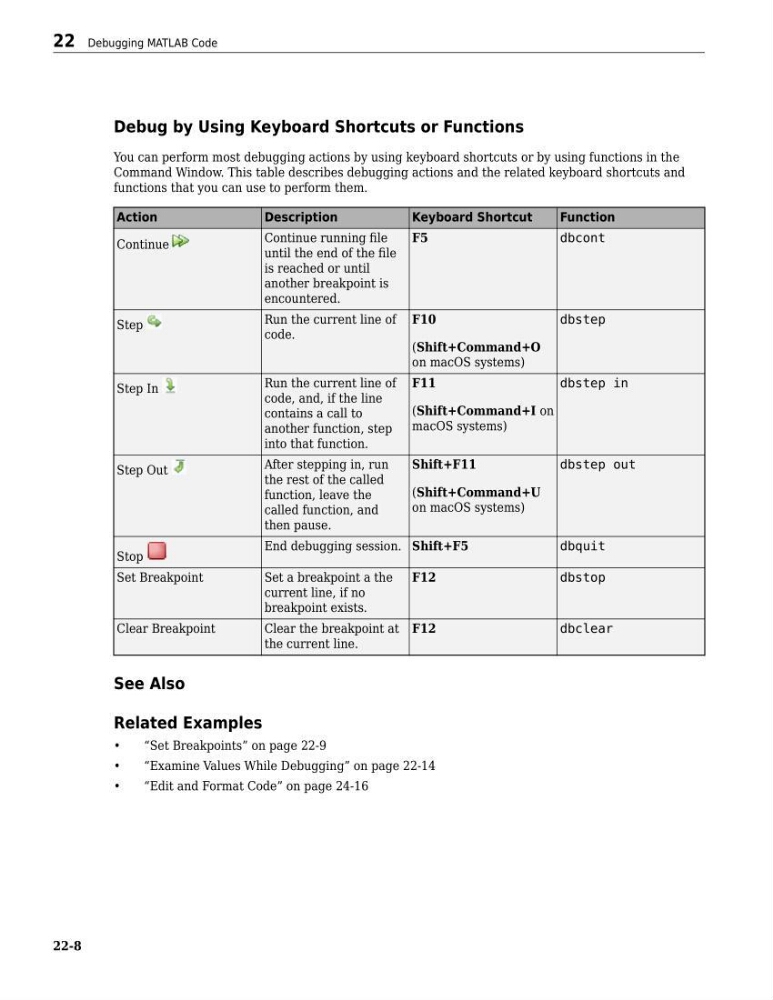
You can perform most debugging actions by using keyboard shortcuts or by using functions in the
Command Window. This table describes debugging actions and the related keyboard shortcuts and
functions that you can use to perform them.
Action
Description
Keyboard Shortcut
Function
Continue
Continue running file
until the end of the file
is reached or until
another breakpoint is
encountered.
F5
dbcont
Step
Run the current line of
code.
F10
(Shift+Command+O
on macOS systems)
dbstep
Step In
Run the current line of
code, and, if the line
contains a call to
another function, step
into that function.
F11
(Shift+Command+I on
macOS systems)
dbstep in
Step Out
After stepping in, run
the rest of the called
function, leave the
called function, and
then pause.
Shift+F11
(Shift+Command+U
on macOS systems)
dbstep out
Stop
End debugging session. Shift+F5
dbquit
Set Breakpoint
Set a breakpoint a the
current line, if no
breakpoint exists.
F12
dbstop
Clear Breakpoint
Clear the breakpoint at
the current line.
F12
dbclear
See Also
Related Examples
•
“Set Breakpoints” on page 22-9
•
“Examine Values While Debugging” on page 22-14
•
“Edit and Format Code” on page 24-16
22 Debugging MATLAB Code
22-8
You can perform most debugging actions by using keyboard shortcuts or by using functions in the
Command Window. This table describes debugging actions and the related keyboard shortcuts and
functions that you can use to perform them.
Action
Description
Keyboard Shortcut
Function
Continue
Continue running file
until the end of the file
is reached or until
another breakpoint is
encountered.
F5
dbcont
Step
Run the current line of
code.
F10
(Shift+Command+O
on macOS systems)
dbstep
Step In
Run the current line of
code, and, if the line
contains a call to
another function, step
into that function.
F11
(Shift+Command+I on
macOS systems)
dbstep in
Step Out
After stepping in, run
the rest of the called
function, leave the
called function, and
then pause.
Shift+F11
(Shift+Command+U
on macOS systems)
dbstep out
Stop
End debugging session. Shift+F5
dbquit
Set Breakpoint
Set a breakpoint a the
current line, if no
breakpoint exists.
F12
dbstop
Clear Breakpoint
Clear the breakpoint at
the current line.
F12
dbclear
See Also
Related Examples
•
“Set Breakpoints” on page 22-9
•
“Examine Values While Debugging” on page 22-14
•
“Edit and Format Code” on page 24-16
22 Debugging MATLAB Code
22-8