

disp(['a = ', num2str(a)])
end
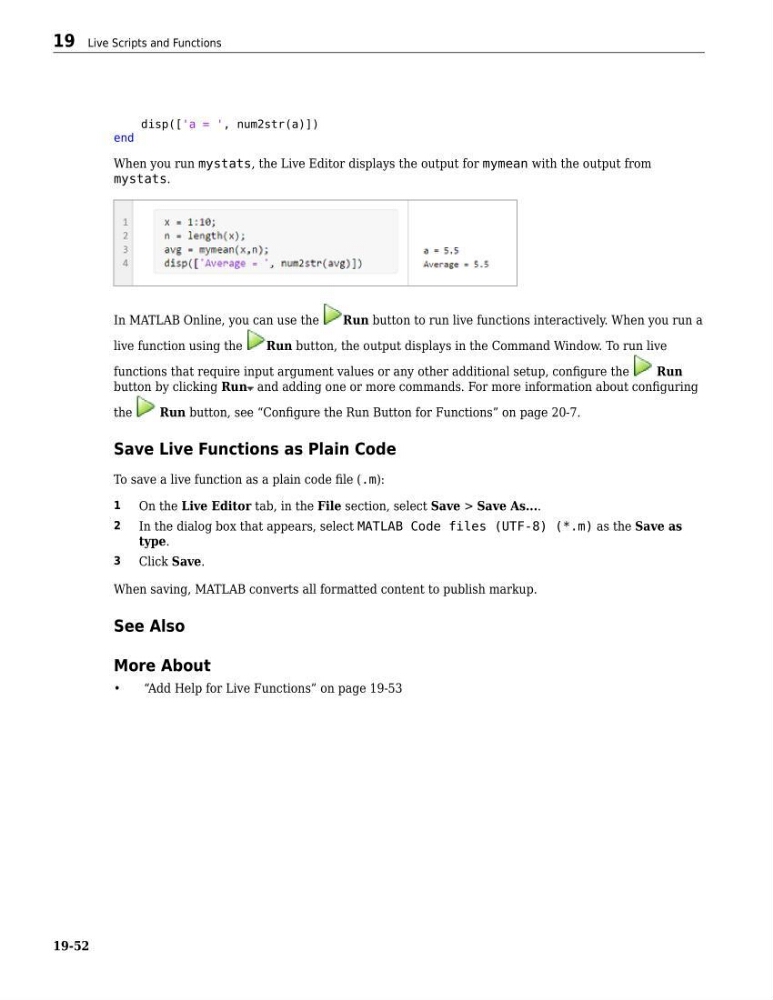
When you run mystats, the Live Editor displays the output for mymean with the output from
mystats.
In MATLAB Online, you can use the
Run button to run live functions interactively. When you run a
live function using the
Run button, the output displays in the Command Window. To run live
functions that require input argument values or any other additional setup, configure the
Run
button by clicking Run and adding one or more commands. For more information about configuring
the
Run button, see “Configure the Run Button for Functions” on page 20-7.
Save Live Functions as Plain Code
To save a live function as a plain code file (.m):
1
On the Live Editor tab, in the File section, select Save > Save As....
2
In the dialog box that appears, select MATLAB Code files (UTF-8) (*.m) as the Save as
type.
3
Click Save.
When saving, MATLAB converts all formatted content to publish markup.
See Also
More About
•
“Add Help for Live Functions” on page 19-53
19 Live Scripts and Functions
19-52
end
When you run mystats, the Live Editor displays the output for mymean with the output from
mystats.
In MATLAB Online, you can use the
Run button to run live functions interactively. When you run a
live function using the
Run button, the output displays in the Command Window. To run live
functions that require input argument values or any other additional setup, configure the
Run
button by clicking Run and adding one or more commands. For more information about configuring
the
Run button, see “Configure the Run Button for Functions” on page 20-7.
Save Live Functions as Plain Code
To save a live function as a plain code file (.m):
1
On the Live Editor tab, in the File section, select Save > Save As....
2
In the dialog box that appears, select MATLAB Code files (UTF-8) (*.m) as the Save as
type.
3
Click Save.
When saving, MATLAB converts all formatted content to publish markup.
See Also
More About
•
“Add Help for Live Functions” on page 19-53
19 Live Scripts and Functions
19-52