

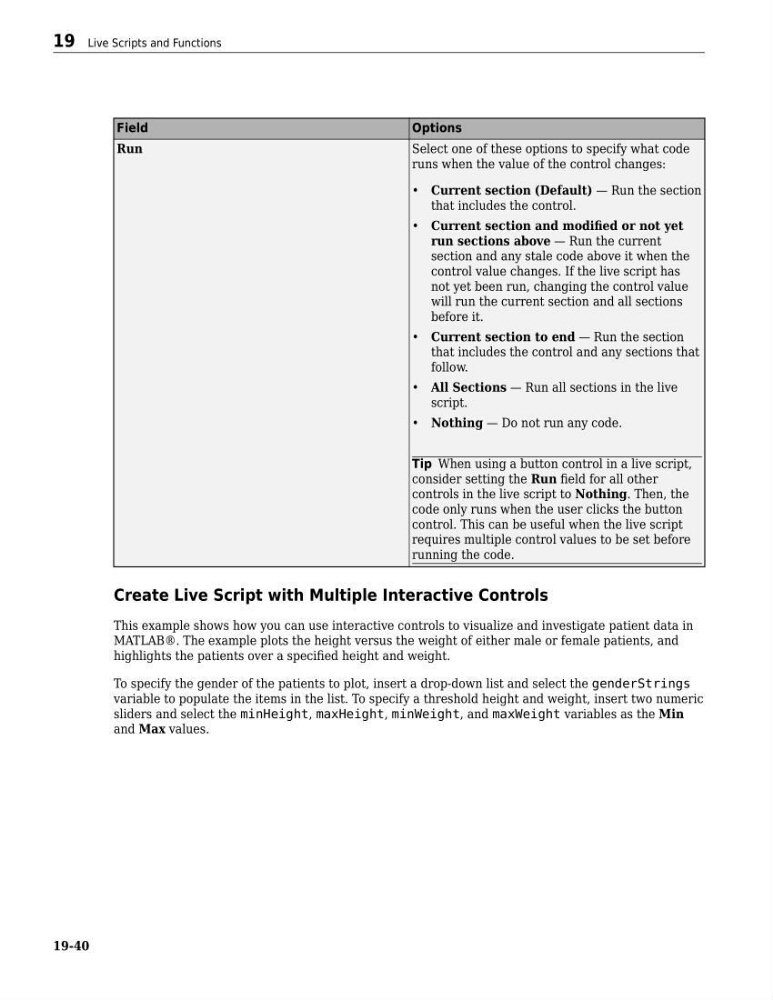
Field
Options
Run
Select one of these options to specify what code
runs when the value of the control changes:
• Current section (Default) — Run the section
that includes the control.
• Current section and modified or not yet
run sections above — Run the current
section and any stale code above it when the
control value changes. If the live script has
not yet been run, changing the control value
will run the current section and all sections
before it.
• Current section to end — Run the section
that includes the control and any sections that
follow.
• All Sections — Run all sections in the live
script.
• Nothing — Do not run any code.
Tip When using a button control in a live script,
consider setting the Run field for all other
controls in the live script to Nothing. Then, the
code only runs when the user clicks the button
control. This can be useful when the live script
requires multiple control values to be set before
running the code.
Create Live Script with Multiple Interactive Controls
This example shows how you can use interactive controls to visualize and investigate patient data in
MATLAB®. The example plots the height versus the weight of either male or female patients, and
highlights the patients over a specified height and weight.
To specify the gender of the patients to plot, insert a drop-down list and select the genderStrings
variable to populate the items in the list. To specify a threshold height and weight, insert two numeric
sliders and select the minHeight, maxHeight, minWeight, and maxWeight variables as the Min
and Max values.
19 Live Scripts and Functions
19-40
Options
Run
Select one of these options to specify what code
runs when the value of the control changes:
• Current section (Default) — Run the section
that includes the control.
• Current section and modified or not yet
run sections above — Run the current
section and any stale code above it when the
control value changes. If the live script has
not yet been run, changing the control value
will run the current section and all sections
before it.
• Current section to end — Run the section
that includes the control and any sections that
follow.
• All Sections — Run all sections in the live
script.
• Nothing — Do not run any code.
Tip When using a button control in a live script,
consider setting the Run field for all other
controls in the live script to Nothing. Then, the
code only runs when the user clicks the button
control. This can be useful when the live script
requires multiple control values to be set before
running the code.
Create Live Script with Multiple Interactive Controls
This example shows how you can use interactive controls to visualize and investigate patient data in
MATLAB®. The example plots the height versus the weight of either male or female patients, and
highlights the patients over a specified height and weight.
To specify the gender of the patients to plot, insert a drop-down list and select the genderStrings
variable to populate the items in the list. To specify a threshold height and weight, insert two numeric
sliders and select the minHeight, maxHeight, minWeight, and maxWeight variables as the Min
and Max values.
19 Live Scripts and Functions
19-40