

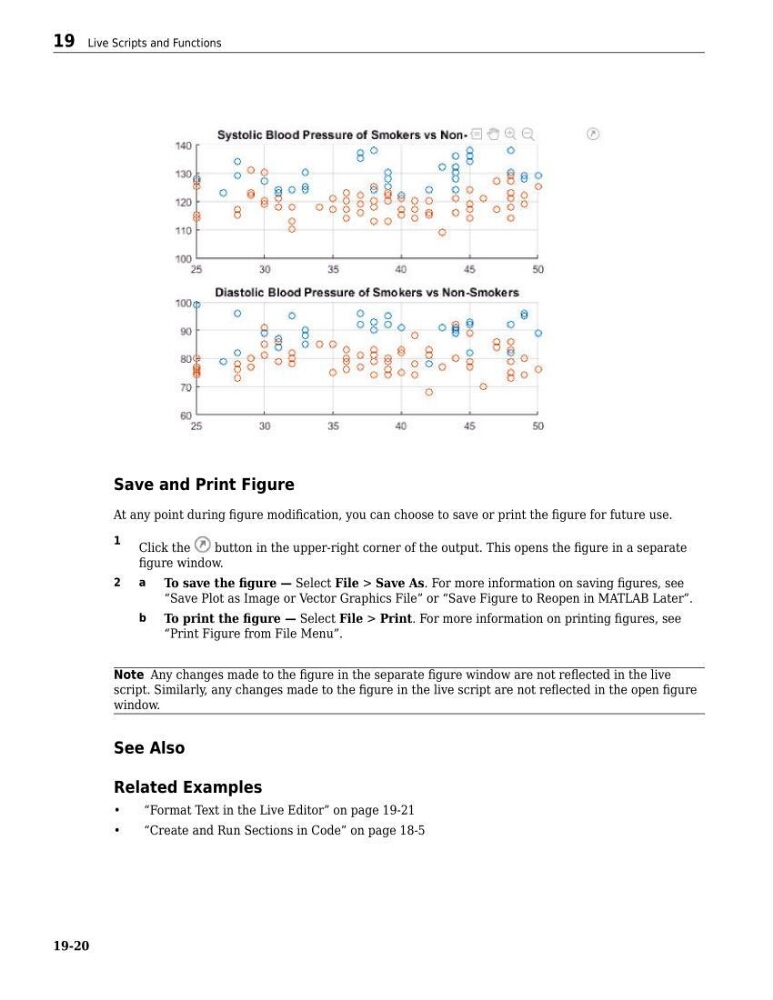
Save and Print Figure
At any point during figure modification, you can choose to save or print the figure for future use.
1
Click the
button in the upper-right corner of the output. This opens the figure in a separate
figure window.
2
a
To save the figure — Select File > Save As. For more information on saving figures, see
“Save Plot as Image or Vector Graphics File” or “Save Figure to Reopen in MATLAB Later”.
b
To print the figure — Select File > Print. For more information on printing figures, see
“Print Figure from File Menu”.
Note Any changes made to the figure in the separate figure window are not reflected in the live
script. Similarly, any changes made to the figure in the live script are not reflected in the open figure
window.
See Also
Related Examples
•
“Format Text in the Live Editor” on page 19-21
•
“Create and Run Sections in Code” on page 18-5
19 Live Scripts and Functions
19-20
At any point during figure modification, you can choose to save or print the figure for future use.
1
Click the
button in the upper-right corner of the output. This opens the figure in a separate
figure window.
2
a
To save the figure — Select File > Save As. For more information on saving figures, see
“Save Plot as Image or Vector Graphics File” or “Save Figure to Reopen in MATLAB Later”.
b
To print the figure — Select File > Print. For more information on printing figures, see
“Print Figure from File Menu”.
Note Any changes made to the figure in the separate figure window are not reflected in the live
script. Similarly, any changes made to the figure in the live script are not reflected in the open figure
window.
See Also
Related Examples
•
“Format Text in the Live Editor” on page 19-21
•
“Create and Run Sections in Code” on page 18-5
19 Live Scripts and Functions
19-20