

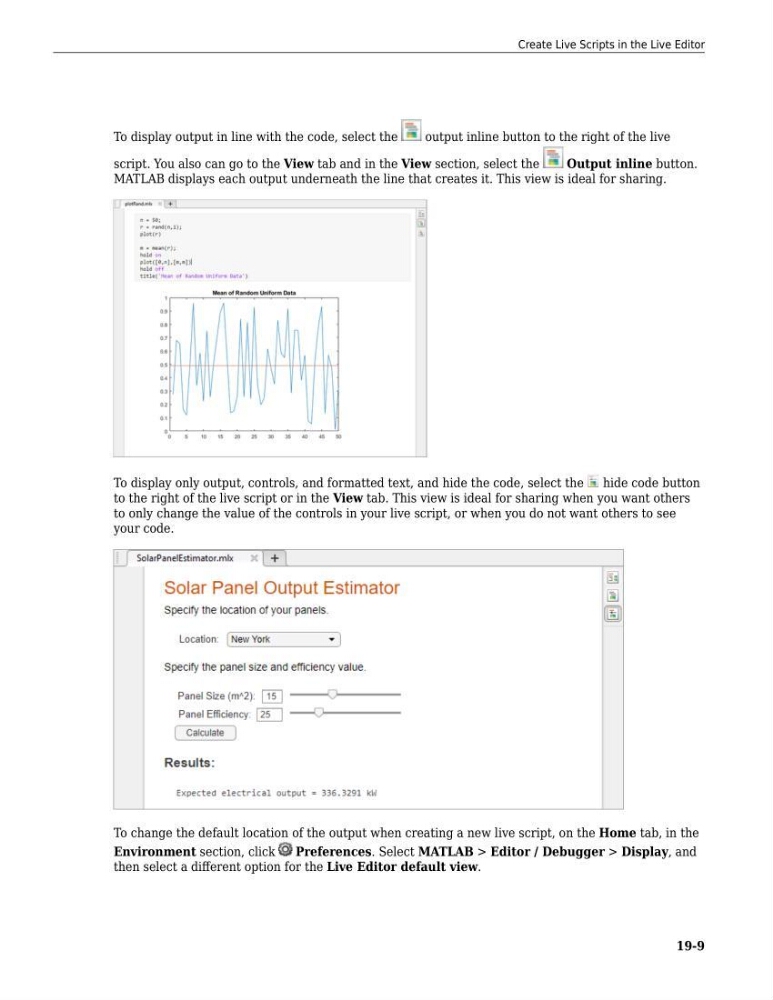
To display output in line with the code, select the
output inline button to the right of the live
script. You also can go to the View tab and in the View section, select the
Output inline button.
MATLAB displays each output underneath the line that creates it. This view is ideal for sharing.
To display only output, controls, and formatted text, and hide the code, select the
hide code button
to the right of the live script or in the View tab. This view is ideal for sharing when you want others
to only change the value of the controls in your live script, or when you do not want others to see
your code.
To change the default location of the output when creating a new live script, on the Home tab, in the
Environment section, click
Preferences. Select MATLAB > Editor / Debugger > Display, and
then select a different option for the Live Editor default view.
Create Live Scripts in the Live Editor
19-9
output inline button to the right of the live
script. You also can go to the View tab and in the View section, select the
Output inline button.
MATLAB displays each output underneath the line that creates it. This view is ideal for sharing.
To display only output, controls, and formatted text, and hide the code, select the
hide code button
to the right of the live script or in the View tab. This view is ideal for sharing when you want others
to only change the value of the controls in your live script, or when you do not want others to see
your code.
To change the default location of the output when creating a new live script, on the Home tab, in the
Environment section, click
Preferences. Select MATLAB > Editor / Debugger > Display, and
then select a different option for the Live Editor default view.
Create Live Scripts in the Live Editor
19-9