

To clear an output, right-click the output or the code line that created it, and select Clear Output. To
clear all output, right-click anywhere in the script and select Clear All Output. Alternatively, go to
the View tab and in the Output section, click the Clear all Output button.
To open individual outputs, such as variables and figures, in a separate window, click the
button in
the upper right corner of the output. Variables open in the Variables editor, and figures open in a new
figure window. Changes made to variables or figures outside of a live script do not apply to the output
displayed in the live script.
To modify figures in the output, use the tools in the upper-right corner of the figure axes or in the
Figure toolstrip. You can use the tools to explore the data in a figure and add formatting and
annotations. For more information, see “Modify Figures in Live Scripts” on page 19-12.
Change View
To optimize your live script for your current flow, you can change where to display output and
whether to display code in the live script.
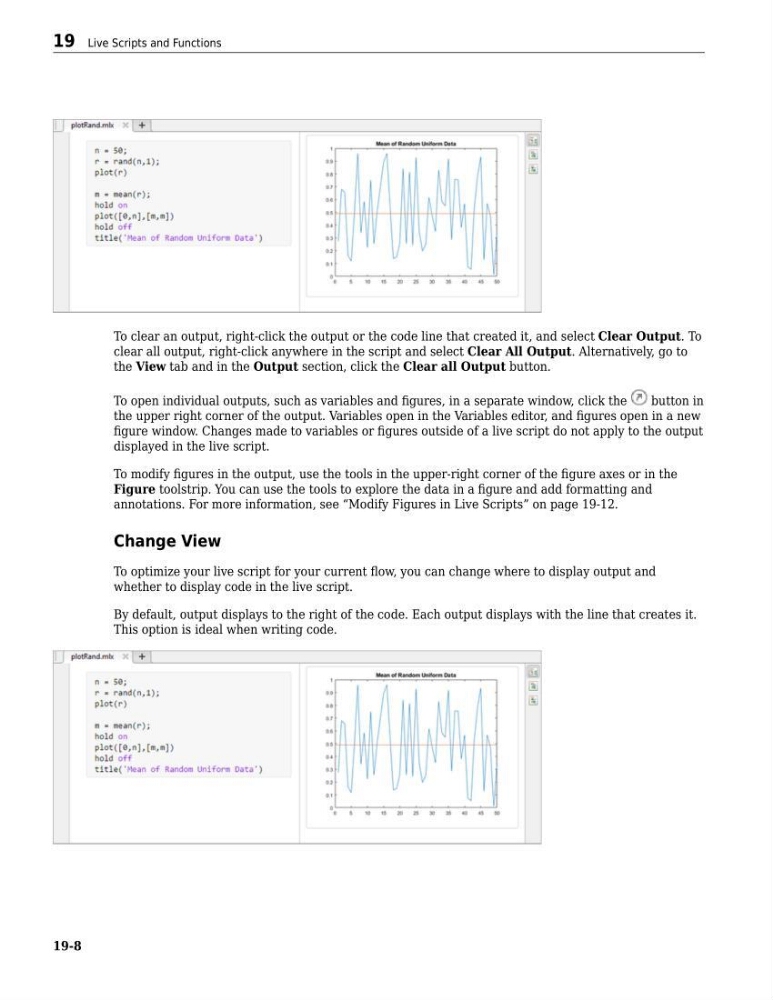
By default, output displays to the right of the code. Each output displays with the line that creates it.
This option is ideal when writing code.
19 Live Scripts and Functions
19-8
clear all output, right-click anywhere in the script and select Clear All Output. Alternatively, go to
the View tab and in the Output section, click the Clear all Output button.
To open individual outputs, such as variables and figures, in a separate window, click the
button in
the upper right corner of the output. Variables open in the Variables editor, and figures open in a new
figure window. Changes made to variables or figures outside of a live script do not apply to the output
displayed in the live script.
To modify figures in the output, use the tools in the upper-right corner of the figure axes or in the
Figure toolstrip. You can use the tools to explore the data in a figure and add formatting and
annotations. For more information, see “Modify Figures in Live Scripts” on page 19-12.
Change View
To optimize your live script for your current flow, you can change where to display output and
whether to display code in the live script.
By default, output displays to the right of the code. Each output displays with the line that creates it.
This option is ideal when writing code.
19 Live Scripts and Functions
19-8