

counts = bikeData{:,2:end};
counts(1:8,:)
ans = 8×3
13
9
4
3
3
0
1
1
0
1
1
0
1
1
0
7
3
4
36
6
30
141
13
128
Since the mean is appropriate for only the numeric data, you can use the vartype function to select
the numeric variables. vartype can be more convenient than manually indexing into a table or
timetable to select variables. Calculate the means and omit NaN values.
counts = bikeData{:,vartype('numeric')};
mean(counts,'omitnan')
ans = 1×3
49.8860
24.2002
25.6857
Select Data by Date and Time of Day
To determine how many people bicycle during a holiday, examine the data on the 4th of July holiday.
Index into the timetable by row times for July 4, 2015. When you index on row times, you must match
times exactly. You can specify the time indices as datetime or duration values, or as character
vectors that can be converted to dates and times. You can specify multiple times as an array.
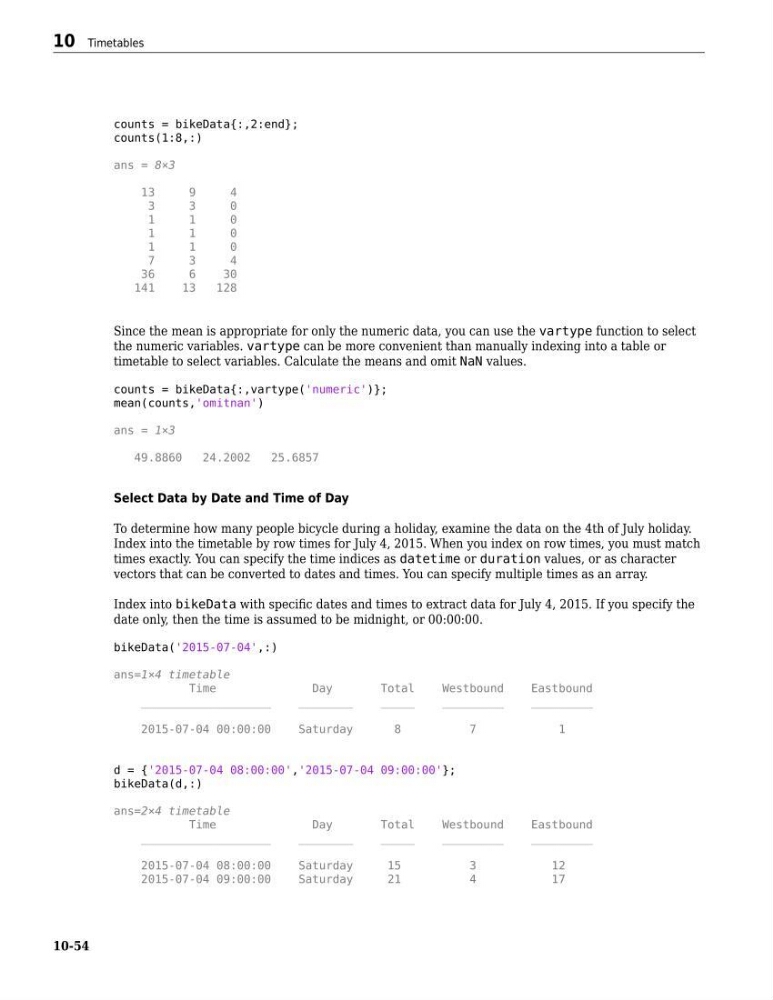
Index into bikeData with specific dates and times to extract data for July 4, 2015. If you specify the
date only, then the time is assumed to be midnight, or 00:00:00.
bikeData('2015-07-04',:)
ans=1×4 timetable
Time
Day
Total
Westbound
Eastbound
___________________
________
_____
_________
_________
2015-07-04 00:00:00
Saturday
8
7
1
d = {'2015-07-04 08:00:00','2015-07-04 09:00:00'};
bikeData(d,:)
ans=2×4 timetable
Time
Day
Total
Westbound
Eastbound
___________________
________
_____
_________
_________
2015-07-04 08:00:00
Saturday
15
3
12
2015-07-04 09:00:00
Saturday
21
4
17
10 Timetables
10-54
counts(1:8,:)
ans = 8×3
13
9
4
3
3
0
1
1
0
1
1
0
1
1
0
7
3
4
36
6
30
141
13
128
Since the mean is appropriate for only the numeric data, you can use the vartype function to select
the numeric variables. vartype can be more convenient than manually indexing into a table or
timetable to select variables. Calculate the means and omit NaN values.
counts = bikeData{:,vartype('numeric')};
mean(counts,'omitnan')
ans = 1×3
49.8860
24.2002
25.6857
Select Data by Date and Time of Day
To determine how many people bicycle during a holiday, examine the data on the 4th of July holiday.
Index into the timetable by row times for July 4, 2015. When you index on row times, you must match
times exactly. You can specify the time indices as datetime or duration values, or as character
vectors that can be converted to dates and times. You can specify multiple times as an array.
Index into bikeData with specific dates and times to extract data for July 4, 2015. If you specify the
date only, then the time is assumed to be midnight, or 00:00:00.
bikeData('2015-07-04',:)
ans=1×4 timetable
Time
Day
Total
Westbound
Eastbound
___________________
________
_____
_________
_________
2015-07-04 00:00:00
Saturday
8
7
1
d = {'2015-07-04 08:00:00','2015-07-04 09:00:00'};
bikeData(d,:)
ans=2×4 timetable
Time
Day
Total
Westbound
Eastbound
___________________
________
_____
_________
_________
2015-07-04 08:00:00
Saturday
15
3
12
2015-07-04 09:00:00
Saturday
21
4
17
10 Timetables
10-54