

04-May-2017
60
44
0.2
Hail
05-May-2017
62
45
0
None
06-May-2017
60
43.333
0
07-May-2017
58
41.667
0
08-May-2017
56
40
0
None
09-May-2017
59
42
0.15
Thunder
10-May-2017
60
45
0
None
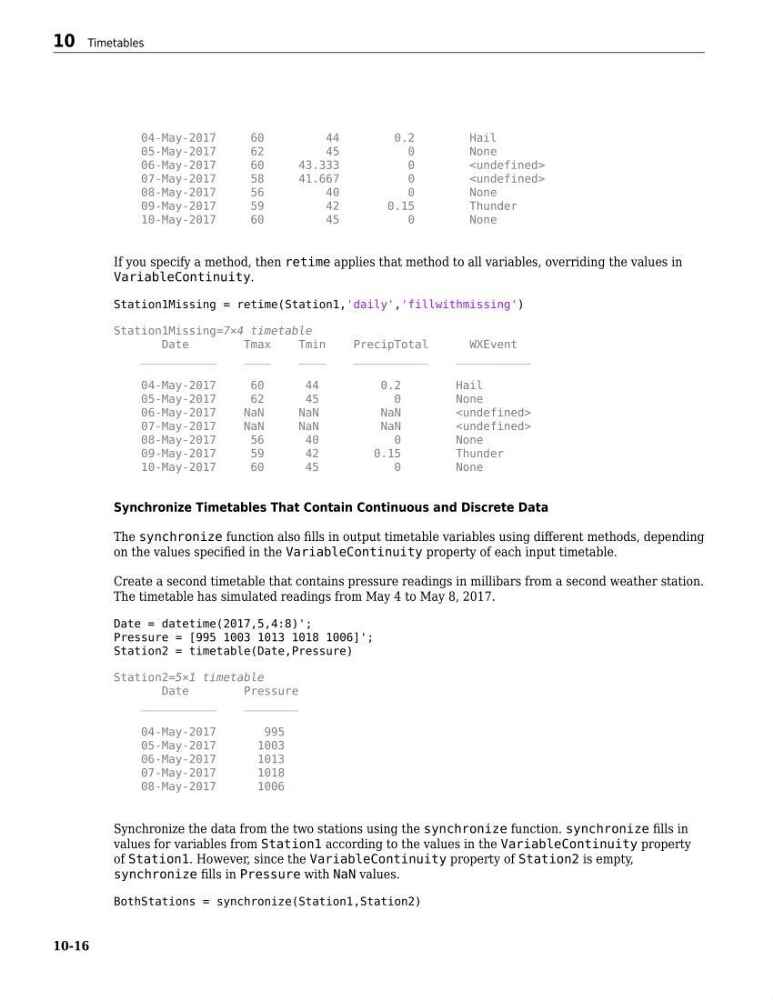
If you specify a method, then retime applies that method to all variables, overriding the values in
VariableContinuity.
Station1Missing = retime(Station1,'daily','fillwithmissing')
Station1Missing=7×4 timetable
Date
Tmax
Tmin
PrecipTotal
WXEvent
___________
____
____
___________
___________
04-May-2017
60
44
0.2
Hail
05-May-2017
62
45
0
None
06-May-2017
NaN
NaN
NaN
07-May-2017
NaN
NaN
NaN
08-May-2017
56
40
0
None
09-May-2017
59
42
0.15
Thunder
10-May-2017
60
45
0
None
Synchronize Timetables That Contain Continuous and Discrete Data
The synchronize function also fills in output timetable variables using different methods, depending
on the values specified in the VariableContinuity property of each input timetable.
Create a second timetable that contains pressure readings in millibars from a second weather station.
The timetable has simulated readings from May 4 to May 8, 2017.
Date = datetime(2017,5,4:8)';
Pressure = [995 1003 1013 1018 1006]';
Station2 = timetable(Date,Pressure)
Station2=5×1 timetable
Date
Pressure
___________
________
04-May-2017
995
05-May-2017
1003
06-May-2017
1013
07-May-2017
1018
08-May-2017
1006
Synchronize the data from the two stations using the synchronize function. synchronize fills in
values for variables from Station1 according to the values in the VariableContinuity property
of Station1. However, since the VariableContinuity property of Station2 is empty,
synchronize fills in Pressure with NaN values.
BothStations = synchronize(Station1,Station2)
10 Timetables
10-16
60
44
0.2
Hail
05-May-2017
62
45
0
None
06-May-2017
60
43.333
0
07-May-2017
58
41.667
0
08-May-2017
56
40
0
None
09-May-2017
59
42
0.15
Thunder
10-May-2017
60
45
0
None
If you specify a method, then retime applies that method to all variables, overriding the values in
VariableContinuity.
Station1Missing = retime(Station1,'daily','fillwithmissing')
Station1Missing=7×4 timetable
Date
Tmax
Tmin
PrecipTotal
WXEvent
___________
____
____
___________
___________
04-May-2017
60
44
0.2
Hail
05-May-2017
62
45
0
None
06-May-2017
NaN
NaN
NaN
07-May-2017
NaN
NaN
NaN
08-May-2017
56
40
0
None
09-May-2017
59
42
0.15
Thunder
10-May-2017
60
45
0
None
Synchronize Timetables That Contain Continuous and Discrete Data
The synchronize function also fills in output timetable variables using different methods, depending
on the values specified in the VariableContinuity property of each input timetable.
Create a second timetable that contains pressure readings in millibars from a second weather station.
The timetable has simulated readings from May 4 to May 8, 2017.
Date = datetime(2017,5,4:8)';
Pressure = [995 1003 1013 1018 1006]';
Station2 = timetable(Date,Pressure)
Station2=5×1 timetable
Date
Pressure
___________
________
04-May-2017
995
05-May-2017
1003
06-May-2017
1013
07-May-2017
1018
08-May-2017
1006
Synchronize the data from the two stations using the synchronize function. synchronize fills in
values for variables from Station1 according to the values in the VariableContinuity property
of Station1. However, since the VariableContinuity property of Station2 is empty,
synchronize fills in Pressure with NaN values.
BothStations = synchronize(Station1,Station2)
10 Timetables
10-16