

"0527146030"
"120"
39
5389
"StoneBr"
"TwnhsE"
5
"0527162130"
"060"
60
7500
"Gilbert"
"1Fam"
5
"0527163010"
"060"
75
10000
"Gilbert"
"1Fam"
5
"0527165230"
"020"
NaN
7980
"Gilbert"
"1Fam"
7
"0527166040"
"060"
63
8402
"Gilbert"
"1Fam"
5
"0527180040"
"020"
85
10176
"Gilbert"
"1Fam"
5
"0527182190"
"120"
NaN
6820
"StoneBr"
"TwnhsE"
5
"0527216070"
"060"
47
53504
"StoneBr"
"1Fam"
5
⋮
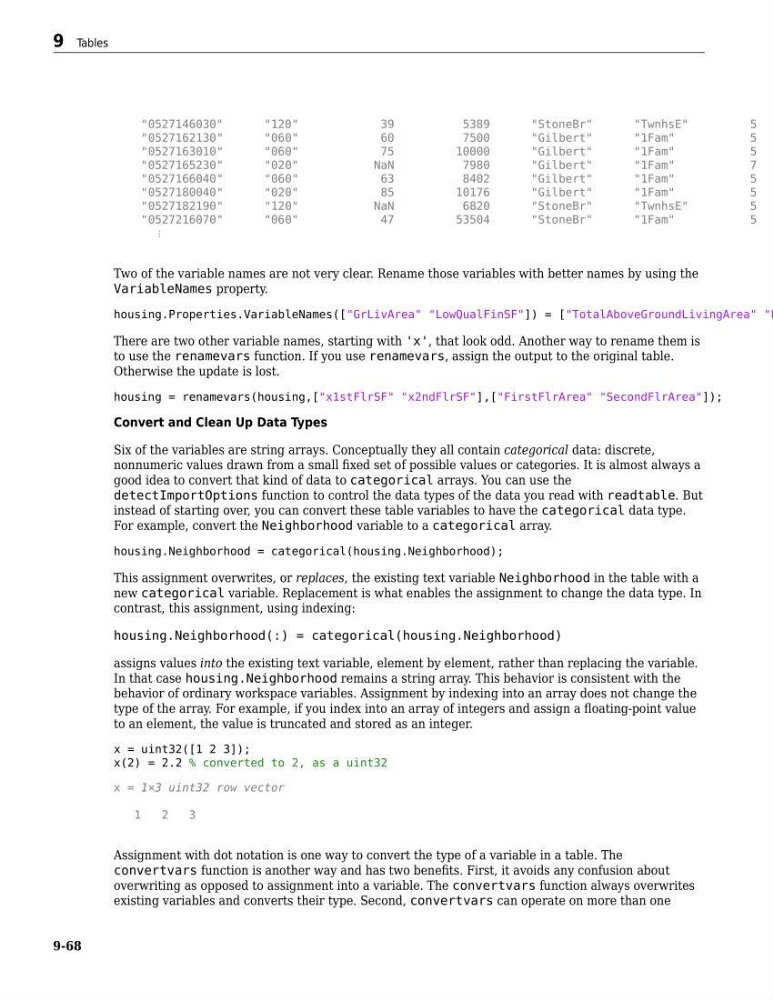
Two of the variable names are not very clear. Rename those variables with better names by using the
VariableNames property.
housing.Properties.VariableNames(["GrLivArea" "LowQualFinSF"]) = ["TotalAboveGroundLivingArea" "L
There are two other variable names, starting with 'x', that look odd. Another way to rename them is
to use the renamevars function. If you use renamevars, assign the output to the original table.
Otherwise the update is lost.
housing = renamevars(housing,["x1stFlrSF" "x2ndFlrSF"],["FirstFlrArea" "SecondFlrArea"]);
Convert and Clean Up Data Types
Six of the variables are string arrays. Conceptually they all contain categorical data: discrete,
nonnumeric values drawn from a small fixed set of possible values or categories. It is almost always a
good idea to convert that kind of data to categorical arrays. You can use the
detectImportOptions function to control the data types of the data you read with readtable. But
instead of starting over, you can convert these table variables to have the categorical data type.
For example, convert the Neighborhood variable to a categorical array.
housing.Neighborhood = categorical(housing.Neighborhood);
This assignment overwrites, or replaces, the existing text variable Neighborhood in the table with a
new categorical variable. Replacement is what enables the assignment to change the data type. In
contrast, this assignment, using indexing:
housing.Neighborhood(:) = categorical(housing.Neighborhood)
assigns values into the existing text variable, element by element, rather than replacing the variable.
In that case housing.Neighborhood remains a string array. This behavior is consistent with the
behavior of ordinary workspace variables. Assignment by indexing into an array does not change the
type of the array. For example, if you index into an array of integers and assign a floating-point value
to an element, the value is truncated and stored as an integer.
x = uint32([1 2 3]);
x(2) = 2.2 % converted to 2, as a uint32
x = 1×3 uint32 row vector
1
2
3
Assignment with dot notation is one way to convert the type of a variable in a table. The
convertvars function is another way and has two benefits. First, it avoids any confusion about
overwriting as opposed to assignment into a variable. The convertvars function always overwrites
existing variables and converts their type. Second, convertvars can operate on more than one
9 Tables
9-68
"120"
39
5389
"StoneBr"
"TwnhsE"
5
"0527162130"
"060"
60
7500
"Gilbert"
"1Fam"
5
"0527163010"
"060"
75
10000
"Gilbert"
"1Fam"
5
"0527165230"
"020"
NaN
7980
"Gilbert"
"1Fam"
7
"0527166040"
"060"
63
8402
"Gilbert"
"1Fam"
5
"0527180040"
"020"
85
10176
"Gilbert"
"1Fam"
5
"0527182190"
"120"
NaN
6820
"StoneBr"
"TwnhsE"
5
"0527216070"
"060"
47
53504
"StoneBr"
"1Fam"
5
⋮
Two of the variable names are not very clear. Rename those variables with better names by using the
VariableNames property.
housing.Properties.VariableNames(["GrLivArea" "LowQualFinSF"]) = ["TotalAboveGroundLivingArea" "L
There are two other variable names, starting with 'x', that look odd. Another way to rename them is
to use the renamevars function. If you use renamevars, assign the output to the original table.
Otherwise the update is lost.
housing = renamevars(housing,["x1stFlrSF" "x2ndFlrSF"],["FirstFlrArea" "SecondFlrArea"]);
Convert and Clean Up Data Types
Six of the variables are string arrays. Conceptually they all contain categorical data: discrete,
nonnumeric values drawn from a small fixed set of possible values or categories. It is almost always a
good idea to convert that kind of data to categorical arrays. You can use the
detectImportOptions function to control the data types of the data you read with readtable. But
instead of starting over, you can convert these table variables to have the categorical data type.
For example, convert the Neighborhood variable to a categorical array.
housing.Neighborhood = categorical(housing.Neighborhood);
This assignment overwrites, or replaces, the existing text variable Neighborhood in the table with a
new categorical variable. Replacement is what enables the assignment to change the data type. In
contrast, this assignment, using indexing:
housing.Neighborhood(:) = categorical(housing.Neighborhood)
assigns values into the existing text variable, element by element, rather than replacing the variable.
In that case housing.Neighborhood remains a string array. This behavior is consistent with the
behavior of ordinary workspace variables. Assignment by indexing into an array does not change the
type of the array. For example, if you index into an array of integers and assign a floating-point value
to an element, the value is truncated and stored as an integer.
x = uint32([1 2 3]);
x(2) = 2.2 % converted to 2, as a uint32
x = 1×3 uint32 row vector
1
2
3
Assignment with dot notation is one way to convert the type of a variable in a table. The
convertvars function is another way and has two benefits. First, it avoids any confusion about
overwriting as opposed to assignment into a variable. The convertvars function always overwrites
existing variables and converts their type. Second, convertvars can operate on more than one
9 Tables
9-68