

variable at a time. There are several more text variables in housing to be converted to the
categorical data type. Changing them one at a time would get tedious, but convertvars can
convert more than one variable in one command.
housing = convertvars(housing,["BldgType" "Foundation"],"categorical");
It is not necessary to explicitly list the variables by name or position in the table. You can find all the
table variables that are string arrays and convert them to categorical variables. To specify table
variables that are string arrays, use the function handle @isstring when calling convertvars.
housing = convertvars(housing,@isstring,"categorical");
In both cases, assign the output of convertvars back to the original table. Otherwise, the update is
lost.
Sometimes, converting all text variables to categorical is too much. For example, if the current
homeowners' names were present in the data, then it would not make sense to store them in a
categorical variable. Homeowners' names do not define housing categories. You might keep their
names in a string array instead.
As another example, the CentralAir variable is one of the variables that was converted to
categorical. But because its categories are just Y and N, it might make more sense to consider it a
logical variable.
summary(housing.CentralAir)
N
196
Y
2734
The logical data type (like all the integer types) does not allow missing values (analogous to NaN),
while categorical does. The CentralAir variable happens to have no missing data values. You
can use either logical or categorical as the data type for CentralAir.
any(ismissing(housing.CentralAir))
ans = logical
0
Convert the data type to logical, with true corresponding to Y, using dot notation to overwrite the
existing categorical variable with the new logical one.
housing.CentralAir = (housing.CentralAir == "Y");
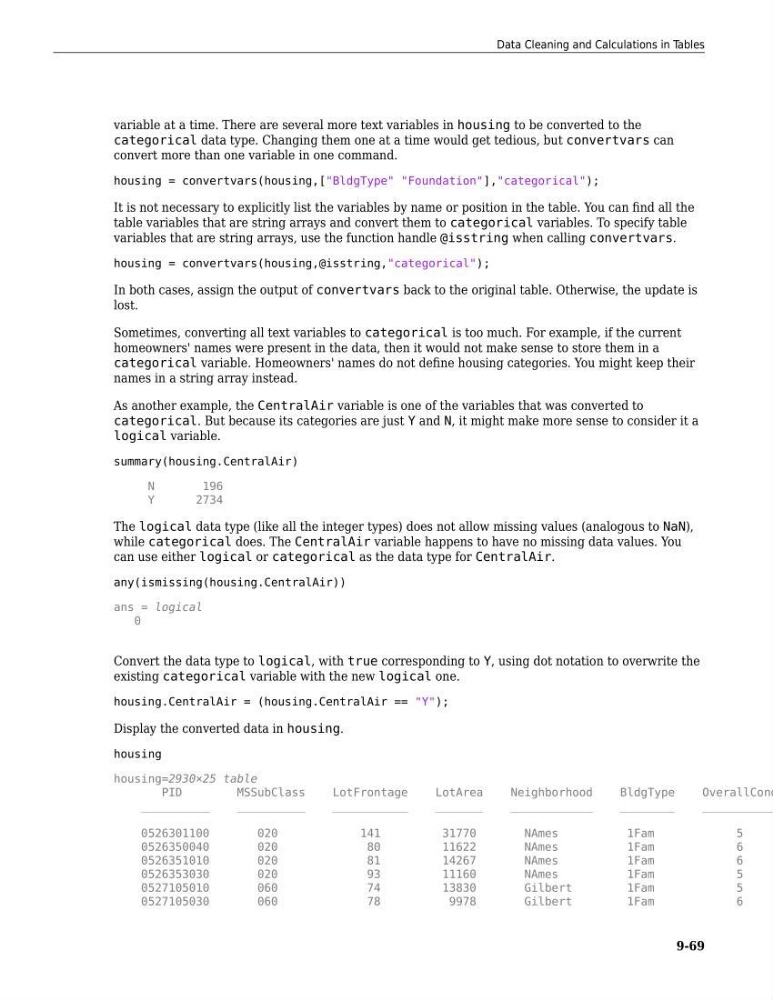
Display the converted data in housing.
housing
housing=2930×25 table
PID
MSSubClass
LotFrontage
LotArea
Neighborhood
BldgType
OverallCond
__________
__________
___________
_______
____________
________
___________
0526301100
020
141
31770
NAmes
1Fam
5
0526350040
020
80
11622
NAmes
1Fam
6
0526351010
020
81
14267
NAmes
1Fam
6
0526353030
020
93
11160
NAmes
1Fam
5
0527105010
060
74
13830
Gilbert
1Fam
5
0527105030
060
78
9978
Gilbert
1Fam
6
Data Cleaning and Calculations in Tables
9-69
categorical data type. Changing them one at a time would get tedious, but convertvars can
convert more than one variable in one command.
housing = convertvars(housing,["BldgType" "Foundation"],"categorical");
It is not necessary to explicitly list the variables by name or position in the table. You can find all the
table variables that are string arrays and convert them to categorical variables. To specify table
variables that are string arrays, use the function handle @isstring when calling convertvars.
housing = convertvars(housing,@isstring,"categorical");
In both cases, assign the output of convertvars back to the original table. Otherwise, the update is
lost.
Sometimes, converting all text variables to categorical is too much. For example, if the current
homeowners' names were present in the data, then it would not make sense to store them in a
categorical variable. Homeowners' names do not define housing categories. You might keep their
names in a string array instead.
As another example, the CentralAir variable is one of the variables that was converted to
categorical. But because its categories are just Y and N, it might make more sense to consider it a
logical variable.
summary(housing.CentralAir)
N
196
Y
2734
The logical data type (like all the integer types) does not allow missing values (analogous to NaN),
while categorical does. The CentralAir variable happens to have no missing data values. You
can use either logical or categorical as the data type for CentralAir.
any(ismissing(housing.CentralAir))
ans = logical
0
Convert the data type to logical, with true corresponding to Y, using dot notation to overwrite the
existing categorical variable with the new logical one.
housing.CentralAir = (housing.CentralAir == "Y");
Display the converted data in housing.
housing
housing=2930×25 table
PID
MSSubClass
LotFrontage
LotArea
Neighborhood
BldgType
OverallCond
__________
__________
___________
_______
____________
________
___________
0526301100
020
141
31770
NAmes
1Fam
5
0526350040
020
80
11622
NAmes
1Fam
6
0526351010
020
81
14267
NAmes
1Fam
6
0526353030
020
93
11160
NAmes
1Fam
5
0527105010
060
74
13830
Gilbert
1Fam
5
0527105030
060
78
9978
Gilbert
1Fam
6
Data Cleaning and Calculations in Tables
9-69