

'Fillmore'
'Garfield'
'Polk'
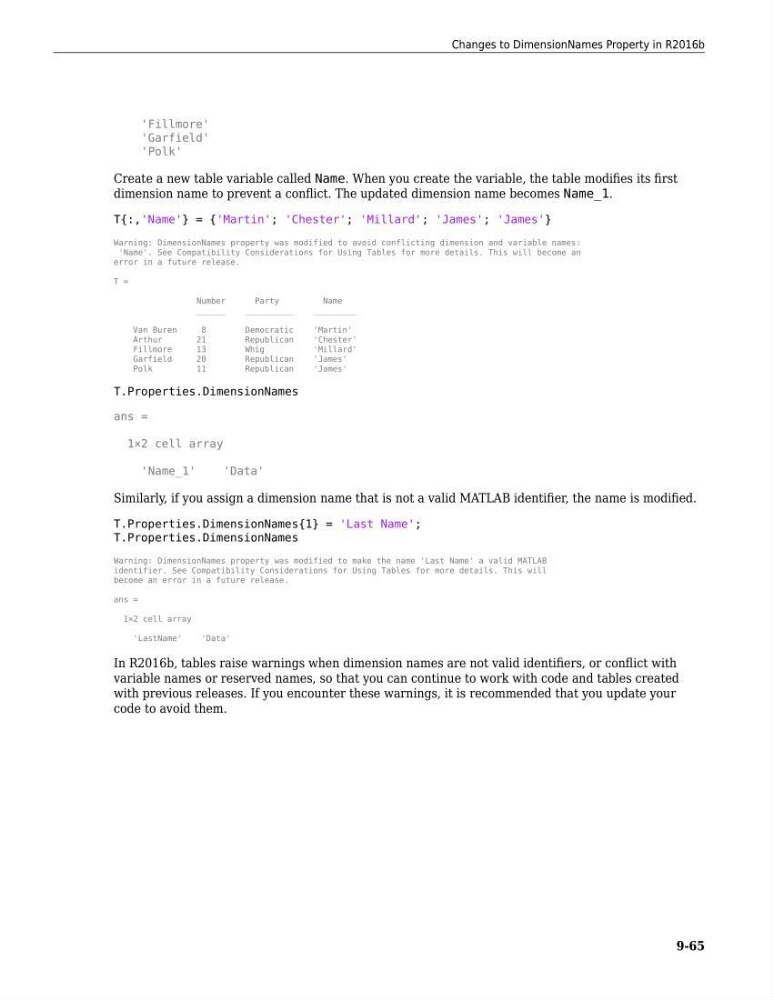
Create a new table variable called Name. When you create the variable, the table modifies its first
dimension name to prevent a conflict. The updated dimension name becomes Name_1.
T{:,'Name'} = {'Martin'; 'Chester'; 'Millard'; 'James'; 'James'}
Warning: DimensionNames property was modified to avoid conflicting dimension and variable names:
'Name'. See Compatibility Considerations for Using Tables for more details. This will become an
error in a future release.
T =
Number
Party
Name
______
__________
_________
Van Buren
8
Democratic
'Martin'
Arthur
21
Republican
'Chester'
Fillmore
13
Whig
'Millard'
Garfield
20
Republican
'James'
Polk
11
Republican
'James'
T.Properties.DimensionNames
ans =
1×2 cell array
'Name_1'
'Data'
Similarly, if you assign a dimension name that is not a valid MATLAB identifier, the name is modified.
T.Properties.DimensionNames{1} = 'Last Name';
T.Properties.DimensionNames
Warning: DimensionNames property was modified to make the name 'Last Name' a valid MATLAB
identifier. See Compatibility Considerations for Using Tables for more details. This will
become an error in a future release.
ans =
1×2 cell array
'LastName'
'Data'
In R2016b, tables raise warnings when dimension names are not valid identifiers, or conflict with
variable names or reserved names, so that you can continue to work with code and tables created
with previous releases. If you encounter these warnings, it is recommended that you update your
code to avoid them.
Changes to DimensionNames Property in R2016b
9-65
'Garfield'
'Polk'
Create a new table variable called Name. When you create the variable, the table modifies its first
dimension name to prevent a conflict. The updated dimension name becomes Name_1.
T{:,'Name'} = {'Martin'; 'Chester'; 'Millard'; 'James'; 'James'}
Warning: DimensionNames property was modified to avoid conflicting dimension and variable names:
'Name'. See Compatibility Considerations for Using Tables for more details. This will become an
error in a future release.
T =
Number
Party
Name
______
__________
_________
Van Buren
8
Democratic
'Martin'
Arthur
21
Republican
'Chester'
Fillmore
13
Whig
'Millard'
Garfield
20
Republican
'James'
Polk
11
Republican
'James'
T.Properties.DimensionNames
ans =
1×2 cell array
'Name_1'
'Data'
Similarly, if you assign a dimension name that is not a valid MATLAB identifier, the name is modified.
T.Properties.DimensionNames{1} = 'Last Name';
T.Properties.DimensionNames
Warning: DimensionNames property was modified to make the name 'Last Name' a valid MATLAB
identifier. See Compatibility Considerations for Using Tables for more details. This will
become an error in a future release.
ans =
1×2 cell array
'LastName'
'Data'
In R2016b, tables raise warnings when dimension names are not valid identifiers, or conflict with
variable names or reserved names, so that you can continue to work with code and tables created
with previous releases. If you encounter these warnings, it is recommended that you update your
code to avoid them.
Changes to DimensionNames Property in R2016b
9-65