

Changes to DimensionNames Property in R2016b
The table data type is suitable for collecting column-oriented, heterogeneous data in a single
container. Tables also contain metadata properties such as variable names, row names, dimension
names, descriptions, and variable units. Starting in R2016b, you can use the dimension names to
access table data and metadata using dot subscripting. To support that, the dimension names must
satisfy the same requirements as the variable names. For backwards compatibility, tables enforce
those restrictions by automatically modifying dimension names when needed.
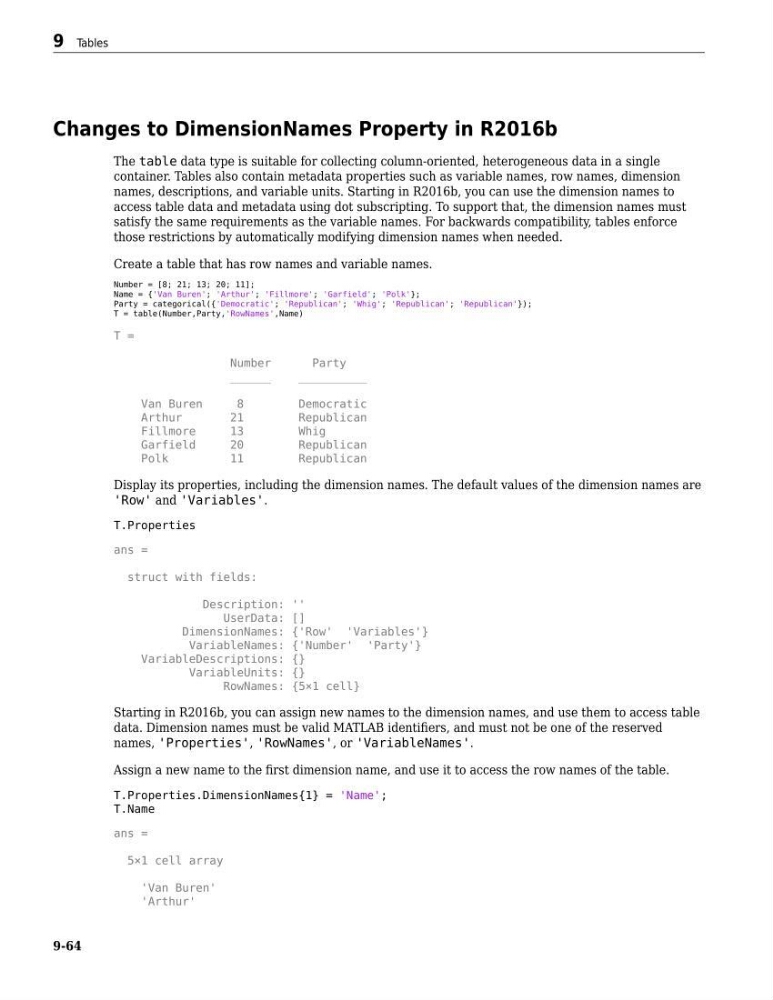
Create a table that has row names and variable names.
Number = [8; 21; 13; 20; 11];
Name = {'Van Buren'; 'Arthur'; 'Fillmore'; 'Garfield'; 'Polk'};
Party = categorical({'Democratic'; 'Republican'; 'Whig'; 'Republican'; 'Republican'});
T = table(Number,Party,'RowNames',Name)
T =
Number
Party
______
__________
Van Buren
8
Democratic
Arthur
21
Republican
Fillmore
13
Whig
Garfield
20
Republican
Polk
11
Republican
Display its properties, including the dimension names. The default values of the dimension names are
'Row' and 'Variables'.
T.Properties
ans =
struct with fields:
Description: ''
UserData: []
DimensionNames: {'Row' 'Variables'}
VariableNames: {'Number' 'Party'}
VariableDescriptions: {}
VariableUnits: {}
RowNames: {5×1 cell}
Starting in R2016b, you can assign new names to the dimension names, and use them to access table
data. Dimension names must be valid MATLAB identifiers, and must not be one of the reserved
names, 'Properties', 'RowNames', or 'VariableNames'.
Assign a new name to the first dimension name, and use it to access the row names of the table.
T.Properties.DimensionNames{1} = 'Name';
T.Name
ans =
5×1 cell array
'Van Buren'
'Arthur'
9 Tables
9-64
The table data type is suitable for collecting column-oriented, heterogeneous data in a single
container. Tables also contain metadata properties such as variable names, row names, dimension
names, descriptions, and variable units. Starting in R2016b, you can use the dimension names to
access table data and metadata using dot subscripting. To support that, the dimension names must
satisfy the same requirements as the variable names. For backwards compatibility, tables enforce
those restrictions by automatically modifying dimension names when needed.
Create a table that has row names and variable names.
Number = [8; 21; 13; 20; 11];
Name = {'Van Buren'; 'Arthur'; 'Fillmore'; 'Garfield'; 'Polk'};
Party = categorical({'Democratic'; 'Republican'; 'Whig'; 'Republican'; 'Republican'});
T = table(Number,Party,'RowNames',Name)
T =
Number
Party
______
__________
Van Buren
8
Democratic
Arthur
21
Republican
Fillmore
13
Whig
Garfield
20
Republican
Polk
11
Republican
Display its properties, including the dimension names. The default values of the dimension names are
'Row' and 'Variables'.
T.Properties
ans =
struct with fields:
Description: ''
UserData: []
DimensionNames: {'Row' 'Variables'}
VariableNames: {'Number' 'Party'}
VariableDescriptions: {}
VariableUnits: {}
RowNames: {5×1 cell}
Starting in R2016b, you can assign new names to the dimension names, and use them to access table
data. Dimension names must be valid MATLAB identifiers, and must not be one of the reserved
names, 'Properties', 'RowNames', or 'VariableNames'.
Assign a new name to the first dimension name, and use it to access the row names of the table.
T.Properties.DimensionNames{1} = 'Name';
T.Name
ans =
5×1 cell array
'Van Buren'
'Arthur'
9 Tables
9-64