

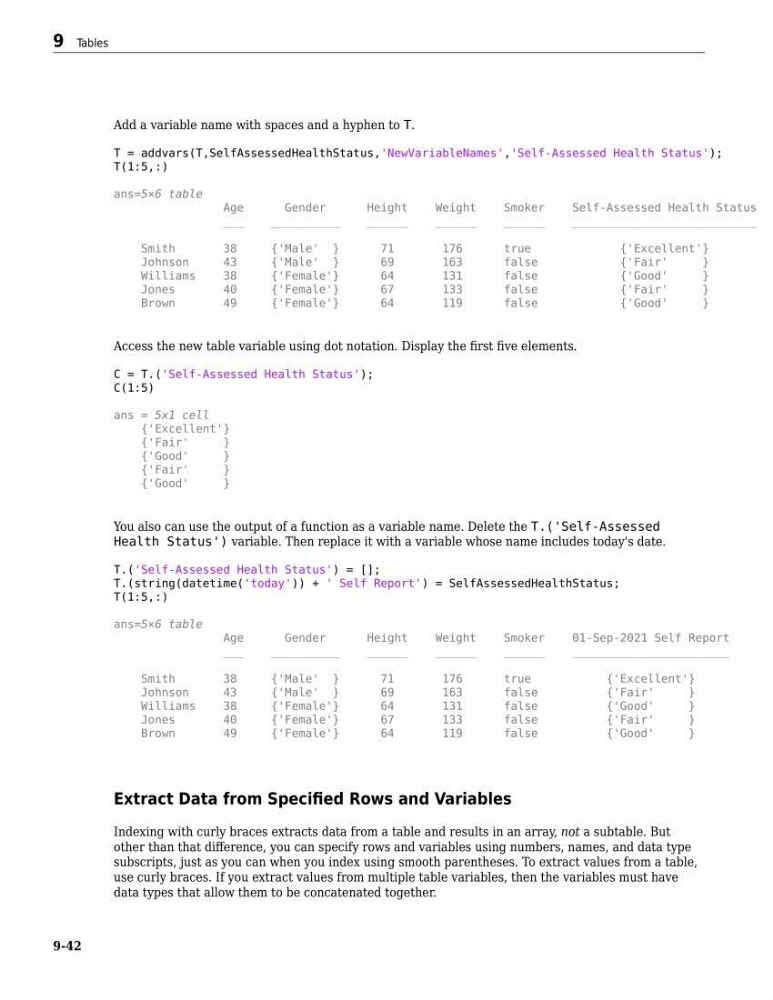
Add a variable name with spaces and a hyphen to T.
T = addvars(T,SelfAssessedHealthStatus,'NewVariableNames','Self-Assessed Health Status');
T(1:5,:)
ans=5×6 table
Age
Gender
Height
Weight
Smoker
Self-Assessed Health Status
___
__________
______
______
______
___________________________
Smith
38
{'Male' }
71
176
true
{'Excellent'}
Johnson
43
{'Male' }
69
163
false
{'Fair'
}
Williams
38
{'Female'}
64
131
false
{'Good'
}
Jones
40
{'Female'}
67
133
false
{'Fair'
}
Brown
49
{'Female'}
64
119
false
{'Good'
}
Access the new table variable using dot notation. Display the first five elements.
C = T.('Self-Assessed Health Status');
C(1:5)
ans = 5x1 cell
{'Excellent'}
{'Fair'
}
{'Good'
}
{'Fair'
}
{'Good'
}
You also can use the output of a function as a variable name. Delete the T.('Self-Assessed
Health Status') variable. Then replace it with a variable whose name includes today's date.
T.('Self-Assessed Health Status') = [];
T.(string(datetime('today')) + ' Self Report') = SelfAssessedHealthStatus;
T(1:5,:)
ans=5×6 table
Age
Gender
Height
Weight
Smoker
01-Sep-2021 Self Report
___
__________
______
______
______
_______________________
Smith
38
{'Male' }
71
176
true
{'Excellent'}
Johnson
43
{'Male' }
69
163
false
{'Fair'
}
Williams
38
{'Female'}
64
131
false
{'Good'
}
Jones
40
{'Female'}
67
133
false
{'Fair'
}
Brown
49
{'Female'}
64
119
false
{'Good'
}
Extract Data from Specified Rows and Variables
Indexing with curly braces extracts data from a table and results in an array, not a subtable. But
other than that difference, you can specify rows and variables using numbers, names, and data type
subscripts, just as you can when you index using smooth parentheses. To extract values from a table,
use curly braces. If you extract values from multiple table variables, then the variables must have
data types that allow them to be concatenated together.
9 Tables
9-42
T = addvars(T,SelfAssessedHealthStatus,'NewVariableNames','Self-Assessed Health Status');
T(1:5,:)
ans=5×6 table
Age
Gender
Height
Weight
Smoker
Self-Assessed Health Status
___
__________
______
______
______
___________________________
Smith
38
{'Male' }
71
176
true
{'Excellent'}
Johnson
43
{'Male' }
69
163
false
{'Fair'
}
Williams
38
{'Female'}
64
131
false
{'Good'
}
Jones
40
{'Female'}
67
133
false
{'Fair'
}
Brown
49
{'Female'}
64
119
false
{'Good'
}
Access the new table variable using dot notation. Display the first five elements.
C = T.('Self-Assessed Health Status');
C(1:5)
ans = 5x1 cell
{'Excellent'}
{'Fair'
}
{'Good'
}
{'Fair'
}
{'Good'
}
You also can use the output of a function as a variable name. Delete the T.('Self-Assessed
Health Status') variable. Then replace it with a variable whose name includes today's date.
T.('Self-Assessed Health Status') = [];
T.(string(datetime('today')) + ' Self Report') = SelfAssessedHealthStatus;
T(1:5,:)
ans=5×6 table
Age
Gender
Height
Weight
Smoker
01-Sep-2021 Self Report
___
__________
______
______
______
_______________________
Smith
38
{'Male' }
71
176
true
{'Excellent'}
Johnson
43
{'Male' }
69
163
false
{'Fair'
}
Williams
38
{'Female'}
64
131
false
{'Good'
}
Jones
40
{'Female'}
67
133
false
{'Fair'
}
Brown
49
{'Female'}
64
119
false
{'Good'
}
Extract Data from Specified Rows and Variables
Indexing with curly braces extracts data from a table and results in an array, not a subtable. But
other than that difference, you can specify rows and variables using numbers, names, and data type
subscripts, just as you can when you index using smooth parentheses. To extract values from a table,
use curly braces. If you extract values from multiple table variables, then the variables must have
data types that allow them to be concatenated together.
9 Tables
9-42