

Specify Rows and Variables
Create a table from numeric and logical arrays from the patients file.
load patients
T = table(Age,Height,Weight,Smoker,...
'RowNames',LastName);
Extract data from multiple variables in T. Unlike dot notation, indexing with curly braces can extract
values from multiple table variables and concatenate them into one array.
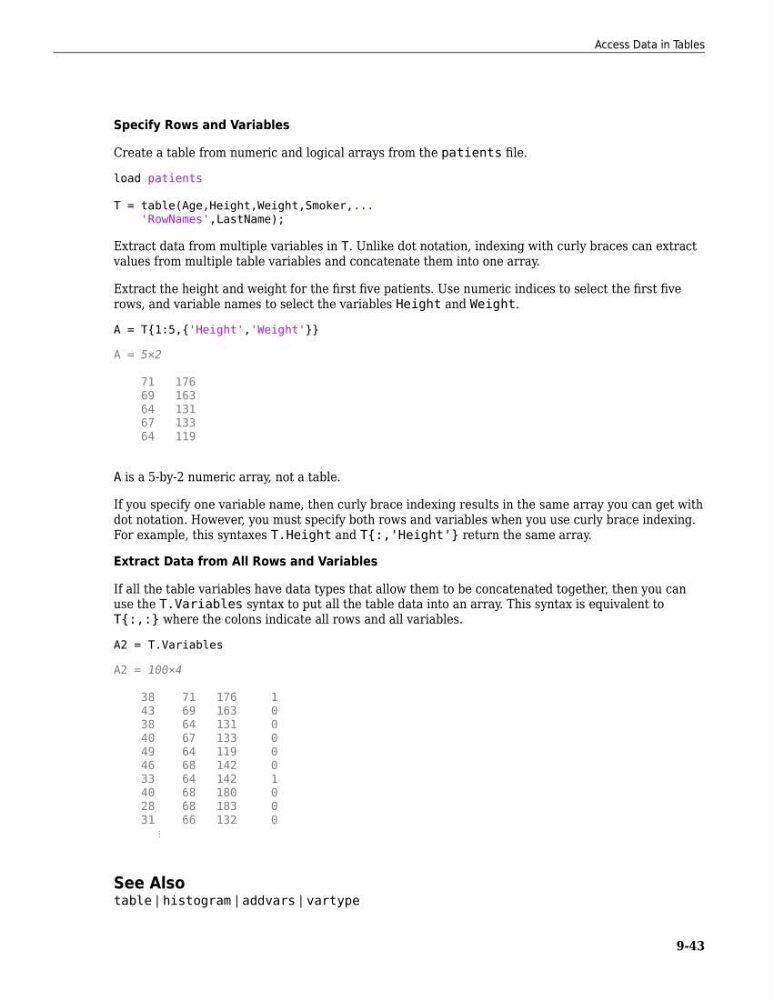
Extract the height and weight for the first five patients. Use numeric indices to select the first five
rows, and variable names to select the variables Height and Weight.
A = T{1:5,{'Height','Weight'}}
A = 5×2
71
176
69
163
64
131
67
133
64
119
A is a 5-by-2 numeric array, not a table.
If you specify one variable name, then curly brace indexing results in the same array you can get with
dot notation. However, you must specify both rows and variables when you use curly brace indexing.
For example, this syntaxes T.Height and T{:,'Height'} return the same array.
Extract Data from All Rows and Variables
If all the table variables have data types that allow them to be concatenated together, then you can
use the T.Variables syntax to put all the table data into an array. This syntax is equivalent to
T{:,:} where the colons indicate all rows and all variables.
A2 = T.Variables
A2 = 100×4
38
71
176
1
43
69
163
0
38
64
131
0
40
67
133
0
49
64
119
0
46
68
142
0
33
64
142
1
40
68
180
0
28
68
183
0
31
66
132
0
⋮
See Also
table | histogram | addvars | vartype
Access Data in Tables
9-43
Create a table from numeric and logical arrays from the patients file.
load patients
T = table(Age,Height,Weight,Smoker,...
'RowNames',LastName);
Extract data from multiple variables in T. Unlike dot notation, indexing with curly braces can extract
values from multiple table variables and concatenate them into one array.
Extract the height and weight for the first five patients. Use numeric indices to select the first five
rows, and variable names to select the variables Height and Weight.
A = T{1:5,{'Height','Weight'}}
A = 5×2
71
176
69
163
64
131
67
133
64
119
A is a 5-by-2 numeric array, not a table.
If you specify one variable name, then curly brace indexing results in the same array you can get with
dot notation. However, you must specify both rows and variables when you use curly brace indexing.
For example, this syntaxes T.Height and T{:,'Height'} return the same array.
Extract Data from All Rows and Variables
If all the table variables have data types that allow them to be concatenated together, then you can
use the T.Variables syntax to put all the table data into an array. This syntax is equivalent to
T{:,:} where the colons indicate all rows and all variables.
A2 = T.Variables
A2 = 100×4
38
71
176
1
43
69
163
0
38
64
131
0
40
67
133
0
49
64
119
0
46
68
142
0
33
64
142
1
40
68
180
0
28
68
183
0
31
66
132
0
⋮
See Also
table | histogram | addvars | vartype
Access Data in Tables
9-43