

______
______
________
_________
71
176
124
93
69
163
109
77
64
131
125
83
67
133
117
75
64
119
122
80
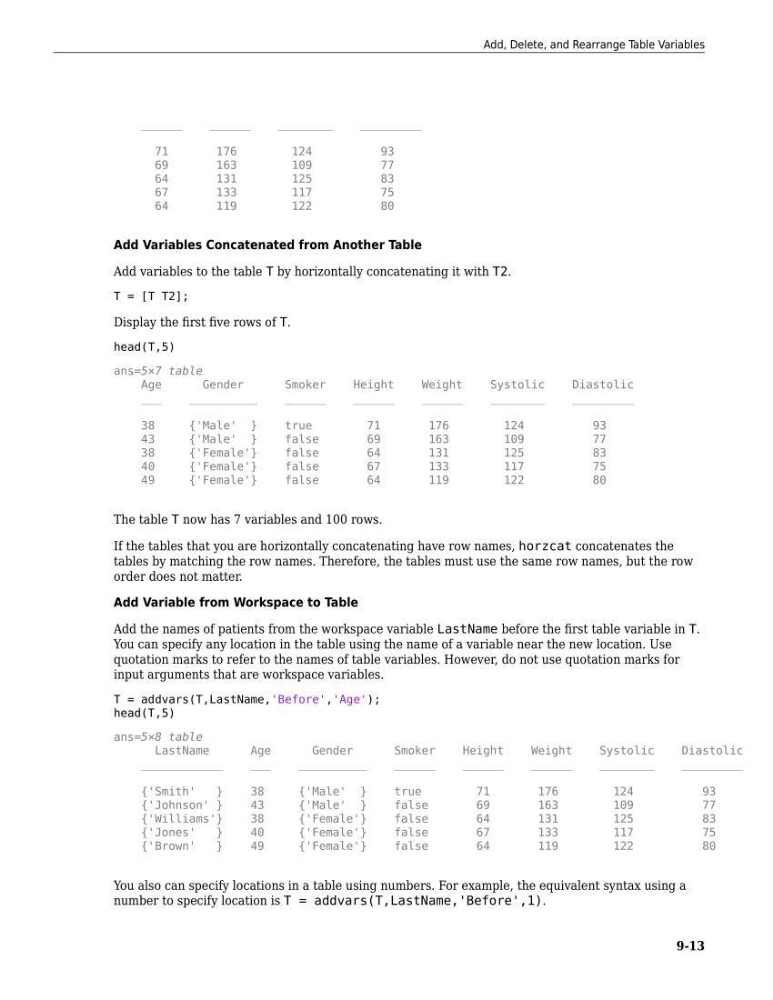
Add Variables Concatenated from Another Table
Add variables to the table T by horizontally concatenating it with T2.
T = [T T2];
Display the first five rows of T.
head(T,5)
ans=5×7 table
Age
Gender
Smoker
Height
Weight
Systolic
Diastolic
___
__________
______
______
______
________
_________
38
{'Male' }
true
71
176
124
93
43
{'Male' }
false
69
163
109
77
38
{'Female'}
false
64
131
125
83
40
{'Female'}
false
67
133
117
75
49
{'Female'}
false
64
119
122
80
The table T now has 7 variables and 100 rows.
If the tables that you are horizontally concatenating have row names, horzcat concatenates the
tables by matching the row names. Therefore, the tables must use the same row names, but the row
order does not matter.
Add Variable from Workspace to Table
Add the names of patients from the workspace variable LastName before the first table variable in T.
You can specify any location in the table using the name of a variable near the new location. Use
quotation marks to refer to the names of table variables. However, do not use quotation marks for
input arguments that are workspace variables.
T = addvars(T,LastName,'Before','Age');
head(T,5)
ans=5×8 table
LastName
Age
Gender
Smoker
Height
Weight
Systolic
Diastolic
____________
___
__________
______
______
______
________
_________
{'Smith'
}
38
{'Male' }
true
71
176
124
93
{'Johnson' }
43
{'Male' }
false
69
163
109
77
{'Williams'}
38
{'Female'}
false
64
131
125
83
{'Jones'
}
40
{'Female'}
false
67
133
117
75
{'Brown'
}
49
{'Female'}
false
64
119
122
80
You also can specify locations in a table using numbers. For example, the equivalent syntax using a
number to specify location is T = addvars(T,LastName,'Before',1).
Add, Delete, and Rearrange Table Variables
9-13
______
________
_________
71
176
124
93
69
163
109
77
64
131
125
83
67
133
117
75
64
119
122
80
Add Variables Concatenated from Another Table
Add variables to the table T by horizontally concatenating it with T2.
T = [T T2];
Display the first five rows of T.
head(T,5)
ans=5×7 table
Age
Gender
Smoker
Height
Weight
Systolic
Diastolic
___
__________
______
______
______
________
_________
38
{'Male' }
true
71
176
124
93
43
{'Male' }
false
69
163
109
77
38
{'Female'}
false
64
131
125
83
40
{'Female'}
false
67
133
117
75
49
{'Female'}
false
64
119
122
80
The table T now has 7 variables and 100 rows.
If the tables that you are horizontally concatenating have row names, horzcat concatenates the
tables by matching the row names. Therefore, the tables must use the same row names, but the row
order does not matter.
Add Variable from Workspace to Table
Add the names of patients from the workspace variable LastName before the first table variable in T.
You can specify any location in the table using the name of a variable near the new location. Use
quotation marks to refer to the names of table variables. However, do not use quotation marks for
input arguments that are workspace variables.
T = addvars(T,LastName,'Before','Age');
head(T,5)
ans=5×8 table
LastName
Age
Gender
Smoker
Height
Weight
Systolic
Diastolic
____________
___
__________
______
______
______
________
_________
{'Smith'
}
38
{'Male' }
true
71
176
124
93
{'Johnson' }
43
{'Male' }
false
69
163
109
77
{'Williams'}
38
{'Female'}
false
64
131
125
83
{'Jones'
}
40
{'Female'}
false
67
133
117
75
{'Brown'
}
49
{'Female'}
false
64
119
122
80
You also can specify locations in a table using numbers. For example, the equivalent syntax using a
number to specify location is T = addvars(T,LastName,'Before',1).
Add, Delete, and Rearrange Table Variables
9-13