

Create Complex Numbers
Complex numbers consist of two separate parts: a real part and an imaginary part. The basic
imaginary unit is equal to the square root of -1. This is represented in MATLAB by either of two
letters: i or j.
The following statement shows one way of creating a complex value in MATLAB. The variable x is
assigned a complex number with a real part of 2 and an imaginary part of 3:
x = 2 + 3i;
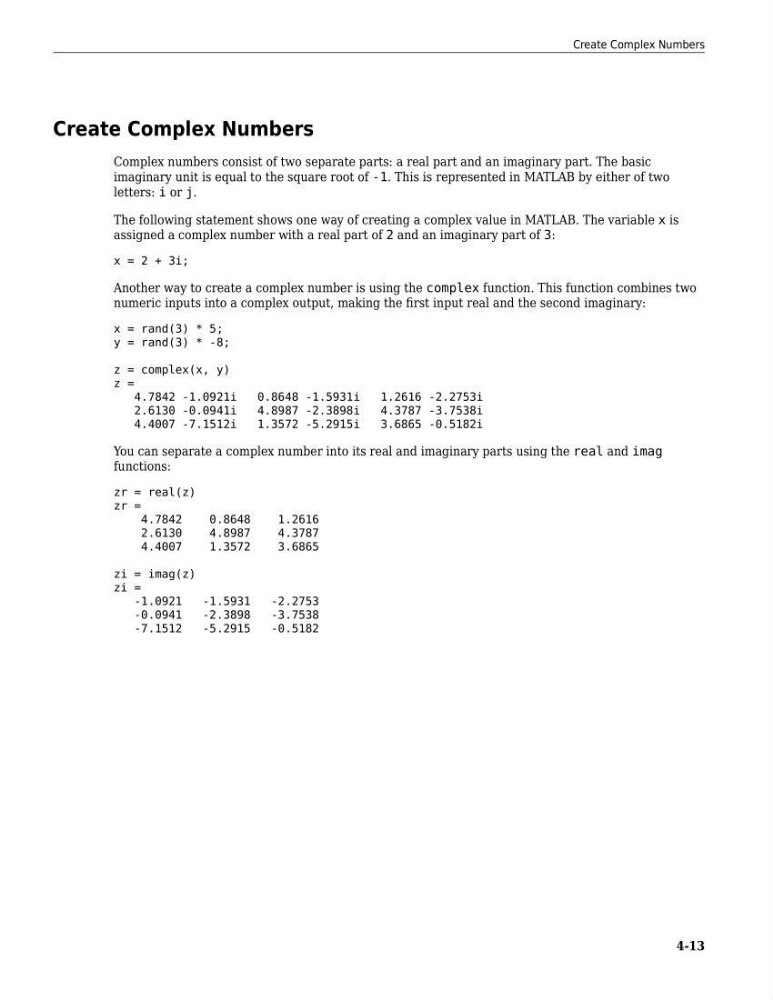
Another way to create a complex number is using the complex function. This function combines two
numeric inputs into a complex output, making the first input real and the second imaginary:
x = rand(3) * 5;
y = rand(3) * -8;
z = complex(x, y)
z =
4.7842 -1.0921i
0.8648 -1.5931i
1.2616 -2.2753i
2.6130 -0.0941i
4.8987 -2.3898i
4.3787 -3.7538i
4.4007 -7.1512i
1.3572 -5.2915i
3.6865 -0.5182i
You can separate a complex number into its real and imaginary parts using the real and imag
functions:
zr = real(z)
zr =
4.7842
0.8648
1.2616
2.6130
4.8987
4.3787
4.4007
1.3572
3.6865
zi = imag(z)
zi =
-1.0921
-1.5931
-2.2753
-0.0941
-2.3898
-3.7538
-7.1512
-5.2915
-0.5182
Create Complex Numbers
4-13
Complex numbers consist of two separate parts: a real part and an imaginary part. The basic
imaginary unit is equal to the square root of -1. This is represented in MATLAB by either of two
letters: i or j.
The following statement shows one way of creating a complex value in MATLAB. The variable x is
assigned a complex number with a real part of 2 and an imaginary part of 3:
x = 2 + 3i;
Another way to create a complex number is using the complex function. This function combines two
numeric inputs into a complex output, making the first input real and the second imaginary:
x = rand(3) * 5;
y = rand(3) * -8;
z = complex(x, y)
z =
4.7842 -1.0921i
0.8648 -1.5931i
1.2616 -2.2753i
2.6130 -0.0941i
4.8987 -2.3898i
4.3787 -3.7538i
4.4007 -7.1512i
1.3572 -5.2915i
3.6865 -0.5182i
You can separate a complex number into its real and imaginary parts using the real and imag
functions:
zr = real(z)
zr =
4.7842
0.8648
1.2616
2.6130
4.8987
4.3787
4.4007
1.3572
3.6865
zi = imag(z)
zi =
-1.0921
-1.5931
-2.2753
-0.0941
-2.3898
-3.7538
-7.1512
-5.2915
-0.5182
Create Complex Numbers
4-13