

Infinity and NaN
In this section...
“Infinity” on page 4-14
“NaN” on page 4-14
Infinity
MATLAB represents infinity by the special value Inf. Infinity results from operations like division by
zero and overflow, which lead to results too large to represent as conventional floating-point values.
MATLAB also provides a function called Inf that returns the IEEE arithmetic representation for
positive infinity as a double scalar value.
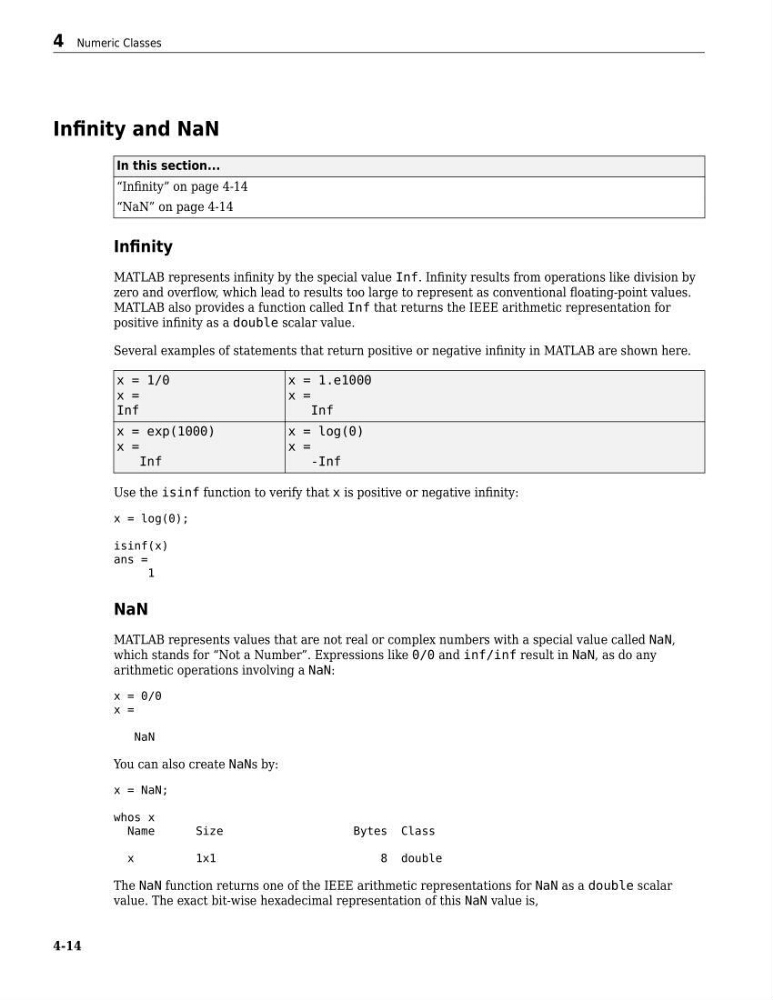
Several examples of statements that return positive or negative infinity in MATLAB are shown here.
x = 1/0
x =
Inf
x = 1.e1000
x =
Inf
x = exp(1000)
x =
Inf
x = log(0)
x =
-Inf
Use the isinf function to verify that x is positive or negative infinity:
x = log(0);
isinf(x)
ans =
1
NaN
MATLAB represents values that are not real or complex numbers with a special value called NaN,
which stands for “Not a Number”. Expressions like 0/0 and inf/inf result in NaN, as do any
arithmetic operations involving a NaN:
x = 0/0
x =
NaN
You can also create NaNs by:
x = NaN;
whos x
Name
Size
Bytes Class
x
1x1
8 double
The NaN function returns one of the IEEE arithmetic representations for NaN as a double scalar
value. The exact bit-wise hexadecimal representation of this NaN value is,
4 Numeric Classes
4-14
In this section...
“Infinity” on page 4-14
“NaN” on page 4-14
Infinity
MATLAB represents infinity by the special value Inf. Infinity results from operations like division by
zero and overflow, which lead to results too large to represent as conventional floating-point values.
MATLAB also provides a function called Inf that returns the IEEE arithmetic representation for
positive infinity as a double scalar value.
Several examples of statements that return positive or negative infinity in MATLAB are shown here.
x = 1/0
x =
Inf
x = 1.e1000
x =
Inf
x = exp(1000)
x =
Inf
x = log(0)
x =
-Inf
Use the isinf function to verify that x is positive or negative infinity:
x = log(0);
isinf(x)
ans =
1
NaN
MATLAB represents values that are not real or complex numbers with a special value called NaN,
which stands for “Not a Number”. Expressions like 0/0 and inf/inf result in NaN, as do any
arithmetic operations involving a NaN:
x = 0/0
x =
NaN
You can also create NaNs by:
x = NaN;
whos x
Name
Size
Bytes Class
x
1x1
8 double
The NaN function returns one of the IEEE arithmetic representations for NaN as a double scalar
value. The exact bit-wise hexadecimal representation of this NaN value is,
4 Numeric Classes
4-14