

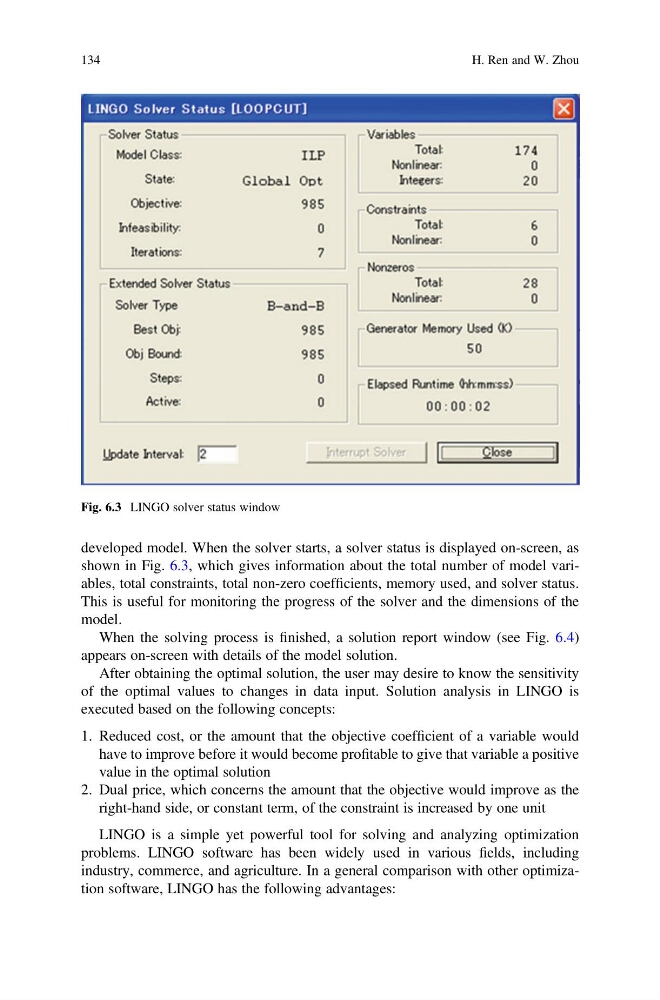
developed model. When the solver starts, a solver status is displayed on-screen, as
shown in Fig. 6.3, which gives information about the total number of model variables, total constraints, total non-zero coefficients, memory used, and solver status.
This is useful for monitoring the progress of the solver and the dimensions of the
model.
When the solving process is finished, a solution report window (see Fig. 6.4)
appears on-screen with details of the model solution.
After obtaining the optimal solution, the user may desire to know the sensitivity
of the optimal values to changes in data input. Solution analysis in LINGO is
executed based on the following concepts:
1. Reduced cost, or the amount that the objective coefficient of a variable would
have to improve before it would become profitable to give that variable a positive
value in the optimal solution
2. Dual price, which concerns the amount that the objective would improve as the
right-hand side, or constant term, of the constraint is increased by one unit
LINGO is a simple yet powerful tool for solving and analyzing optimization
problems. LINGO software has been widely used in various fields, including
industry, commerce, and agriculture. In a general comparison with other optimization software, LINGO has the following advantages:
Fig. 6.3 LINGO solver status window
134
H. Ren and W. Zhou
shown in Fig. 6.3, which gives information about the total number of model variables, total constraints, total non-zero coefficients, memory used, and solver status.
This is useful for monitoring the progress of the solver and the dimensions of the
model.
When the solving process is finished, a solution report window (see Fig. 6.4)
appears on-screen with details of the model solution.
After obtaining the optimal solution, the user may desire to know the sensitivity
of the optimal values to changes in data input. Solution analysis in LINGO is
executed based on the following concepts:
1. Reduced cost, or the amount that the objective coefficient of a variable would
have to improve before it would become profitable to give that variable a positive
value in the optimal solution
2. Dual price, which concerns the amount that the objective would improve as the
right-hand side, or constant term, of the constraint is increased by one unit
LINGO is a simple yet powerful tool for solving and analyzing optimization
problems. LINGO software has been widely used in various fields, including
industry, commerce, and agriculture. In a general comparison with other optimization software, LINGO has the following advantages:
Fig. 6.3 LINGO solver status window
134
H. Ren and W. Zhou