

2. Uploaded files are displayed for each category. Select the
related files and click the “Group selected files” button (the
file group is added to the table below).
3. Repeat until all the files are grouped in one or more groups.
4. When all the steps are completed successfully, click “Done”
(window closes).
3.10 Complete
Submission
1. Click the “Submit project” button at the bottom of the page to
complete the project submission. After the submission is done,
the users cannot edit the project again (however, revision is still
possible) (see Note 2).
2. After returning to the first step of the project section (“Define
project”), confirm that the status of the project appears as
“Submitted” in the project list table.
If the users select “Complete submission” as the submission type, the corresponding files will be checked immediately
after clicking the “Submit project” button; this step can take
several minutes to several hours, for instance, when there are
multiple files. Until the check is completed, the project will
show the status of “Validating.”
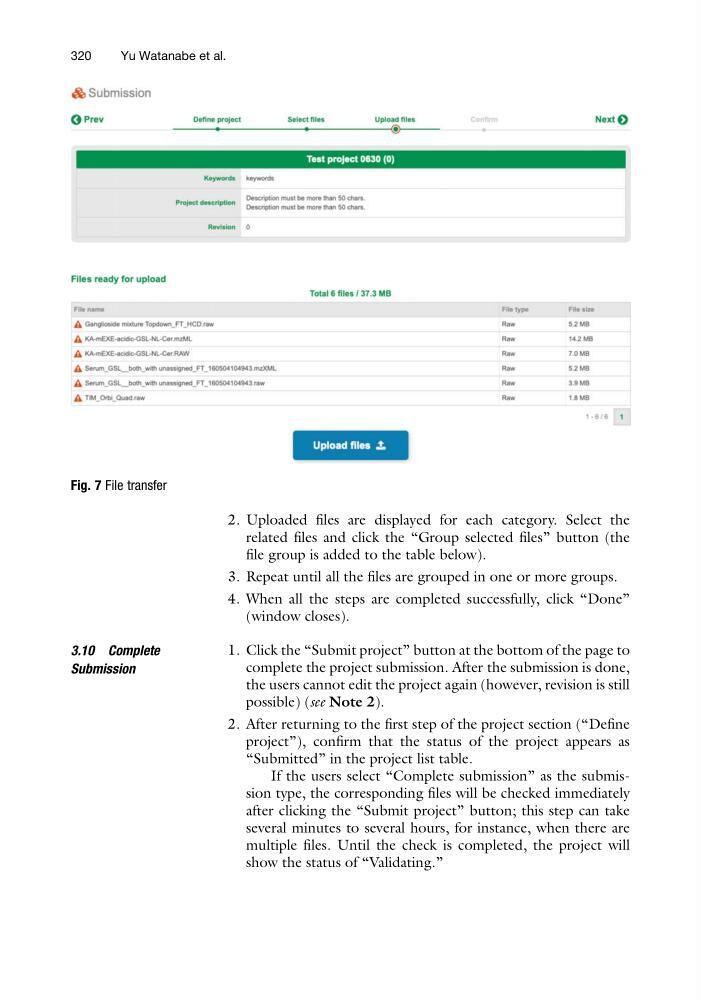
Fig. 7 File transfer
320
Yu Watanabe et al.
related files and click the “Group selected files” button (the
file group is added to the table below).
3. Repeat until all the files are grouped in one or more groups.
4. When all the steps are completed successfully, click “Done”
(window closes).
3.10 Complete
Submission
1. Click the “Submit project” button at the bottom of the page to
complete the project submission. After the submission is done,
the users cannot edit the project again (however, revision is still
possible) (see Note 2).
2. After returning to the first step of the project section (“Define
project”), confirm that the status of the project appears as
“Submitted” in the project list table.
If the users select “Complete submission” as the submission type, the corresponding files will be checked immediately
after clicking the “Submit project” button; this step can take
several minutes to several hours, for instance, when there are
multiple files. Until the check is completed, the project will
show the status of “Validating.”
Fig. 7 File transfer
320
Yu Watanabe et al.