

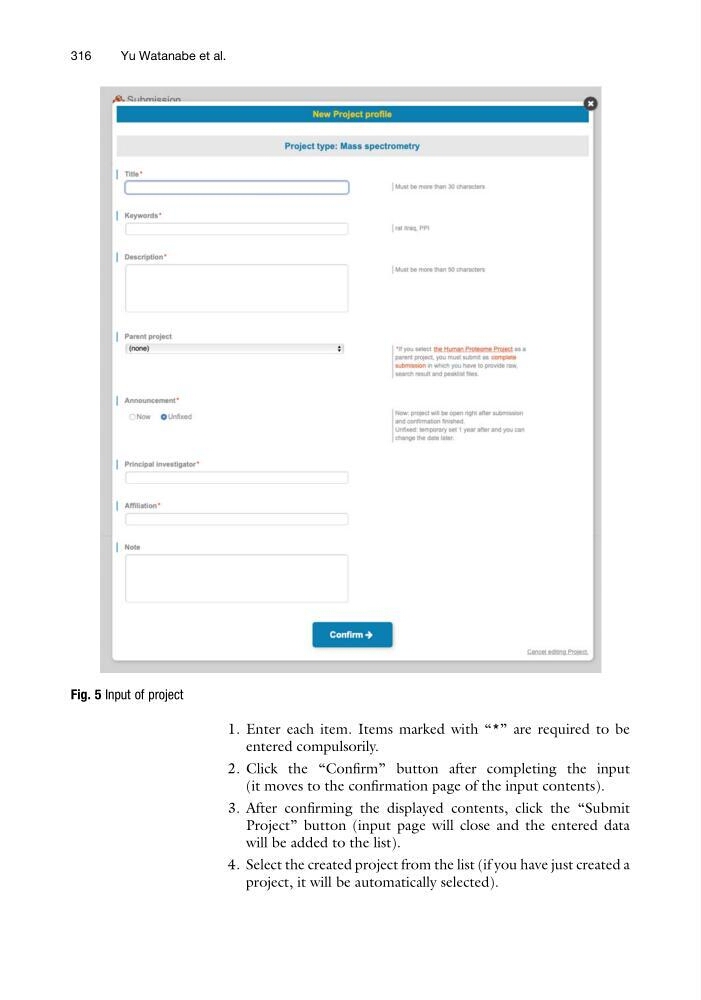
1. Enter each item. Items marked with “*” are required to be
entered compulsorily.
2. Click the “Confirm” button after completing the input
(it moves to the confirmation page of the input contents).
3. After confirming the displayed contents, click the “Submit
Project” button (input page will close and the entered data
will be added to the list).
4. Select the created project from the list (if you have just created a
project, it will be automatically selected).
Fig. 5 Input of project
316
Yu Watanabe et al.
entered compulsorily.
2. Click the “Confirm” button after completing the input
(it moves to the confirmation page of the input contents).
3. After confirming the displayed contents, click the “Submit
Project” button (input page will close and the entered data
will be added to the list).
4. Select the created project from the list (if you have just created a
project, it will be automatically selected).
Fig. 5 Input of project
316
Yu Watanabe et al.