

3.3.4 MS Mode
Create an MS mode preset using the same procedure described
above.
3.4 Creation of a
Project
The users can access the project registration page according to the
following procedure:
1. Click the “Submit” button in the menu at the top of the page.
2. Click the blue icon “Project and files” on the right.
The three types of projects, including mass spectrometry,
gel electrophoresis, and antibody, can be registered in the
jPOST repository. The data used for description in this chapter
are mass spectrometry, so click on “Mass spectrometry“(input
page opens; see Fig. 5 and Table 1).
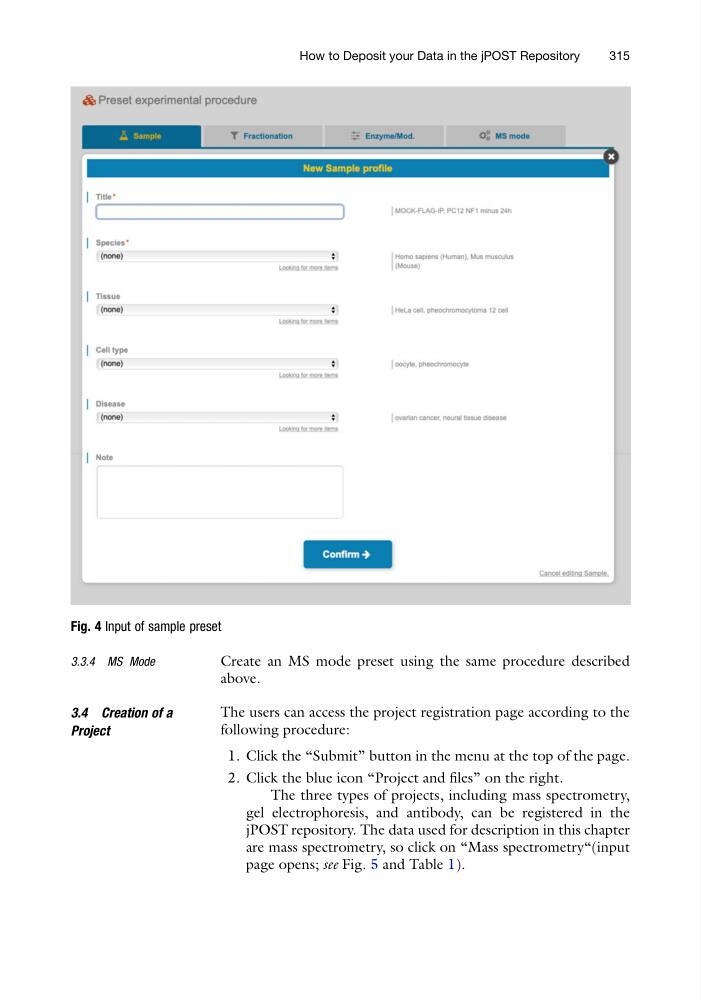
Fig. 4 Input of sample preset
How to Deposit your Data in the jPOST Repository
315
Create an MS mode preset using the same procedure described
above.
3.4 Creation of a
Project
The users can access the project registration page according to the
following procedure:
1. Click the “Submit” button in the menu at the top of the page.
2. Click the blue icon “Project and files” on the right.
The three types of projects, including mass spectrometry,
gel electrophoresis, and antibody, can be registered in the
jPOST repository. The data used for description in this chapter
are mass spectrometry, so click on “Mass spectrometry“(input
page opens; see Fig. 5 and Table 1).
Fig. 4 Input of sample preset
How to Deposit your Data in the jPOST Repository
315