

2. Then, click the green icon “Preset experimental procedure” on
the right.
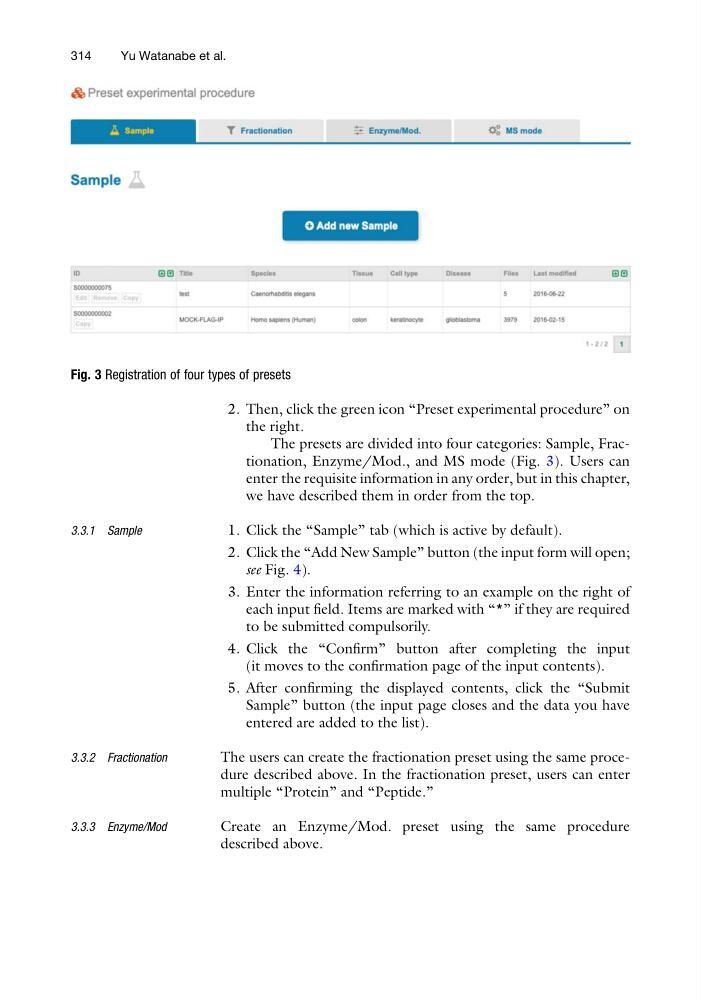
The presets are divided into four categories: Sample, Fractionation, Enzyme/Mod., and MS mode (Fig. 3). Users can
enter the requisite information in any order, but in this chapter,
we have described them in order from the top.
3.3.1 Sample
1. Click the “Sample” tab (which is active by default).
2. Click the “Add New Sample” button (the input form will open;
see Fig. 4).
3. Enter the information referring to an example on the right of
each input field. Items are marked with “*” if they are required
to be submitted compulsorily.
4. Click the “Confirm” button after completing the input
(it moves to the confirmation page of the input contents).
5. After confirming the displayed contents, click the “Submit
Sample” button (the input page closes and the data you have
entered are added to the list).
3.3.2 Fractionation
The users can create the fractionation preset using the same procedure described above. In the fractionation preset, users can enter
multiple “Protein” and “Peptide.”
3.3.3 Enzyme/Mod
Create an Enzyme/Mod. preset using the same procedure
described above.
Fig. 3 Registration of four types of presets
314
Yu Watanabe et al.
the right.
The presets are divided into four categories: Sample, Fractionation, Enzyme/Mod., and MS mode (Fig. 3). Users can
enter the requisite information in any order, but in this chapter,
we have described them in order from the top.
3.3.1 Sample
1. Click the “Sample” tab (which is active by default).
2. Click the “Add New Sample” button (the input form will open;
see Fig. 4).
3. Enter the information referring to an example on the right of
each input field. Items are marked with “*” if they are required
to be submitted compulsorily.
4. Click the “Confirm” button after completing the input
(it moves to the confirmation page of the input contents).
5. After confirming the displayed contents, click the “Submit
Sample” button (the input page closes and the data you have
entered are added to the list).
3.3.2 Fractionation
The users can create the fractionation preset using the same procedure described above. In the fractionation preset, users can enter
multiple “Protein” and “Peptide.”
3.3.3 Enzyme/Mod
Create an Enzyme/Mod. preset using the same procedure
described above.
Fig. 3 Registration of four types of presets
314
Yu Watanabe et al.