

309
How Do You Display a Digital Remotely Sensed Image?
combinations of these values). See also Hands-on Application 10.3: Color Tools
Online: Color Mixing for an online tool that can be used to create colors from
various 0 to 255 values.
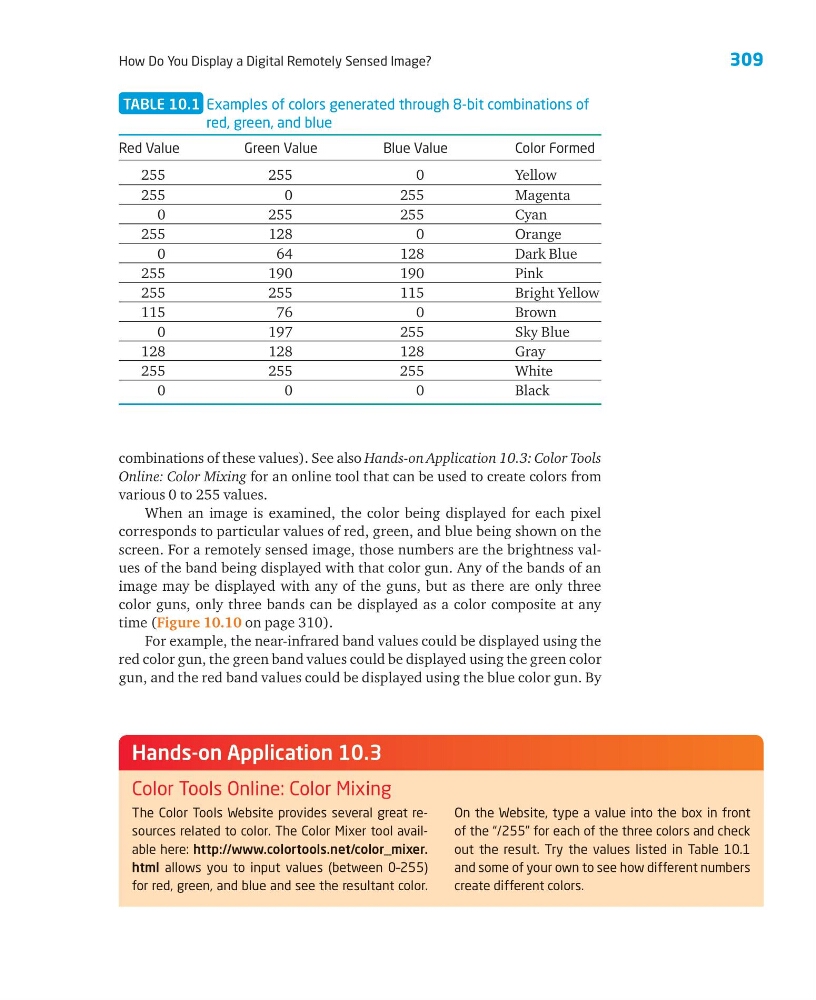
When an image is examined, the color being displayed for each pixel
corresponds to particular values of red, green, and blue being shown on the
screen. For a remotely sensed image, those numbers are the brightness values of the band being displayed with that color gun. Any of the bands of an
image may be displayed with any of the guns, but as there are only three
color guns, only three bands can be displayed as a color composite at any
time (Figure 10.10 on page 310).
For example, the near-infrared band values could be displayed using the
red color gun, the green band values could be displayed using the green color
gun, and the red band values could be displayed using the blue color gun. By
TABLE 10.1 Examples of colors generated through 8-bit combinations of
red, green, and blue
Red Value
Green Value
Blue Value
Color Formed
255
255
0
Yellow
255
0
255
Magenta
0
255
255
Cyan
255
128
0
Orange
0
64
128
Dark Blue
255
190
190
Pink
255
255
115
Bright Yellow
115
76
0
Brown
0
197
255
Sky Blue
128
128
128
Gray
255
255
255
White
0
0
0
Black
The Color Tools Website provides several great resources related to color. The Color Mixer tool available here: http://www.colortools.net/color_mixer.
html allows you to input values (between 0–255)
for red, green, and blue and see the resultant color.
On the Website, type a value into the box in front
of the “/255” for each of the three colors and check
out the result. Try the values listed in Table 10.1
and some of your own to see how different numbers
create different colors.
Hands-on Application 10.3
Color Tools Online: Color Mixing
How Do You Display a Digital Remotely Sensed Image?
combinations of these values). See also Hands-on Application 10.3: Color Tools
Online: Color Mixing for an online tool that can be used to create colors from
various 0 to 255 values.
When an image is examined, the color being displayed for each pixel
corresponds to particular values of red, green, and blue being shown on the
screen. For a remotely sensed image, those numbers are the brightness values of the band being displayed with that color gun. Any of the bands of an
image may be displayed with any of the guns, but as there are only three
color guns, only three bands can be displayed as a color composite at any
time (Figure 10.10 on page 310).
For example, the near-infrared band values could be displayed using the
red color gun, the green band values could be displayed using the green color
gun, and the red band values could be displayed using the blue color gun. By
TABLE 10.1 Examples of colors generated through 8-bit combinations of
red, green, and blue
Red Value
Green Value
Blue Value
Color Formed
255
255
0
Yellow
255
0
255
Magenta
0
255
255
Cyan
255
128
0
Orange
0
64
128
Dark Blue
255
190
190
Pink
255
255
115
Bright Yellow
115
76
0
Brown
0
197
255
Sky Blue
128
128
128
Gray
255
255
255
White
0
0
0
Black
The Color Tools Website provides several great resources related to color. The Color Mixer tool available here: http://www.colortools.net/color_mixer.
html allows you to input values (between 0–255)
for red, green, and blue and see the resultant color.
On the Website, type a value into the box in front
of the “/255” for each of the three colors and check
out the result. Try the values listed in Table 10.1
and some of your own to see how different numbers
create different colors.
Hands-on Application 10.3
Color Tools Online: Color Mixing