

249
Geocoding and Shortest Path Analysis: AEJEE Version
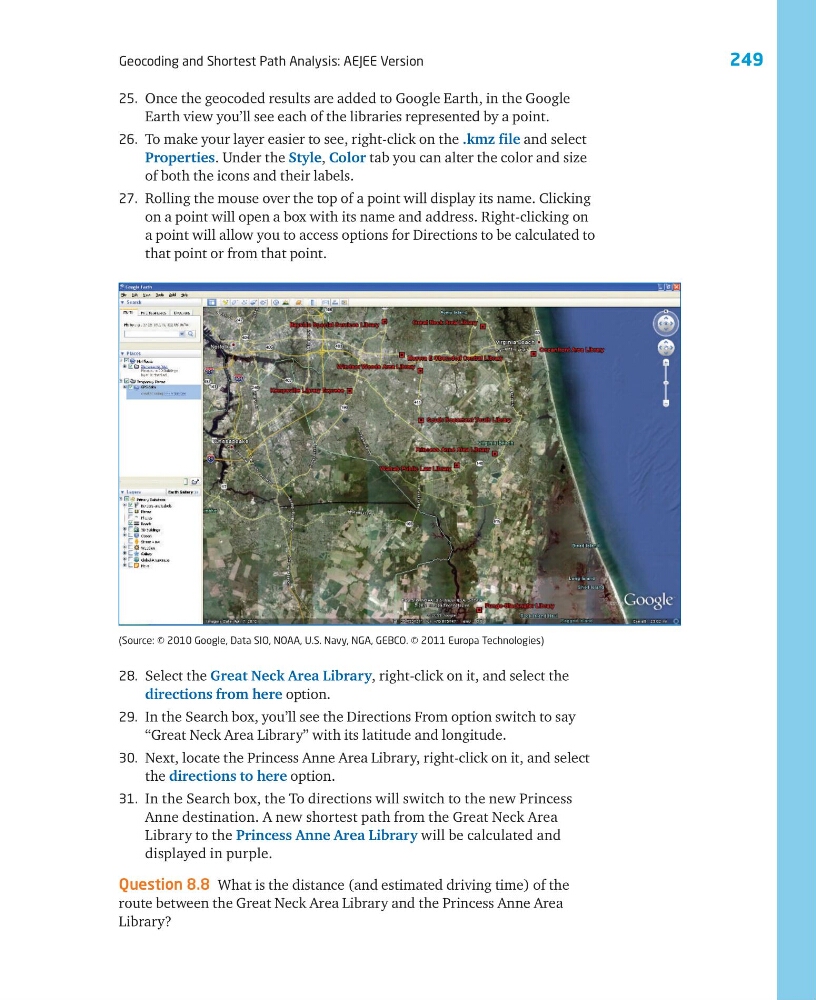
25. Once the geocoded results are added to Google Earth, in the Google
Earth view you’ll see each of the libraries represented by a point.
26. To make your layer easier to see, right-click on the .kmz file and select
Properties. Under the Style, Color tab you can alter the color and size
of both the icons and their labels.
27. Rolling the mouse over the top of a point will display its name. Clicking
on a point will open a box with its name and address. Right-clicking on
a point will allow you to access options for Directions to be calculated to
that point or from that point.
28. Select the Great Neck Area Library, right-click on it, and select the
directions from here option.
29. In the Search box, you’ll see the Directions From option switch to say
“Great Neck Area Library” with its latitude and longitude.
30. Next, locate the Princess Anne Area Library, right-click on it, and select
the directions to here option.
31. In the Search box, the To directions will switch to the new Princess
Anne destination. A new shortest path from the Great Neck Area
Library to the Princess Anne Area Library will be calculated and
displayed in purple.
Question 8.8 What is the distance (and estimated driving time) of the
route between the Great Neck Area Library and the Princess Anne Area
Library?
(Source: © 2010 Google, Data SIO, NOAA, U.S. Navy, NGA, GEBCO. © 2011 Europa Technologies)
Geocoding and Shortest Path Analysis: AEJEE Version
25. Once the geocoded results are added to Google Earth, in the Google
Earth view you’ll see each of the libraries represented by a point.
26. To make your layer easier to see, right-click on the .kmz file and select
Properties. Under the Style, Color tab you can alter the color and size
of both the icons and their labels.
27. Rolling the mouse over the top of a point will display its name. Clicking
on a point will open a box with its name and address. Right-clicking on
a point will allow you to access options for Directions to be calculated to
that point or from that point.
28. Select the Great Neck Area Library, right-click on it, and select the
directions from here option.
29. In the Search box, you’ll see the Directions From option switch to say
“Great Neck Area Library” with its latitude and longitude.
30. Next, locate the Princess Anne Area Library, right-click on it, and select
the directions to here option.
31. In the Search box, the To directions will switch to the new Princess
Anne destination. A new shortest path from the Great Neck Area
Library to the Princess Anne Area Library will be calculated and
displayed in purple.
Question 8.8 What is the distance (and estimated driving time) of the
route between the Great Neck Area Library and the Princess Anne Area
Library?
(Source: © 2010 Google, Data SIO, NOAA, U.S. Navy, NGA, GEBCO. © 2011 Europa Technologies)