

96
Chapter 4 Finding Your Location with the Global Positioning System
Question 4.7 Just based on satellite visibility and DOP calculations, what
would be some of the peak times to perform GPS field measurements in
Orlando? Also, what would be some of the “worst” times?
10. Close all the graphs, then uncheck the GPS box in Satellite Systems and
place a checkmark in the WAAS box instead.
11. Examine the Visibility chart for the available WAAS satellites.
Question 4.8 How many WAAS Satellites does Trimble Planning say are
available? At what times are they available? Why is this?
12. Next, examine the Sky Plot (a chart showing the position of the satellites
in orbit) for these WAAS satellites. From the Graphs pull-down menu,
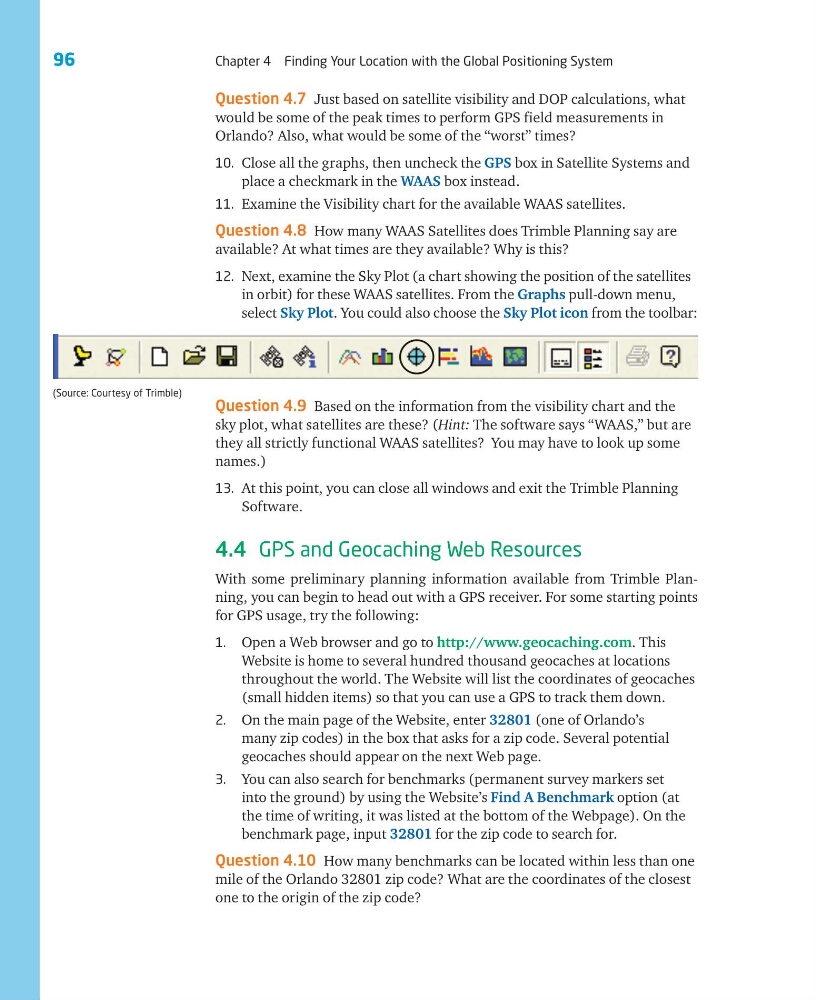
select Sky Plot. You could also choose the Sky Plot icon from the toolbar:
Question 4.9 Based on the information from the visibility chart and the
sky plot, what satellites are these? (Hint: The software says “WAAS,” but are
they all strictly functional WAAS satellites? You may have to look up some
names.)
13. At this point, you can close all windows and exit the Trimble Planning
Software.
4.4 GPS and Geocaching Web Resources
With some preliminary planning information available from Trimble Planning, you can begin to head out with a GPS receiver. For some starting points
for GPS usage, try the following:
1. Open a Web browser and go to http://www.geocaching.com. This
Website is home to several hundred thousand geocaches at locations
throughout the world. The Website will list the coordinates of geocaches
(small hidden items) so that you can use a GPS to track them down.
2. On the main page of the Website, enter 32801 (one of Orlando’s
many zip codes) in the box that asks for a zip code. Several potential
geocaches should appear on the next Web page.
3. You can also search for benchmarks (permanent survey markers set
into the ground) by using the Website’s Find A Benchmark option (at
the time of writing, it was listed at the bottom of the Webpage). On the
benchmark page, input 32801 for the zip code to search for.
Question 4.10 How many benchmarks can be located within less than one
mile of the Orlando 32801 zip code? What are the coordinates of the closest
one to the origin of the zip code?
(Source: Courtesy of Trimble)
Chapter 4 Finding Your Location with the Global Positioning System
Question 4.7 Just based on satellite visibility and DOP calculations, what
would be some of the peak times to perform GPS field measurements in
Orlando? Also, what would be some of the “worst” times?
10. Close all the graphs, then uncheck the GPS box in Satellite Systems and
place a checkmark in the WAAS box instead.
11. Examine the Visibility chart for the available WAAS satellites.
Question 4.8 How many WAAS Satellites does Trimble Planning say are
available? At what times are they available? Why is this?
12. Next, examine the Sky Plot (a chart showing the position of the satellites
in orbit) for these WAAS satellites. From the Graphs pull-down menu,
select Sky Plot. You could also choose the Sky Plot icon from the toolbar:
Question 4.9 Based on the information from the visibility chart and the
sky plot, what satellites are these? (Hint: The software says “WAAS,” but are
they all strictly functional WAAS satellites? You may have to look up some
names.)
13. At this point, you can close all windows and exit the Trimble Planning
Software.
4.4 GPS and Geocaching Web Resources
With some preliminary planning information available from Trimble Planning, you can begin to head out with a GPS receiver. For some starting points
for GPS usage, try the following:
1. Open a Web browser and go to http://www.geocaching.com. This
Website is home to several hundred thousand geocaches at locations
throughout the world. The Website will list the coordinates of geocaches
(small hidden items) so that you can use a GPS to track them down.
2. On the main page of the Website, enter 32801 (one of Orlando’s
many zip codes) in the box that asks for a zip code. Several potential
geocaches should appear on the next Web page.
3. You can also search for benchmarks (permanent survey markers set
into the ground) by using the Website’s Find A Benchmark option (at
the time of writing, it was listed at the bottom of the Webpage). On the
benchmark page, input 32801 for the zip code to search for.
Question 4.10 How many benchmarks can be located within less than one
mile of the Orlando 32801 zip code? What are the coordinates of the closest
one to the origin of the zip code?
(Source: Courtesy of Trimble)