

3.2. Sectors
51
sector and include any comments or model description, as well as changing
the border design. The control to the right of the name is the "Navigation
Arrow," which is used with the High-Level Mapping layer we discuss in
Chapter 6. The last control on the sector bar is the "Lock. " If you lock a sector, all the elements of the model in that sector will maintain their positions
relative to the other elements in the model. This will come in handy when
you copy and paste, or move around sectors within a model.
Besides helping to organize your model in a more transparent way, the
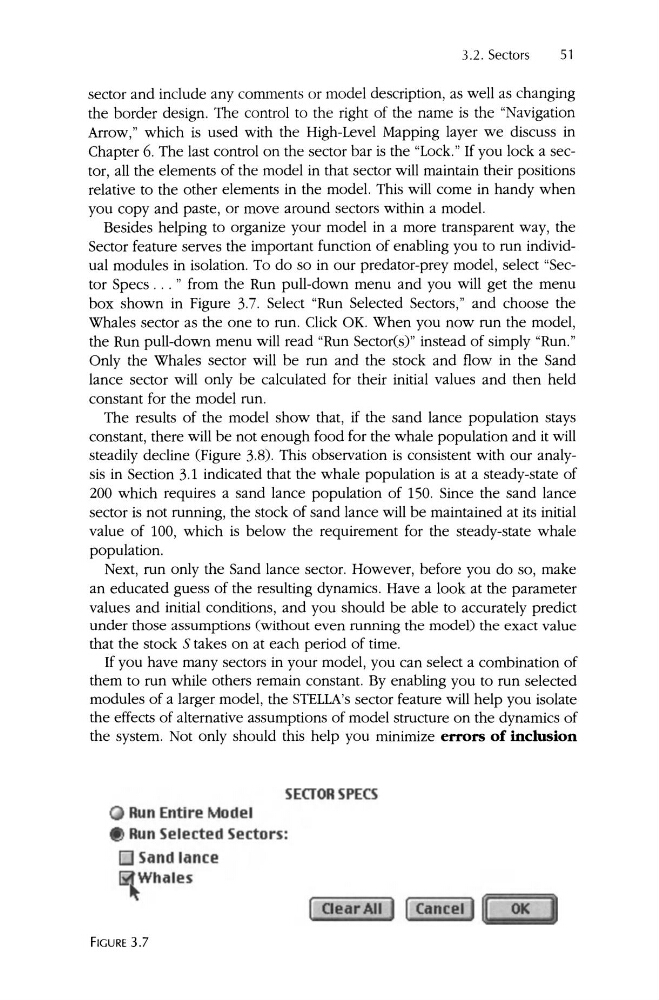
Sector feature serves the important function of enabling you to run individual modules in isolation . To do so in our predator-prey model, select "Sector Specs . .. " from the Run pull-down menu and you will get the menu
box shown in Figure 3.7. Select "Run Selected Sectors," and choose the
Whales sector as the one to run . Click OK. When you now run the model,
the Run pull-down menu will read "Run Sectorts)" instead of simply "Run."
Only the Whales sector will be run and the stock and flow in the Sand
lance sector will only be calculated for their initial values and then held
constant for the model run .
The results of the model show that , if the sand lance population stays
constant, there will be not enough food for the whale population and it will
steadily decline (Figure 3.8). This observation is consistent with our analysis in Section 3.1 indicated that the whale population is at a steady-state of
200 which requires a sand lance population of 150. Since the sand lance
sector is not running, the stock of sand lance will be maintained at its initial
value of 100, which is below the requirement for the steady-state whale
population.
Next, run only the Sand lance sector. However, before you do so, make
an educated guess of the resulting dynamics . Have a look at the parameter
values and initial conditions, and you should be able to accurately predict
under those assumptions (without even running the model) the exact value
that the stock 5 takes on at each period of time.
If you have many sectors in your model , you can select a combination of
them to run while others remain constant. By enabling you to run selected
modules of a larger model , the STELLA's sector feature will help you isolate
the effects of alternative assumptions of model structure on the dynamics of
the system . Not only should this help you minimize errors of inclusion
SEGORSPECS
Run Entire Model
Run Selected Sectors:
o Sand lance
Whales
FIGURE 3.7
51
sector and include any comments or model description, as well as changing
the border design. The control to the right of the name is the "Navigation
Arrow," which is used with the High-Level Mapping layer we discuss in
Chapter 6. The last control on the sector bar is the "Lock. " If you lock a sector, all the elements of the model in that sector will maintain their positions
relative to the other elements in the model. This will come in handy when
you copy and paste, or move around sectors within a model.
Besides helping to organize your model in a more transparent way, the
Sector feature serves the important function of enabling you to run individual modules in isolation . To do so in our predator-prey model, select "Sector Specs . .. " from the Run pull-down menu and you will get the menu
box shown in Figure 3.7. Select "Run Selected Sectors," and choose the
Whales sector as the one to run . Click OK. When you now run the model,
the Run pull-down menu will read "Run Sectorts)" instead of simply "Run."
Only the Whales sector will be run and the stock and flow in the Sand
lance sector will only be calculated for their initial values and then held
constant for the model run .
The results of the model show that , if the sand lance population stays
constant, there will be not enough food for the whale population and it will
steadily decline (Figure 3.8). This observation is consistent with our analysis in Section 3.1 indicated that the whale population is at a steady-state of
200 which requires a sand lance population of 150. Since the sand lance
sector is not running, the stock of sand lance will be maintained at its initial
value of 100, which is below the requirement for the steady-state whale
population.
Next, run only the Sand lance sector. However, before you do so, make
an educated guess of the resulting dynamics . Have a look at the parameter
values and initial conditions, and you should be able to accurately predict
under those assumptions (without even running the model) the exact value
that the stock 5 takes on at each period of time.
If you have many sectors in your model , you can select a combination of
them to run while others remain constant. By enabling you to run selected
modules of a larger model , the STELLA's sector feature will help you isolate
the effects of alternative assumptions of model structure on the dynamics of
the system . Not only should this help you minimize errors of inclusion
SEGORSPECS
Run Entire Model
Run Selected Sectors:
o Sand lance
Whales
FIGURE 3.7