

50
3. Predator-Prey Dynamics
Across the top of the sector bar are several useful controls. At the extreme left is the Transparent/Opaque Toggle that controls whether the
model in a given sector is visible. Next is the sector button that controls
which elements of the model in a sector will run . We shall say more about
this in a moment. In the center of the sector bar is the space for naming the
sector. Double-click on the bar on either side of the words Sector 1 and you
will get a dialog box that allows you, among other options, to name the
Whales
Sand lance
W
S
R
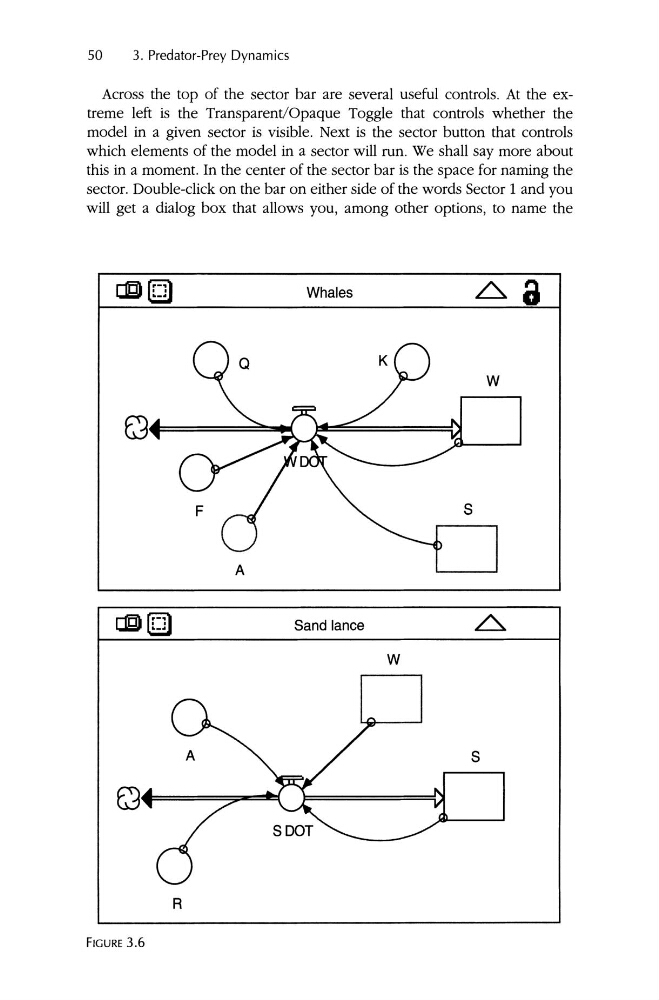
FIGURE 3.6
3. Predator-Prey Dynamics
Across the top of the sector bar are several useful controls. At the extreme left is the Transparent/Opaque Toggle that controls whether the
model in a given sector is visible. Next is the sector button that controls
which elements of the model in a sector will run . We shall say more about
this in a moment. In the center of the sector bar is the space for naming the
sector. Double-click on the bar on either side of the words Sector 1 and you
will get a dialog box that allows you, among other options, to name the
Whales
Sand lance
W
S
R
FIGURE 3.6