

6.4. Development of a User Interface
119
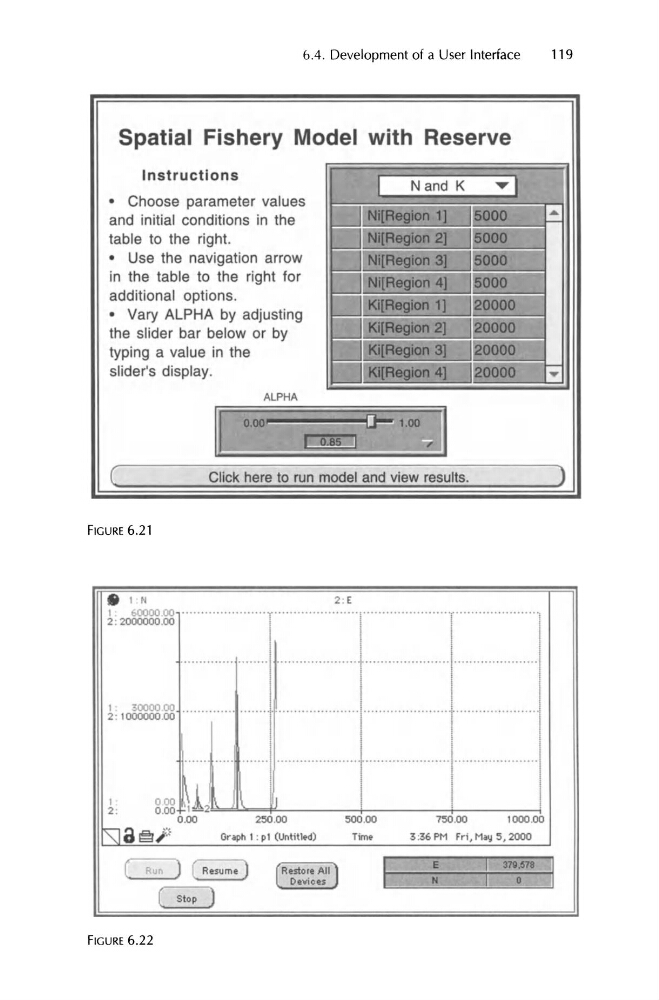
Spatial Fishery Model with Reserve
..
....
..... 1
Instructions
J
Nand K
• Choose parameter values
and initial conditions in the
table to the right.
Ni[Region 1
5000
Ni[Region 2]
15000
• Use the navigat ion arrow
Ni[Region 3]
5000
in the table to the right for
Ni[Region 4]
5000
additional opt ions.
• Vary ALPHA by adjusting
Ki[Region 1]
:>0000
the slider bar below or by
Ki[Region 2]
20000
typing a value in the
Ki[Region 3]
:>0000
slider's display .
Ki[Region 4]
20000
0.00
J -q .oo
c:r
(
Click here to run model and view results.
)
I
I
I
1
I
.............. ........1·····················.1..·····················1·.....................1
i l l
I
i
i
I
i
I
i
I
t · · · · · 1 I 1
I
1 I
1 I
000 1, - 2
1
\
I )
I
I
0 .00
[ Run
Restore All J I
I.
1
.'1
( Slop
119
Spatial Fishery Model with Reserve
..
....
..... 1
Instructions
J
Nand K
• Choose parameter values
and initial conditions in the
table to the right.
Ni[Region 1
5000
Ni[Region 2]
15000
• Use the navigat ion arrow
Ni[Region 3]
5000
in the table to the right for
Ni[Region 4]
5000
additional opt ions.
• Vary ALPHA by adjusting
Ki[Region 1]
:>0000
the slider bar below or by
Ki[Region 2]
20000
typing a value in the
Ki[Region 3]
:>0000
slider's display .
Ki[Region 4]
20000
0.00
J -q .oo
c:r
(
Click here to run model and view results.
)
I
I
I
1
I
.............. ........1·····················.1..·····················1·.....................1
i l l
I
i
i
I
i
I
i
I
t · · · · · 1 I 1
I
1 I
1 I
000 1, - 2
1
\
I )
I
I
0 .00
[ Run
Restore All J I
I.
1
.'1
( Slop