

341
Conveniently, ndctl also provides a monitoring command and daemon to
continually monitor the health of the systems’ persistent memory modules. For a list of
all the available options, refer to the ndctl-monitor(1) man page. Examples for using
this monitor method include
Example 1: Run a monitor as a daemon to monitor DIMMs on bus “nfit_test.1,”
$ sudo ndctl monitor --bus=nfit_test.1 --daemon
Example 2: Run a monitor as a one-shot command, and output the notifications to
/var/log/ndctl.log.
$ sudo ndctl monitor --log=/var/log/ndctl.log
Example 3: Run a monitor daemon as a system service.
$ sudo systemctl start ndctl-monitor.service
You can obtain similar information using the persistent memory device-specific
utility. For example, you can use the ipmctl utility on Linux and Windows∗ to obtain
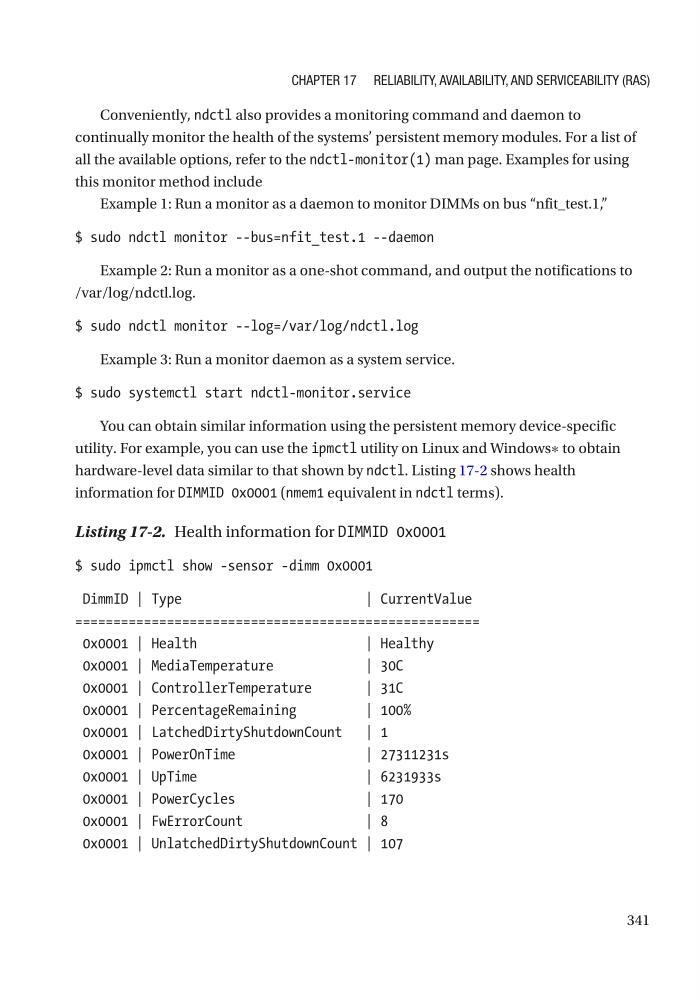
hardware-level data similar to that shown by ndctl. Listing 17-2 shows health
information for DIMMID 0x0001 (nmem1 equivalent in ndctl terms).
Listing 17-2. Health information for DIMMID 0x0001
$ sudo ipmctl show -sensor -dimm 0x0001
DimmID | Type
| CurrentValue
=====================================================
0x0001 | Health
| Healthy
0x0001 | MediaTemperature
| 30C
0x0001 | ControllerTemperature
| 31C
0x0001 | PercentageRemaining
| 100%
0x0001 | LatchedDirtyShutdownCount | 1
0x0001 | PowerOnTime
| 27311231s
0x0001 | UpTime
| 6231933s
0x0001 | PowerCycles
| 170
0x0001 | FwErrorCount
| 8
0x0001 | UnlatchedDirtyShutdownCount | 107
Chapter 17 reliability, availability, and ServiCeability (raS)
Conveniently, ndctl also provides a monitoring command and daemon to
continually monitor the health of the systems’ persistent memory modules. For a list of
all the available options, refer to the ndctl-monitor(1) man page. Examples for using
this monitor method include
Example 1: Run a monitor as a daemon to monitor DIMMs on bus “nfit_test.1,”
$ sudo ndctl monitor --bus=nfit_test.1 --daemon
Example 2: Run a monitor as a one-shot command, and output the notifications to
/var/log/ndctl.log.
$ sudo ndctl monitor --log=/var/log/ndctl.log
Example 3: Run a monitor daemon as a system service.
$ sudo systemctl start ndctl-monitor.service
You can obtain similar information using the persistent memory device-specific
utility. For example, you can use the ipmctl utility on Linux and Windows∗ to obtain
hardware-level data similar to that shown by ndctl. Listing 17-2 shows health
information for DIMMID 0x0001 (nmem1 equivalent in ndctl terms).
Listing 17-2. Health information for DIMMID 0x0001
$ sudo ipmctl show -sensor -dimm 0x0001
DimmID | Type
| CurrentValue
=====================================================
0x0001 | Health
| Healthy
0x0001 | MediaTemperature
| 30C
0x0001 | ControllerTemperature
| 31C
0x0001 | PercentageRemaining
| 100%
0x0001 | LatchedDirtyShutdownCount | 1
0x0001 | PowerOnTime
| 27311231s
0x0001 | UpTime
| 6231933s
0x0001 | PowerCycles
| 170
0x0001 | FwErrorCount
| 8
0x0001 | UnlatchedDirtyShutdownCount | 107
Chapter 17 reliability, availability, and ServiCeability (raS)