

31 Lane Detection Using Image Processing for Driving Assistance
327
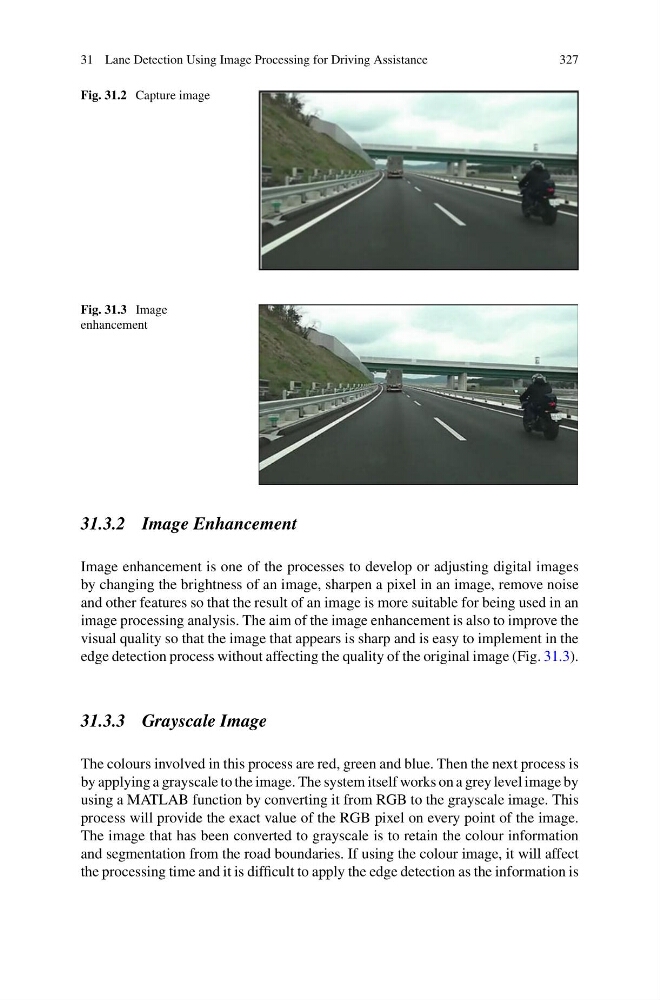
Fig. 31.2 Capture image
Fig. 31.3 Image
enhancement
31.3.2 Image Enhancement
Image enhancement is one of the processes to develop or adjusting digital images
by changing the brightness of an image, sharpen a pixel in an image, remove noise
and other features so that the result of an image is more suitable for being used in an
image processing analysis. The aim of the image enhancement is also to improve the
visual quality so that the image that appears is sharp and is easy to implement in the
edge detection process without affecting the quality of the original image (Fig. 31.3).
31.3.3 Grayscale Image
The colours involved in this process are red, green and blue. Then the next process is
by applying a grayscale to the image. The system itself works on a grey level image by
using a MATLAB function by converting it from RGB to the grayscale image. This
process will provide the exact value of the RGB pixel on every point of the image.
The image that has been converted to grayscale is to retain the colour information
and segmentation from the road boundaries. If using the colour image, it will affect
the processing time and it is difficult to apply the edge detection as the information is
327
Fig. 31.2 Capture image
Fig. 31.3 Image
enhancement
31.3.2 Image Enhancement
Image enhancement is one of the processes to develop or adjusting digital images
by changing the brightness of an image, sharpen a pixel in an image, remove noise
and other features so that the result of an image is more suitable for being used in an
image processing analysis. The aim of the image enhancement is also to improve the
visual quality so that the image that appears is sharp and is easy to implement in the
edge detection process without affecting the quality of the original image (Fig. 31.3).
31.3.3 Grayscale Image
The colours involved in this process are red, green and blue. Then the next process is
by applying a grayscale to the image. The system itself works on a grey level image by
using a MATLAB function by converting it from RGB to the grayscale image. This
process will provide the exact value of the RGB pixel on every point of the image.
The image that has been converted to grayscale is to retain the colour information
and segmentation from the road boundaries. If using the colour image, it will affect
the processing time and it is difficult to apply the edge detection as the information is