

19. Add “,NO” (i.e., the required target label for the negatives) to
the end of each row in evidence_profiles in install_dir/vacceed/training/pipeline/evidence/output.
20. Append the entire contents of the amended evidence_profiles
(except first row) to the new training file (e.g.,
neospora_profiles).
21. Copy new training file to install_dir/vacceed/ is the
directory created for the target species (e.g., neospora).
22. Edit the species configuration file (e.g., neospora.ini) and
change the value of the train_file key under header [EVIDENCE] to the new training file (e.g., neospora_profiles) (see
Note 13).
23. The new training data should be evaluated with techniques
such as k-fold cross validation (see Note 14) and the ML
algorithm parameters tweaked to improve performance (see
Note 15).
3.4 Creating MHCI
and MHCII
Training Data
This section is only applicable when using resources MHCI and/or
MHCII and the target pathogen host is not human. By default,
Vacceed uses human alleles (e.g., HLA-A*01:01) for peptide–MHC
binding predictions. The following describes steps required to
setup MHCI for a host other than human (e.g., mouse).
1. Follow steps 1–4 from Subheading 3.3.
2. Create a file (e.g., mouse_mchI_alleles) in a comma-delimited
format containing all required mouse alleles and peptide
lengths (e.g., H-2-IAb,8 where each “allele,length” is on a
separate line) (see Note 16).
3. Copy the entire template_species directory to a user-named
directory (e.g., mouse), and then copy FASTA files from
steps 3 and 4 to install_dir/vacceed/mouse/proteome.
4. Copy mouse_mchI_alleles to install_dir/vacceed/mouse/
pipeline/mhci/alleles.
5. Copy “toxoplasma.ini” to “mouse.ini”.
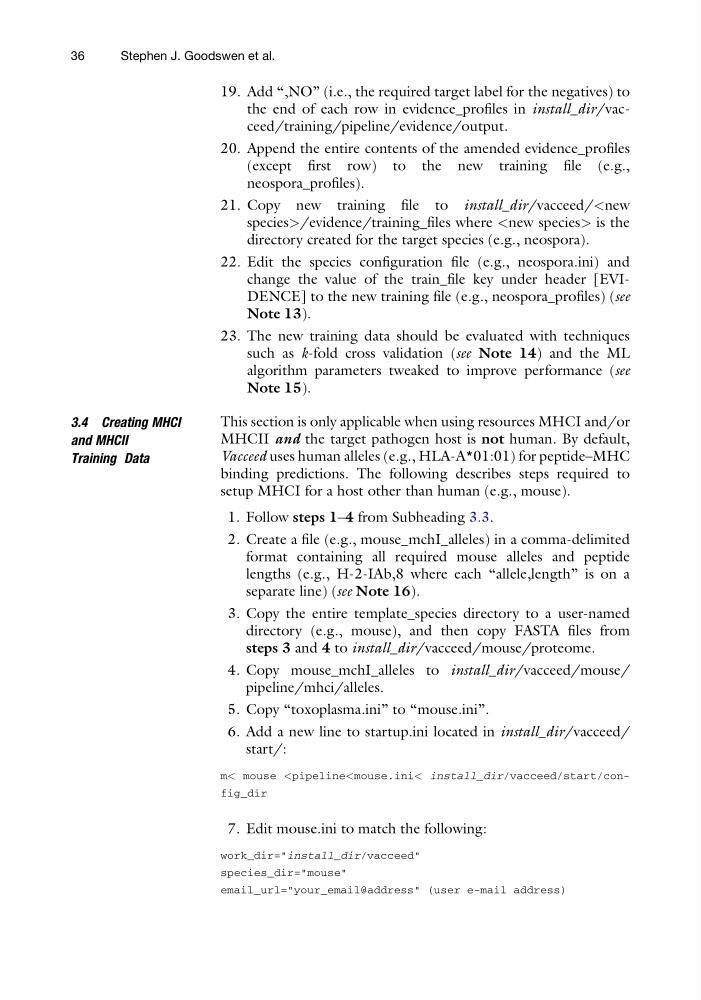
6. Add a new line to startup.ini located in install_dir/vacceed/
start/:
m< mouse
work_dir="install_dir/vacceed"
species_dir="mouse"
email_url="your_email@address" (user e-mail address)
36
Stephen J. Goodswen et al.
the end of each row in evidence_profiles in install_dir/vacceed/training/pipeline/evidence/output.
20. Append the entire contents of the amended evidence_profiles
(except first row) to the new training file (e.g.,
neospora_profiles).
21. Copy new training file to install_dir/vacceed/
directory created for the target species (e.g., neospora).
22. Edit the species configuration file (e.g., neospora.ini) and
change the value of the train_file key under header [EVIDENCE] to the new training file (e.g., neospora_profiles) (see
Note 13).
23. The new training data should be evaluated with techniques
such as k-fold cross validation (see Note 14) and the ML
algorithm parameters tweaked to improve performance (see
Note 15).
3.4 Creating MHCI
and MHCII
Training Data
This section is only applicable when using resources MHCI and/or
MHCII and the target pathogen host is not human. By default,
Vacceed uses human alleles (e.g., HLA-A*01:01) for peptide–MHC
binding predictions. The following describes steps required to
setup MHCI for a host other than human (e.g., mouse).
1. Follow steps 1–4 from Subheading 3.3.
2. Create a file (e.g., mouse_mchI_alleles) in a comma-delimited
format containing all required mouse alleles and peptide
lengths (e.g., H-2-IAb,8 where each “allele,length” is on a
separate line) (see Note 16).
3. Copy the entire template_species directory to a user-named
directory (e.g., mouse), and then copy FASTA files from
steps 3 and 4 to install_dir/vacceed/mouse/proteome.
4. Copy mouse_mchI_alleles to install_dir/vacceed/mouse/
pipeline/mhci/alleles.
5. Copy “toxoplasma.ini” to “mouse.ini”.
6. Add a new line to startup.ini located in install_dir/vacceed/
start/:
m< mouse
work_dir="install_dir/vacceed"
species_dir="mouse"
email_url="your_email@address" (user e-mail address)
36
Stephen J. Goodswen et al.