

572
6 Reverse Engineering of Microcircuits
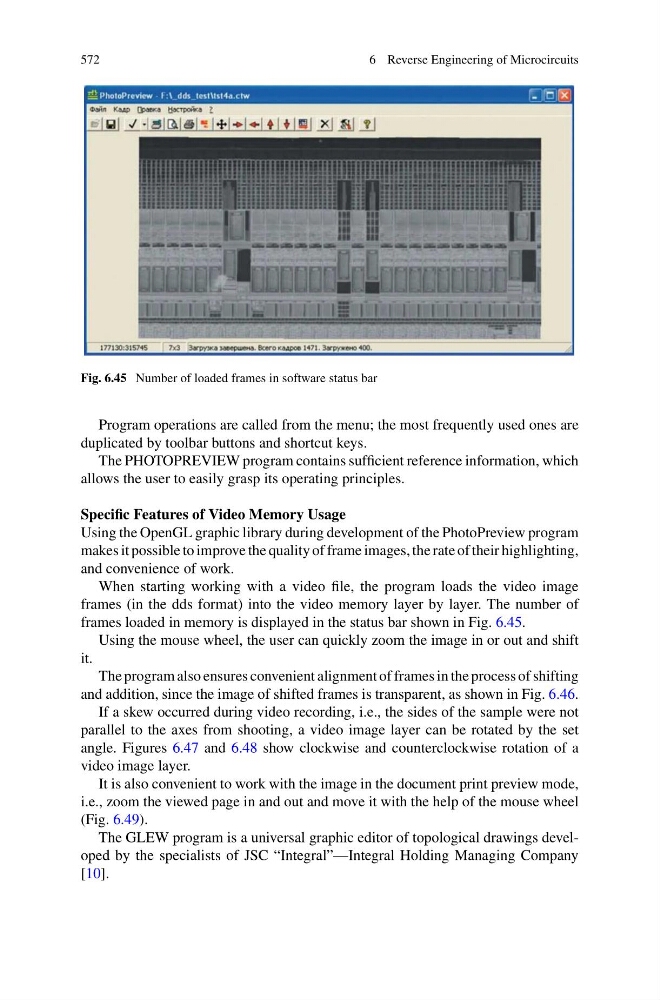
Fig. 6.45 Number of loaded frames in software status bar
Program operations are called from the menu; the most frequently used ones are
duplicated by toolbar buttons and shortcut keys.
The PHOTOPREVIEW program contains sufficient reference information, which
allows the user to easily grasp its operating principles.
Specific Features of Video Memory Usage
Using the OpenGL graphic library during development of the PhotoPreview program
makes it possible to improve the quality of frame images, the rate of their highlighting,
and convenience of work.
When starting working with a video file, the program loads the video image
frames (in the dds format) into the video memory layer by layer. The number of
frames loaded in memory is displayed in the status bar shown in Fig. 6.45.
Using the mouse wheel, the user can quickly zoom the image in or out and shift
it.
The program also ensures convenient alignment of frames in the process of shifting
and addition, since the image of shifted frames is transparent, as shown in Fig. 6.46.
If a skew occurred during video recording, i.e., the sides of the sample were not
parallel to the axes from shooting, a video image layer can be rotated by the set
angle. Figures 6.47 and 6.48 show clockwise and counterclockwise rotation of a
video image layer.
It is also convenient to work with the image in the document print preview mode,
i.e., zoom the viewed page in and out and move it with the help of the mouse wheel
(Fig. 6.49).
The GLEW program is a universal graphic editor of topological drawings developed by the specialists of JSC “Integral”—Integral Holding Managing Company
[10].
6 Reverse Engineering of Microcircuits
Fig. 6.45 Number of loaded frames in software status bar
Program operations are called from the menu; the most frequently used ones are
duplicated by toolbar buttons and shortcut keys.
The PHOTOPREVIEW program contains sufficient reference information, which
allows the user to easily grasp its operating principles.
Specific Features of Video Memory Usage
Using the OpenGL graphic library during development of the PhotoPreview program
makes it possible to improve the quality of frame images, the rate of their highlighting,
and convenience of work.
When starting working with a video file, the program loads the video image
frames (in the dds format) into the video memory layer by layer. The number of
frames loaded in memory is displayed in the status bar shown in Fig. 6.45.
Using the mouse wheel, the user can quickly zoom the image in or out and shift
it.
The program also ensures convenient alignment of frames in the process of shifting
and addition, since the image of shifted frames is transparent, as shown in Fig. 6.46.
If a skew occurred during video recording, i.e., the sides of the sample were not
parallel to the axes from shooting, a video image layer can be rotated by the set
angle. Figures 6.47 and 6.48 show clockwise and counterclockwise rotation of a
video image layer.
It is also convenient to work with the image in the document print preview mode,
i.e., zoom the viewed page in and out and move it with the help of the mouse wheel
(Fig. 6.49).
The GLEW program is a universal graphic editor of topological drawings developed by the specialists of JSC “Integral”—Integral Holding Managing Company
[10].