

2.4 Creating a Dynamic Model in Wolfram SystemModeler
47
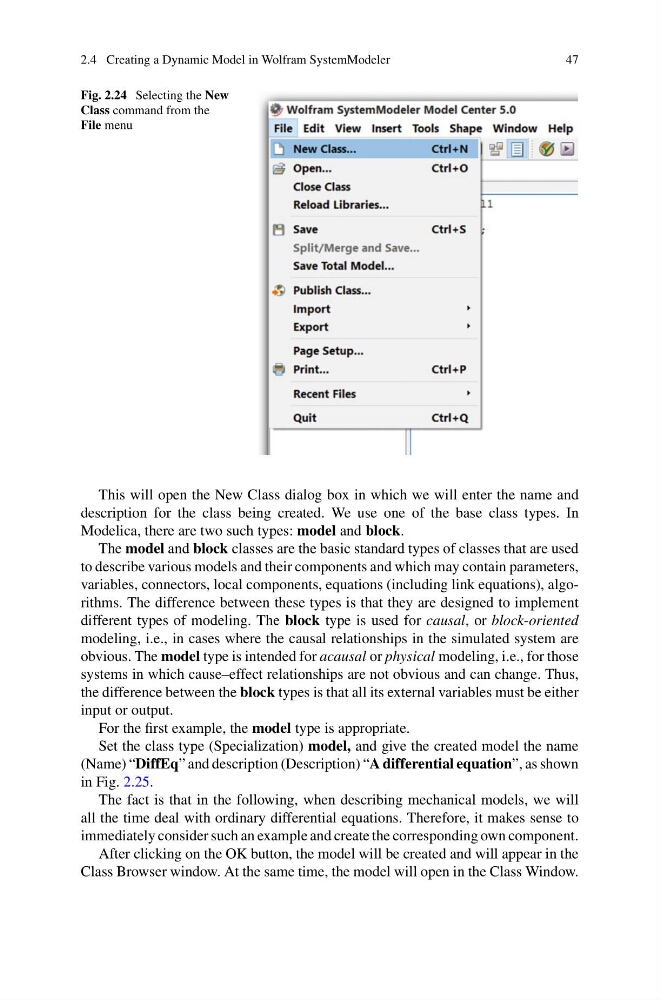
Fig. 2.24 Selecting the New
Class command from the
File menu
This will open the New Class dialog box in which we will enter the name and
description for the class being created. We use one of the base class types. In
Modelica, there are two such types: model and block.
The model and block classes are the basic standard types of classes that are used
to describe various models and their components and which may contain parameters,
variables, connectors, local components, equations (including link equations), algorithms. The difference between these types is that they are designed to implement
different types of modeling. The block type is used for causal, or block-oriented
modeling, i.e., in cases where the causal relationships in the simulated system are
obvious. The model type is intended for acausal or physical modeling, i.e., for those
systems in which cause–effect relationships are not obvious and can change. Thus,
the difference between the block types is that all its external variables must be either
input or output.
For the first example, the model type is appropriate.
Set the class type (Specialization) model, and give the created model the name
(Name) “DiffEq” and description (Description) “A differential equation”, as shown
in Fig. 2.25.
The fact is that in the following, when describing mechanical models, we will
all the time deal with ordinary differential equations. Therefore, it makes sense to
immediately consider such an example and create the corresponding own component.
After clicking on the OK button, the model will be created and will appear in the
Class Browser window. At the same time, the model will open in the Class Window.
47
Fig. 2.24 Selecting the New
Class command from the
File menu
This will open the New Class dialog box in which we will enter the name and
description for the class being created. We use one of the base class types. In
Modelica, there are two such types: model and block.
The model and block classes are the basic standard types of classes that are used
to describe various models and their components and which may contain parameters,
variables, connectors, local components, equations (including link equations), algorithms. The difference between these types is that they are designed to implement
different types of modeling. The block type is used for causal, or block-oriented
modeling, i.e., in cases where the causal relationships in the simulated system are
obvious. The model type is intended for acausal or physical modeling, i.e., for those
systems in which cause–effect relationships are not obvious and can change. Thus,
the difference between the block types is that all its external variables must be either
input or output.
For the first example, the model type is appropriate.
Set the class type (Specialization) model, and give the created model the name
(Name) “DiffEq” and description (Description) “A differential equation”, as shown
in Fig. 2.25.
The fact is that in the following, when describing mechanical models, we will
all the time deal with ordinary differential equations. Therefore, it makes sense to
immediately consider such an example and create the corresponding own component.
After clicking on the OK button, the model will be created and will appear in the
Class Browser window. At the same time, the model will open in the Class Window.