

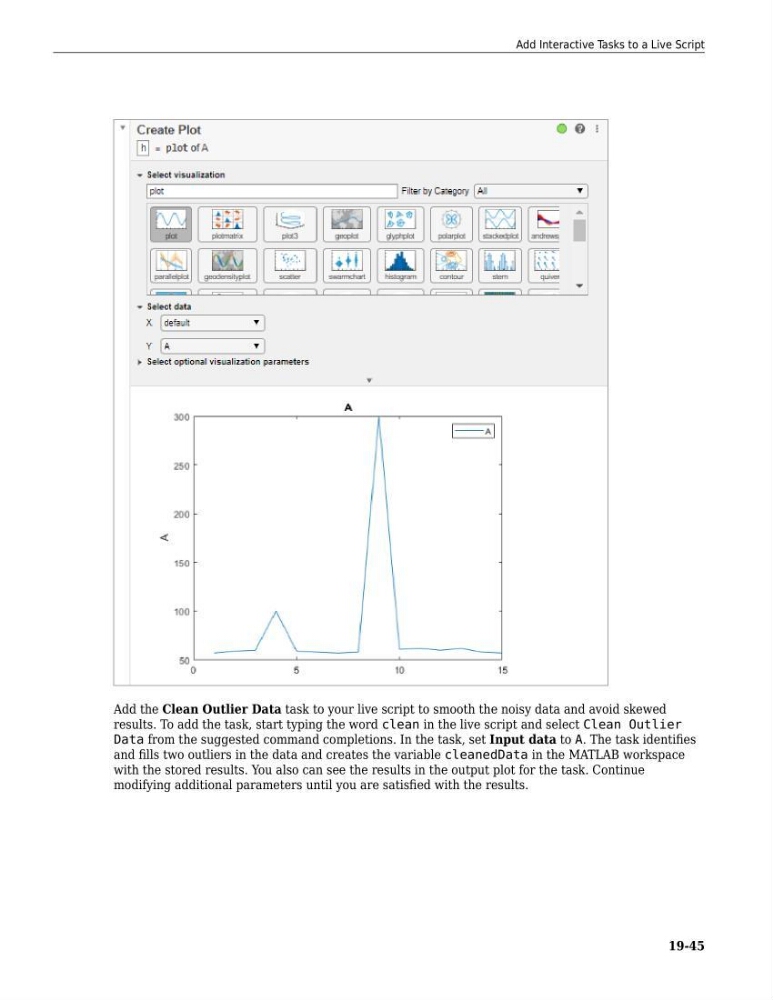
Add the Clean Outlier Data task to your live script to smooth the noisy data and avoid skewed
results. To add the task, start typing the word clean in the live script and select Clean Outlier
Data from the suggested command completions. In the task, set Input data to A. The task identifies
and fills two outliers in the data and creates the variable cleanedData in the MATLAB workspace
with the stored results. You also can see the results in the output plot for the task. Continue
modifying additional parameters until you are satisfied with the results.
Add Interactive Tasks to a Live Script
19-45
results. To add the task, start typing the word clean in the live script and select Clean Outlier
Data from the suggested command completions. In the task, set Input data to A. The task identifies
and fills two outliers in the data and creates the variable cleanedData in the MATLAB workspace
with the stored results. You also can see the results in the output plot for the task. Continue
modifying additional parameters until you are satisfied with the results.
Add Interactive Tasks to a Live Script
19-45