

Add Interactive Tasks to a Live Script
What Are Live Editor Tasks?
Live Editor tasks are apps that can be added to a live script to perform a specific set of operations.
You can add tasks to live scripts to explore parameters and automatically generate code. Use tasks to
reduce development time, errors, and time spent plotting.
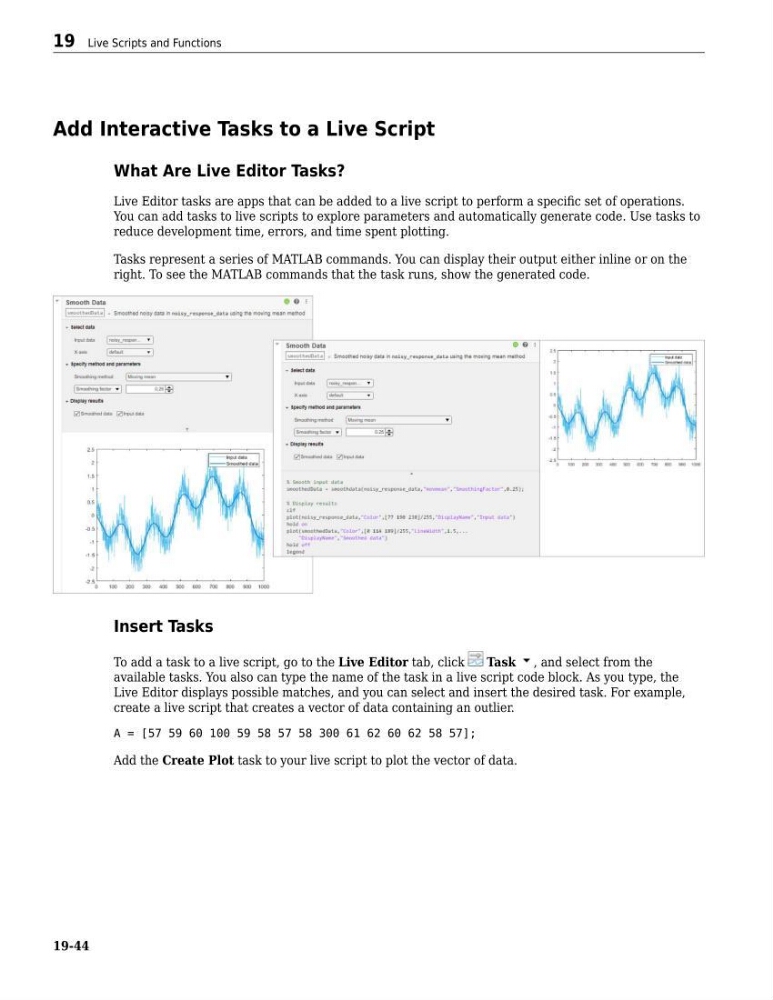
Tasks represent a series of MATLAB commands. You can display their output either inline or on the
right. To see the MATLAB commands that the task runs, show the generated code.
Insert Tasks
To add a task to a live script, go to the Live Editor tab, click
Task , and select from the
available tasks. You also can type the name of the task in a live script code block. As you type, the
Live Editor displays possible matches, and you can select and insert the desired task. For example,
create a live script that creates a vector of data containing an outlier.
A = [57 59 60 100 59 58 57 58 300 61 62 60 62 58 57];
Add the Create Plot task to your live script to plot the vector of data.
19 Live Scripts and Functions
19-44
What Are Live Editor Tasks?
Live Editor tasks are apps that can be added to a live script to perform a specific set of operations.
You can add tasks to live scripts to explore parameters and automatically generate code. Use tasks to
reduce development time, errors, and time spent plotting.
Tasks represent a series of MATLAB commands. You can display their output either inline or on the
right. To see the MATLAB commands that the task runs, show the generated code.
Insert Tasks
To add a task to a live script, go to the Live Editor tab, click
Task , and select from the
available tasks. You also can type the name of the task in a live script code block. As you type, the
Live Editor displays possible matches, and you can select and insert the desired task. For example,
create a live script that creates a vector of data containing an outlier.
A = [57 59 60 100 59 58 57 58 300 61 62 60 62 58 57];
Add the Create Plot task to your live script to plot the vector of data.
19 Live Scripts and Functions
19-44