

Share Live Script
When the live script is complete, share it with others. Users can open the live script in MATLAB and
experiment with using the controls interactively.
If you share the live script itself as an interactive document, consider hiding the code in the live
script before sharing it. When the code is hidden, the Live Editor only displays labeled controls,
output, and formatted text. To hide the code, click the
hide code button to the right of the live
script. You also can go to the View tab, and in the View section, click
Hide Code.
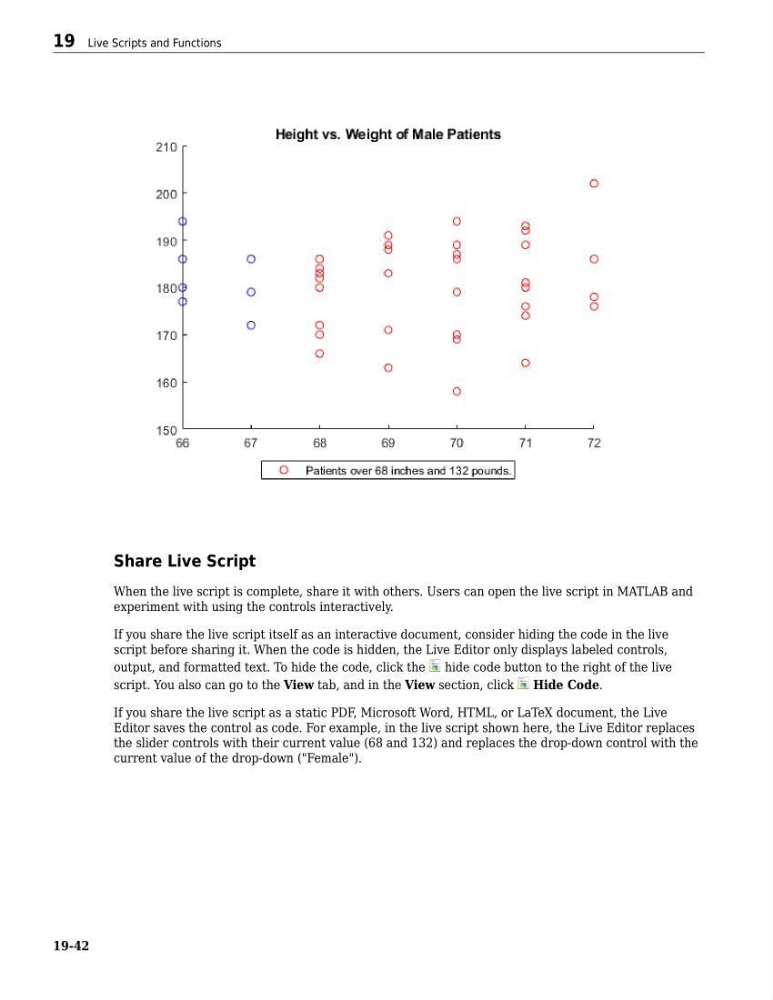
If you share the live script as a static PDF, Microsoft Word, HTML, or LaTeX document, the Live
Editor saves the control as code. For example, in the live script shown here, the Live Editor replaces
the slider controls with their current value (68 and 132) and replaces the drop-down control with the
current value of the drop-down ("Female").
19 Live Scripts and Functions
19-42
When the live script is complete, share it with others. Users can open the live script in MATLAB and
experiment with using the controls interactively.
If you share the live script itself as an interactive document, consider hiding the code in the live
script before sharing it. When the code is hidden, the Live Editor only displays labeled controls,
output, and formatted text. To hide the code, click the
hide code button to the right of the live
script. You also can go to the View tab, and in the View section, click
Hide Code.
If you share the live script as a static PDF, Microsoft Word, HTML, or LaTeX document, the Live
Editor saves the control as code. For example, in the live script shown here, the Live Editor replaces
the slider controls with their current value (68 and 132) and replaces the drop-down control with the
current value of the drop-down ("Female").
19 Live Scripts and Functions
19-42