

Keyboard
Input
Symbol
Keyboard
Input
Symbol
Keyboard
Input
Symbol
<←
<>
≠
<-~=
≠
Insert LaTeX Equation
To insert a LaTeX equation:
1
Go to the Insert tab, click Equation , and select LaTeX Equation.
2
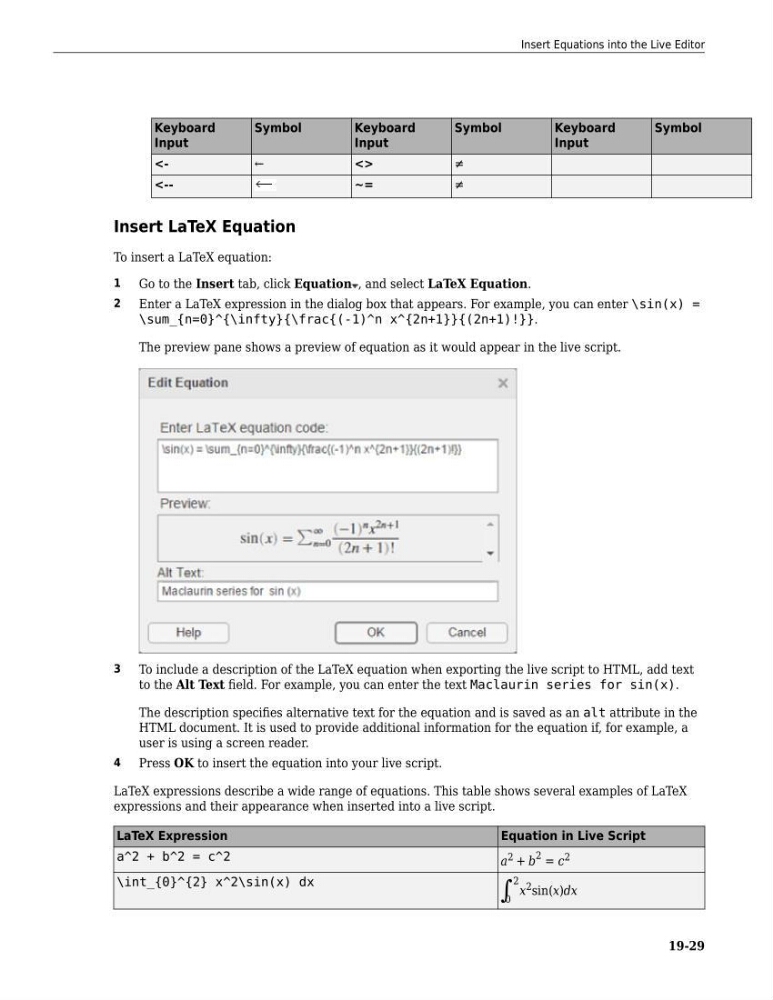
Enter a LaTeX expression in the dialog box that appears. For example, you can enter \sin(x) =
\sum_{n=0}^{\infty}{\frac{(-1)^n x^{2n+1}}{(2n+1)!}}.
The preview pane shows a preview of equation as it would appear in the live script.
3
To include a description of the LaTeX equation when exporting the live script to HTML, add text
to the Alt Text field. For example, you can enter the text Maclaurin series for sin(x).
The description specifies alternative text for the equation and is saved as an alt attribute in the
HTML document. It is used to provide additional information for the equation if, for example, a
user is using a screen reader.
4
Press OK to insert the equation into your live script.
LaTeX expressions describe a wide range of equations. This table shows several examples of LaTeX
expressions and their appearance when inserted into a live script.
LaTeX Expression
Equation in Live Script
a^2 + b^2 = c^2
a 2 + b
2 = c 2
\int_{0}^{2} x^2\sin(x) dx
∫ 0
2 x 2 sin(x)dx
Insert Equations into the Live Editor
19-29
Input
Symbol
Keyboard
Input
Symbol
Keyboard
Input
Symbol
<←
<>
≠
<-~=
≠
Insert LaTeX Equation
To insert a LaTeX equation:
1
Go to the Insert tab, click Equation , and select LaTeX Equation.
2
Enter a LaTeX expression in the dialog box that appears. For example, you can enter \sin(x) =
\sum_{n=0}^{\infty}{\frac{(-1)^n x^{2n+1}}{(2n+1)!}}.
The preview pane shows a preview of equation as it would appear in the live script.
3
To include a description of the LaTeX equation when exporting the live script to HTML, add text
to the Alt Text field. For example, you can enter the text Maclaurin series for sin(x).
The description specifies alternative text for the equation and is saved as an alt attribute in the
HTML document. It is used to provide additional information for the equation if, for example, a
user is using a screen reader.
4
Press OK to insert the equation into your live script.
LaTeX expressions describe a wide range of equations. This table shows several examples of LaTeX
expressions and their appearance when inserted into a live script.
LaTeX Expression
Equation in Live Script
a^2 + b^2 = c^2
a 2 + b
2 = c 2
\int_{0}^{2} x^2\sin(x) dx
∫ 0
2 x 2 sin(x)dx
Insert Equations into the Live Editor
19-29