

10-Jul-2016
2
{'b'}
6
11-Jul-2016
1
{'a'}
3
11-Jul-2016
1
{'b'}
4
11-Jul-2016
2
{'a'}
7
11-Jul-2016
2
{'b'}
8
Use Row Labels as Grouping or Key Variables
When you group rows together using the rowfun, varfun, stack, and unstack functions, you can
specify row labels as grouping variables. When you join tables or timetable together using the join,
innerjoin, and outerjoin functions, you can specify row labels as key variables.
For example, you can perform an inner join two tables together, using row names and a table variable
together as key variables. An inner join keeps only those table rows that match with respect to the
key variables.
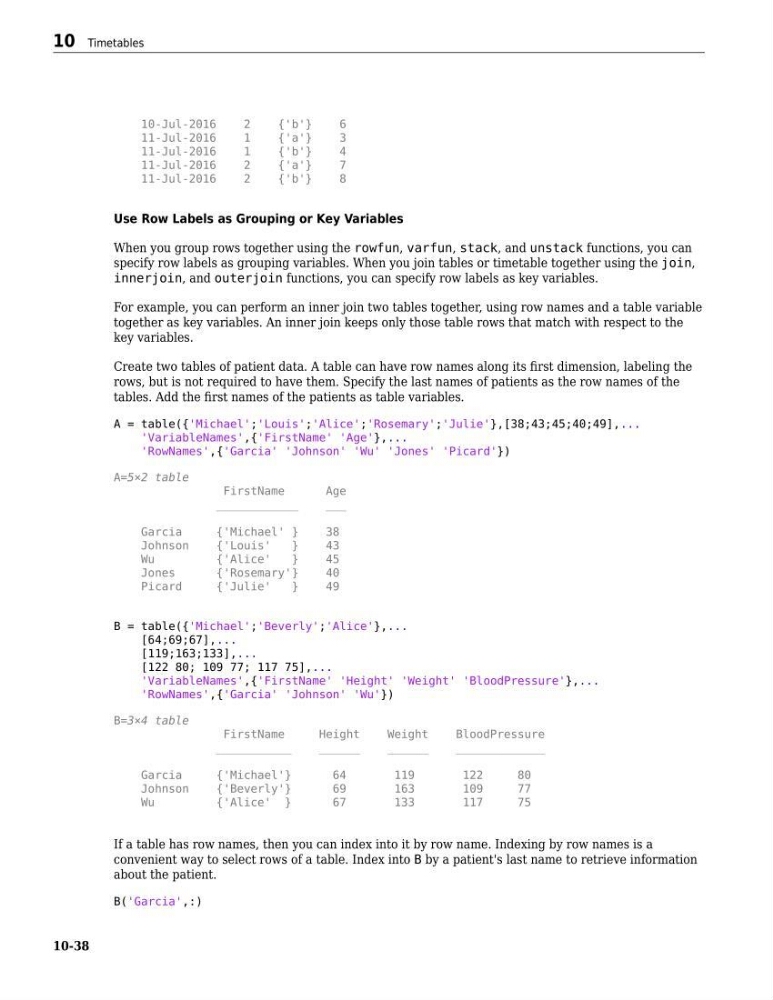
Create two tables of patient data. A table can have row names along its first dimension, labeling the
rows, but is not required to have them. Specify the last names of patients as the row names of the
tables. Add the first names of the patients as table variables.
A = table({'Michael';'Louis';'Alice';'Rosemary';'Julie'},[38;43;45;40;49],...
'VariableNames',{'FirstName' 'Age'},...
'RowNames',{'Garcia' 'Johnson' 'Wu' 'Jones' 'Picard'})
A=5×2 table
FirstName
Age
____________
___
Garcia
{'Michael' }
38
Johnson
{'Louis'
}
43
Wu
{'Alice'
}
45
Jones
{'Rosemary'}
40
Picard
{'Julie'
}
49
B = table({'Michael';'Beverly';'Alice'},...
[64;69;67],...
[119;163;133],...
[122 80; 109 77; 117 75],...
'VariableNames',{'FirstName' 'Height' 'Weight' 'BloodPressure'},...
'RowNames',{'Garcia' 'Johnson' 'Wu'})
B=3×4 table
FirstName
Height
Weight
BloodPressure
___________
______
______
_____________
Garcia
{'Michael'}
64
119
122
80
Johnson
{'Beverly'}
69
163
109
77
Wu
{'Alice' }
67
133
117
75
If a table has row names, then you can index into it by row name. Indexing by row names is a
convenient way to select rows of a table. Index into B by a patient's last name to retrieve information
about the patient.
B('Garcia',:)
10 Timetables
10-38
2
{'b'}
6
11-Jul-2016
1
{'a'}
3
11-Jul-2016
1
{'b'}
4
11-Jul-2016
2
{'a'}
7
11-Jul-2016
2
{'b'}
8
Use Row Labels as Grouping or Key Variables
When you group rows together using the rowfun, varfun, stack, and unstack functions, you can
specify row labels as grouping variables. When you join tables or timetable together using the join,
innerjoin, and outerjoin functions, you can specify row labels as key variables.
For example, you can perform an inner join two tables together, using row names and a table variable
together as key variables. An inner join keeps only those table rows that match with respect to the
key variables.
Create two tables of patient data. A table can have row names along its first dimension, labeling the
rows, but is not required to have them. Specify the last names of patients as the row names of the
tables. Add the first names of the patients as table variables.
A = table({'Michael';'Louis';'Alice';'Rosemary';'Julie'},[38;43;45;40;49],...
'VariableNames',{'FirstName' 'Age'},...
'RowNames',{'Garcia' 'Johnson' 'Wu' 'Jones' 'Picard'})
A=5×2 table
FirstName
Age
____________
___
Garcia
{'Michael' }
38
Johnson
{'Louis'
}
43
Wu
{'Alice'
}
45
Jones
{'Rosemary'}
40
Picard
{'Julie'
}
49
B = table({'Michael';'Beverly';'Alice'},...
[64;69;67],...
[119;163;133],...
[122 80; 109 77; 117 75],...
'VariableNames',{'FirstName' 'Height' 'Weight' 'BloodPressure'},...
'RowNames',{'Garcia' 'Johnson' 'Wu'})
B=3×4 table
FirstName
Height
Weight
BloodPressure
___________
______
______
_____________
Garcia
{'Michael'}
64
119
122
80
Johnson
{'Beverly'}
69
163
109
77
Wu
{'Alice' }
67
133
117
75
If a table has row names, then you can index into it by row name. Indexing by row names is a
convenient way to select rows of a table. Index into B by a patient's last name to retrieve information
about the patient.
B('Garcia',:)
10 Timetables
10-38