

__________________
______________
_________________________________
________________
69.183
9436.5
1442
1.6e+05
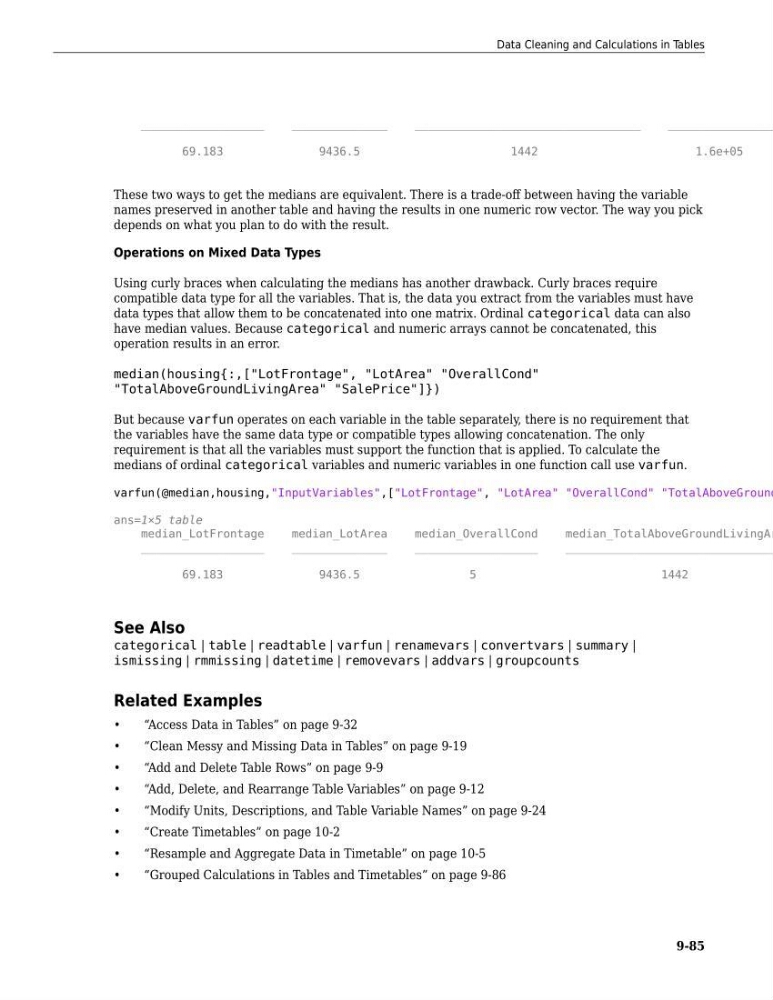
These two ways to get the medians are equivalent. There is a trade-off between having the variable
names preserved in another table and having the results in one numeric row vector. The way you pick
depends on what you plan to do with the result.
Operations on Mixed Data Types
Using curly braces when calculating the medians has another drawback. Curly braces require
compatible data type for all the variables. That is, the data you extract from the variables must have
data types that allow them to be concatenated into one matrix. Ordinal categorical data can also
have median values. Because categorical and numeric arrays cannot be concatenated, this
operation results in an error.
median(housing{:,["LotFrontage", "LotArea" "OverallCond"
"TotalAboveGroundLivingArea" "SalePrice"]})
But because varfun operates on each variable in the table separately, there is no requirement that
the variables have the same data type or compatible types allowing concatenation. The only
requirement is that all the variables must support the function that is applied. To calculate the
medians of ordinal categorical variables and numeric variables in one function call use varfun.
varfun(@median,housing,"InputVariables",["LotFrontage", "LotArea" "OverallCond" "TotalAboveGround
ans=1×5 table
median_LotFrontage
median_LotArea
median_OverallCond
median_TotalAboveGroundLivingAr
__________________
______________
__________________
_______________________________
69.183
9436.5
5
1442
See Also
categorical | table | readtable | varfun | renamevars | convertvars | summary |
ismissing | rmmissing | datetime | removevars | addvars | groupcounts
Related Examples
•
“Access Data in Tables” on page 9-32
•
“Clean Messy and Missing Data in Tables” on page 9-19
•
“Add and Delete Table Rows” on page 9-9
•
“Add, Delete, and Rearrange Table Variables” on page 9-12
•
“Modify Units, Descriptions, and Table Variable Names” on page 9-24
•
“Create Timetables” on page 10-2
•
“Resample and Aggregate Data in Timetable” on page 10-5
•
“Grouped Calculations in Tables and Timetables” on page 9-86
Data Cleaning and Calculations in Tables
9-85
______________
_________________________________
________________
69.183
9436.5
1442
1.6e+05
These two ways to get the medians are equivalent. There is a trade-off between having the variable
names preserved in another table and having the results in one numeric row vector. The way you pick
depends on what you plan to do with the result.
Operations on Mixed Data Types
Using curly braces when calculating the medians has another drawback. Curly braces require
compatible data type for all the variables. That is, the data you extract from the variables must have
data types that allow them to be concatenated into one matrix. Ordinal categorical data can also
have median values. Because categorical and numeric arrays cannot be concatenated, this
operation results in an error.
median(housing{:,["LotFrontage", "LotArea" "OverallCond"
"TotalAboveGroundLivingArea" "SalePrice"]})
But because varfun operates on each variable in the table separately, there is no requirement that
the variables have the same data type or compatible types allowing concatenation. The only
requirement is that all the variables must support the function that is applied. To calculate the
medians of ordinal categorical variables and numeric variables in one function call use varfun.
varfun(@median,housing,"InputVariables",["LotFrontage", "LotArea" "OverallCond" "TotalAboveGround
ans=1×5 table
median_LotFrontage
median_LotArea
median_OverallCond
median_TotalAboveGroundLivingAr
__________________
______________
__________________
_______________________________
69.183
9436.5
5
1442
See Also
categorical | table | readtable | varfun | renamevars | convertvars | summary |
ismissing | rmmissing | datetime | removevars | addvars | groupcounts
Related Examples
•
“Access Data in Tables” on page 9-32
•
“Clean Messy and Missing Data in Tables” on page 9-19
•
“Add and Delete Table Rows” on page 9-9
•
“Add, Delete, and Rearrange Table Variables” on page 9-12
•
“Modify Units, Descriptions, and Table Variable Names” on page 9-24
•
“Create Timetables” on page 10-2
•
“Resample and Aggregate Data in Timetable” on page 10-5
•
“Grouped Calculations in Tables and Timetables” on page 9-86
Data Cleaning and Calculations in Tables
9-85