

If there is no function that does exactly what you want, you can also write an anonymous function to
do it.
sqMeters2sqFeet = @(x) x / 0.3048^2;
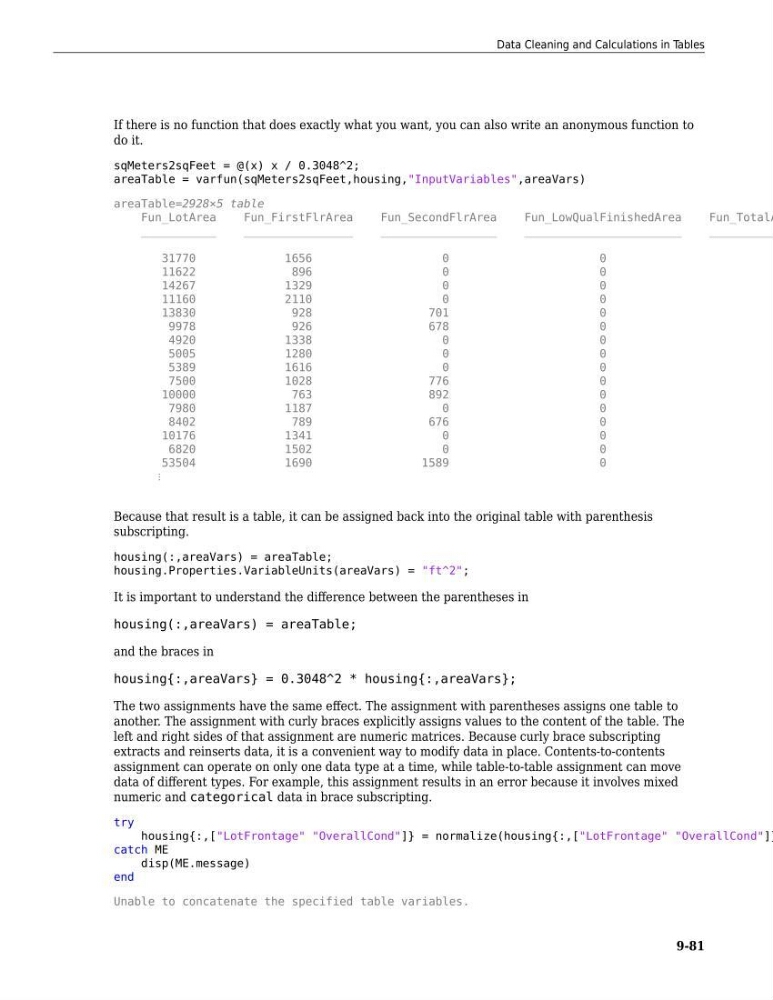
areaTable = varfun(sqMeters2sqFeet,housing,"InputVariables",areaVars)
areaTable=2928×5 table
Fun_LotArea
Fun_FirstFlrArea
Fun_SecondFlrArea
Fun_LowQualFinishedArea
Fun_TotalA
___________
________________
_________________
_______________________
__________
31770
1656
0
0
11622
896
0
0
14267
1329
0
0
11160
2110
0
0
13830
928
701
0
9978
926
678
0
4920
1338
0
0
5005
1280
0
0
5389
1616
0
0
7500
1028
776
0
10000
763
892
0
7980
1187
0
0
8402
789
676
0
10176
1341
0
0
6820
1502
0
0
53504
1690
1589
0
⋮
Because that result is a table, it can be assigned back into the original table with parenthesis
subscripting.
housing(:,areaVars) = areaTable;
housing.Properties.VariableUnits(areaVars) = "ft^2";
It is important to understand the difference between the parentheses in
housing(:,areaVars) = areaTable;
and the braces in
housing{:,areaVars} = 0.3048^2 * housing{:,areaVars};
The two assignments have the same effect. The assignment with parentheses assigns one table to
another. The assignment with curly braces explicitly assigns values to the content of the table. The
left and right sides of that assignment are numeric matrices. Because curly brace subscripting
extracts and reinserts data, it is a convenient way to modify data in place. Contents-to-contents
assignment can operate on only one data type at a time, while table-to-table assignment can move
data of different types. For example, this assignment results in an error because it involves mixed
numeric and categorical data in brace subscripting.
try
housing{:,["LotFrontage" "OverallCond"]} = normalize(housing{:,["LotFrontage" "OverallCond"]}
catch ME
disp(ME.message)
end
Unable to concatenate the specified table variables.
Data Cleaning and Calculations in Tables
9-81
do it.
sqMeters2sqFeet = @(x) x / 0.3048^2;
areaTable = varfun(sqMeters2sqFeet,housing,"InputVariables",areaVars)
areaTable=2928×5 table
Fun_LotArea
Fun_FirstFlrArea
Fun_SecondFlrArea
Fun_LowQualFinishedArea
Fun_TotalA
___________
________________
_________________
_______________________
__________
31770
1656
0
0
11622
896
0
0
14267
1329
0
0
11160
2110
0
0
13830
928
701
0
9978
926
678
0
4920
1338
0
0
5005
1280
0
0
5389
1616
0
0
7500
1028
776
0
10000
763
892
0
7980
1187
0
0
8402
789
676
0
10176
1341
0
0
6820
1502
0
0
53504
1690
1589
0
⋮
Because that result is a table, it can be assigned back into the original table with parenthesis
subscripting.
housing(:,areaVars) = areaTable;
housing.Properties.VariableUnits(areaVars) = "ft^2";
It is important to understand the difference between the parentheses in
housing(:,areaVars) = areaTable;
and the braces in
housing{:,areaVars} = 0.3048^2 * housing{:,areaVars};
The two assignments have the same effect. The assignment with parentheses assigns one table to
another. The assignment with curly braces explicitly assigns values to the content of the table. The
left and right sides of that assignment are numeric matrices. Because curly brace subscripting
extracts and reinserts data, it is a convenient way to modify data in place. Contents-to-contents
assignment can operate on only one data type at a time, while table-to-table assignment can move
data of different types. For example, this assignment results in an error because it involves mixed
numeric and categorical data in brace subscripting.
try
housing{:,["LotFrontage" "OverallCond"]} = normalize(housing{:,["LotFrontage" "OverallCond"]}
catch ME
disp(ME.message)
end
Unable to concatenate the specified table variables.
Data Cleaning and Calculations in Tables
9-81