

Advantages of Using Tables
Conveniently Store Mixed-Type Data in Single Container
You can use the table data type to collect mixed-type data and metadata properties, such as variable
name, row names, descriptions, and variable units, in a single container. Tables are suitable for
column-oriented or tabular data that is often stored as columns in a text file or in a spreadsheet. For
example, you can use a table to store experimental data, with rows representing different
observations and columns representing different measured variables.
Tables consist of rows and column-oriented variables. Each variable in a table can have a different
data type and a different size, but each variable must have the same number of rows.
For example, load sample patients data.
load patients
Then, combine the workspace variables, Systolic and Diastolic into a single BloodPressure
variable and convert the workspace variable, Gender, from a cell array of character vectors to a
categorical array.
BloodPressure = [Systolic Diastolic];
Gender = categorical(Gender);
whos('Gender','Age','Smoker','BloodPressure')
Name
Size
Bytes Class
Attributes
Age
100x1
800 double
BloodPressure
100x2
1600 double
Gender
100x1
330 categorical
Smoker
100x1
100 logical
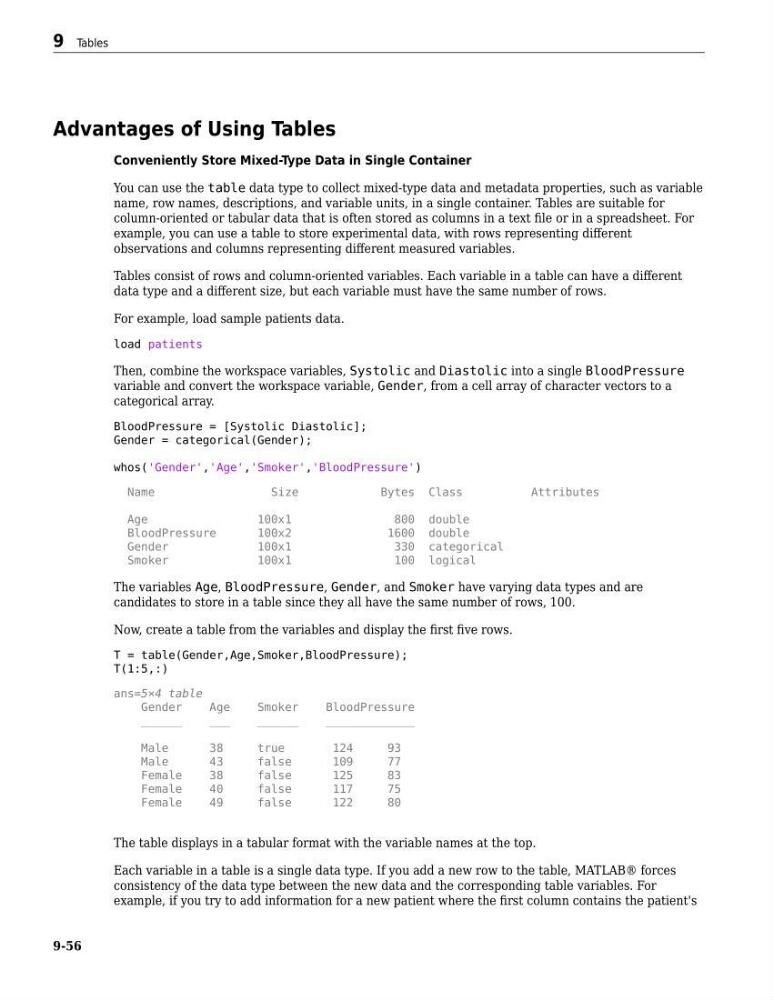
The variables Age, BloodPressure, Gender, and Smoker have varying data types and are
candidates to store in a table since they all have the same number of rows, 100.
Now, create a table from the variables and display the first five rows.
T = table(Gender,Age,Smoker,BloodPressure);
T(1:5,:)
ans=5×4 table
Gender
Age
Smoker
BloodPressure
______
___
______
_____________
Male
38
true
124
93
Male
43
false
109
77
Female
38
false
125
83
Female
40
false
117
75
Female
49
false
122
80
The table displays in a tabular format with the variable names at the top.
Each variable in a table is a single data type. If you add a new row to the table, MATLAB® forces
consistency of the data type between the new data and the corresponding table variables. For
example, if you try to add information for a new patient where the first column contains the patient's
9 Tables
9-56
Conveniently Store Mixed-Type Data in Single Container
You can use the table data type to collect mixed-type data and metadata properties, such as variable
name, row names, descriptions, and variable units, in a single container. Tables are suitable for
column-oriented or tabular data that is often stored as columns in a text file or in a spreadsheet. For
example, you can use a table to store experimental data, with rows representing different
observations and columns representing different measured variables.
Tables consist of rows and column-oriented variables. Each variable in a table can have a different
data type and a different size, but each variable must have the same number of rows.
For example, load sample patients data.
load patients
Then, combine the workspace variables, Systolic and Diastolic into a single BloodPressure
variable and convert the workspace variable, Gender, from a cell array of character vectors to a
categorical array.
BloodPressure = [Systolic Diastolic];
Gender = categorical(Gender);
whos('Gender','Age','Smoker','BloodPressure')
Name
Size
Bytes Class
Attributes
Age
100x1
800 double
BloodPressure
100x2
1600 double
Gender
100x1
330 categorical
Smoker
100x1
100 logical
The variables Age, BloodPressure, Gender, and Smoker have varying data types and are
candidates to store in a table since they all have the same number of rows, 100.
Now, create a table from the variables and display the first five rows.
T = table(Gender,Age,Smoker,BloodPressure);
T(1:5,:)
ans=5×4 table
Gender
Age
Smoker
BloodPressure
______
___
______
_____________
Male
38
true
124
93
Male
43
false
109
77
Female
38
false
125
83
Female
40
false
117
75
Female
49
false
122
80
The table displays in a tabular format with the variable names at the top.
Each variable in a table is a single data type. If you add a new row to the table, MATLAB® forces
consistency of the data type between the new data and the corresponding table variables. For
example, if you try to add information for a new patient where the first column contains the patient's
9 Tables
9-56